
SeqDiag
SeqDiag draws sequence diagrams from arrows. An arrow is a message, a returned arrow is a reply, and nesting is inferred from the order.
Mermaid and PlantUML both do more, but SeqDiag's source is shorter than either.
#What it is good at
Simple call sequences where the syntax should stay out of the way.
Generated sequence diagrams from a log or trace.
Documentation where the sequence is short and unlikely to grow.
#What it draws
Element | Syntax |
|---|---|
Message | browser -> server [label = "GET /"]; |
Reply | browser <-- server [label = "200 OK"]; |
Round trip | a => b [label = "call", return = "result"]; |
Note | ... anything ...; with the label option |
#A worked example
A request, a database call and the replies:
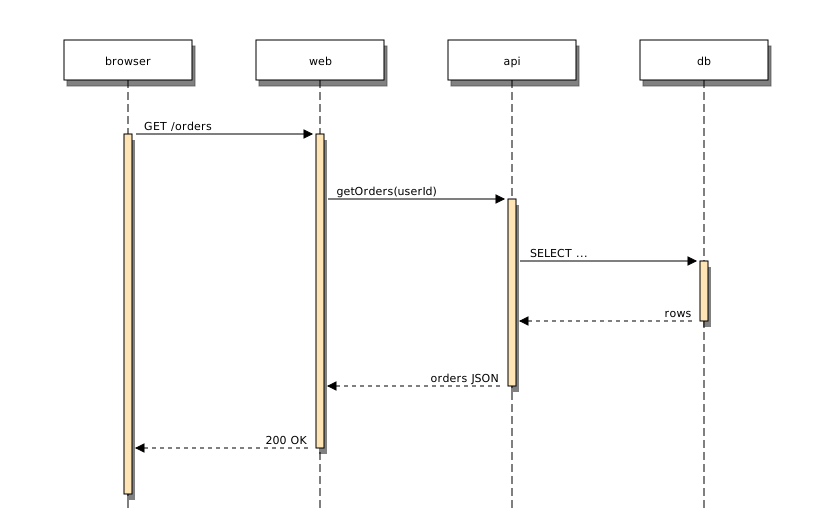
The source, which you can paste into a new diagram and edit:
#A few things that catch people out
Participants appear in the order they are first mentioned; mention them in the order you want.
The => form draws a call and its return in one line, which keeps long sequences short.
For activations, loops and alt blocks, use Mermaid or PlantUML.
#Related
Thirty-one languages. Nobody knows them all.






















