
Packet diagram (Mermaid)
Mermaid can draw a wire format directly, which is handy when the header belongs in the same document as everything else rather than in a separate tool.
#What this example shows
Bit ranges mapped to named fields.
A header that reads correctly because the offsets are computed, not drawn.
A title, which a header diagram always needs.
#A worked example
Open it, edit it, or copy the source below.
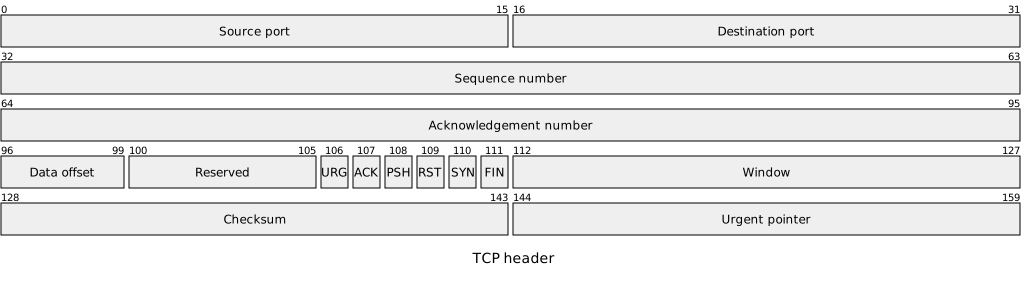
The source, which you can paste into a new diagram and edit:
#Making it your own
Ranges are inclusive at both ends, so 0-15 is sixteen bits.
State the endianness in the surrounding text; the diagram cannot show it.
For byte-oriented structures with nesting, use Bytefield instead.
#Related
Copy it. Change one line. See what happens.






















