
Diagrams from a URL or attachment
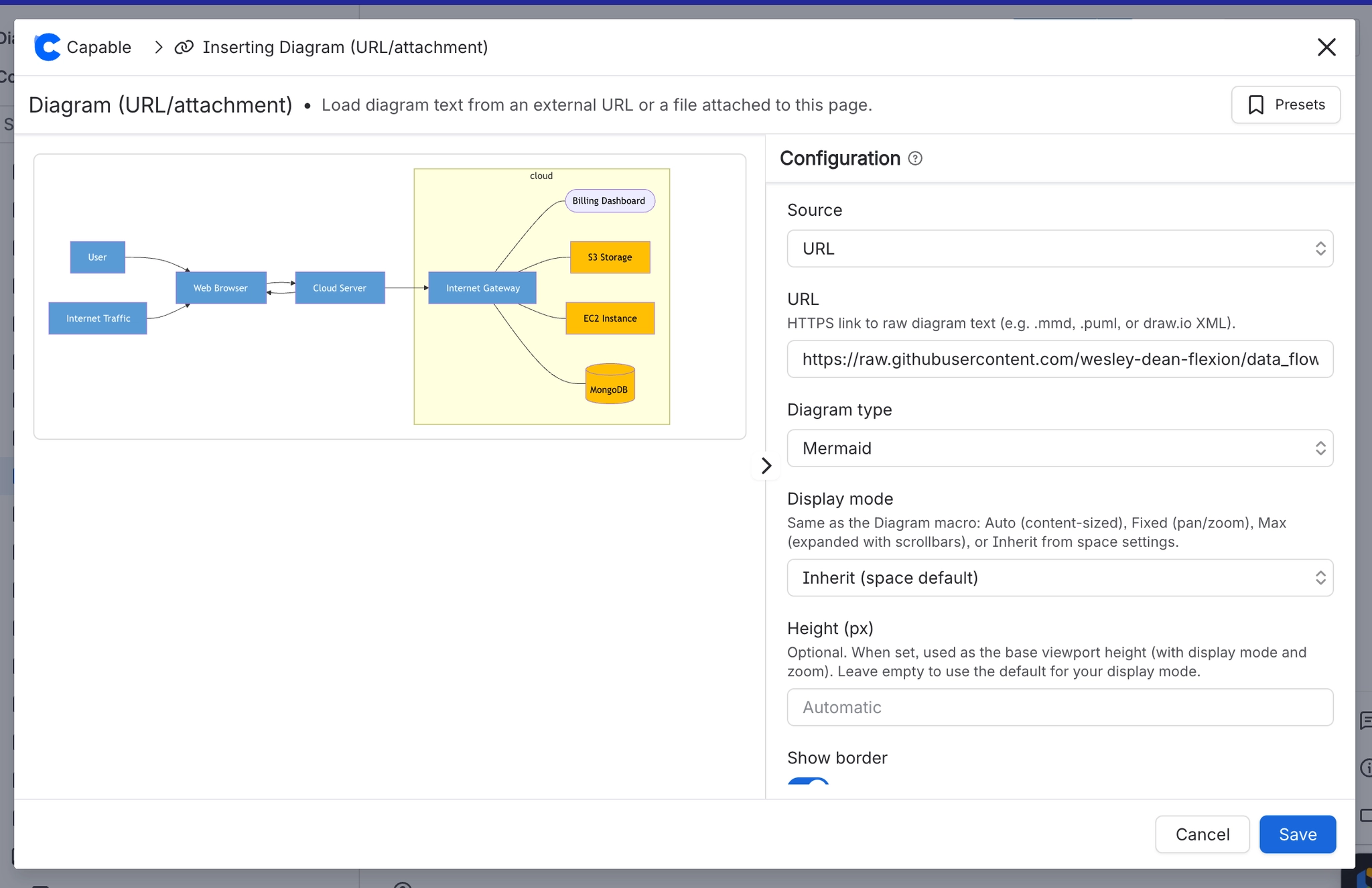
Useful when the diagram is generated by something else, such as a build pipeline that writes a PlantUML file, and you want Confluence to show the current version rather than a copy.
#Two sources
Source | Use when | Trade-off |
|---|---|---|
A URL | The file is produced and hosted elsewhere. | The page depends on that URL staying reachable. |
An attachment | The file is uploaded to the page. | Self-contained, but updating means re-uploading. |
#How it differs from a normal diagram
A normal diagram stores its source in your site and is edited in place. This macro points at a file instead, so the file is the source of truth and the Confluence side is read-only.
A URL source is fetched at render time. If the host is unreachable or blocked by egress rules, the diagram will not render. See Security and privacy.
#A few things that catch people out
You cannot edit these in the Capable editor. Edit the source file and re-render.
URL sources are subject to your site's egress rules, which an admin controls.
For a diagram that should be editable in Confluence, use a normal diagram instead. See Insert a diagram.
#Related
Point at the source when the source lives elsewhere.






















