
Ishikawa diagram (Mermaid)
A fishbone diagram groups possible causes into categories so a root cause session stays balanced rather than following whoever spoke first. Drawn as a flowchart it stays editable in text.
#What this example shows
Categories as the first level, causes beneath them.
One effect at the right-hand end, which everything points at.
A layout that stays readable as causes are added.
#A worked example
Open it, edit it, or copy the source below.
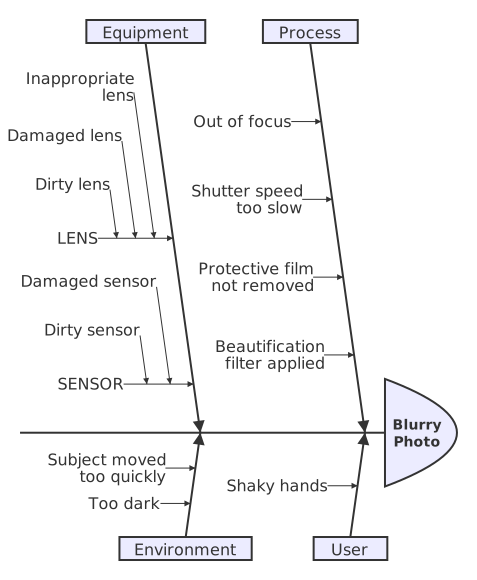
The source, which you can paste into a new diagram and edit:
#Making it your own
Agree the categories before you start, or everything lands in the first branch drawn.
Keep asking why within a branch; the first cause listed is rarely the root.
Causes are not actions. Turn the diagram into actions separately, afterwards.
#Related
Copy it. Change one line. See what happens.






















