
ASCII art diagram
Plenty of real documentation contains ASCII diagrams: boxes made of dashes and pipes, in READMEs and terminal output. Svgbob and Ditaa render those into clean pictures while keeping the plain text source.
That means one source that reads fine in a terminal and renders properly on a page.
#When to reach for one
Importing diagrams that already exist in a README or code comment.
Documentation that must stay readable as plain text.
Terminal output and directory trees that deserve to look intentional.
#How to draw it in Capable
Route | Use when |
|---|---|
Svgbob | Clean line rendering with rounded corners and arrows. |
Ditaa | Colour fills, shadows and shape hints from the same style of source. |
#A worked example
ASCII in, a real diagram out:
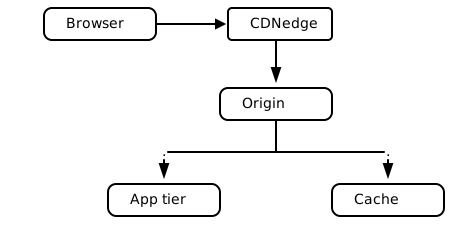
The source, which you can paste into a new diagram and edit:
#A few things that catch people out
Alignment matters. A misaligned pipe becomes a broken line in the rendered output.
Keep the source; its readability as plain text is the reason to use this at all.
Ditaa and Svgbob read slightly different syntax. Pick one per diagram.
#Related
Approximately right is wrong here.






















