
Diagram display options
The most common cosmetic complaint about diagrams is one of these settings, not a broken drawing.
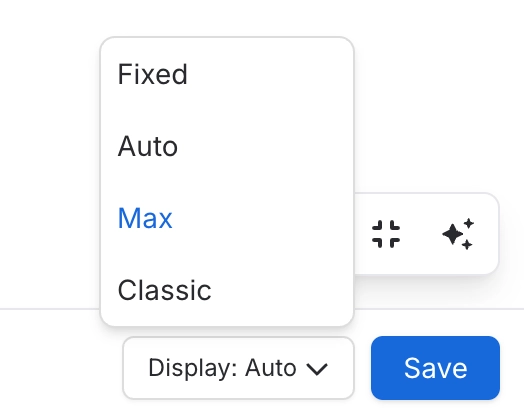
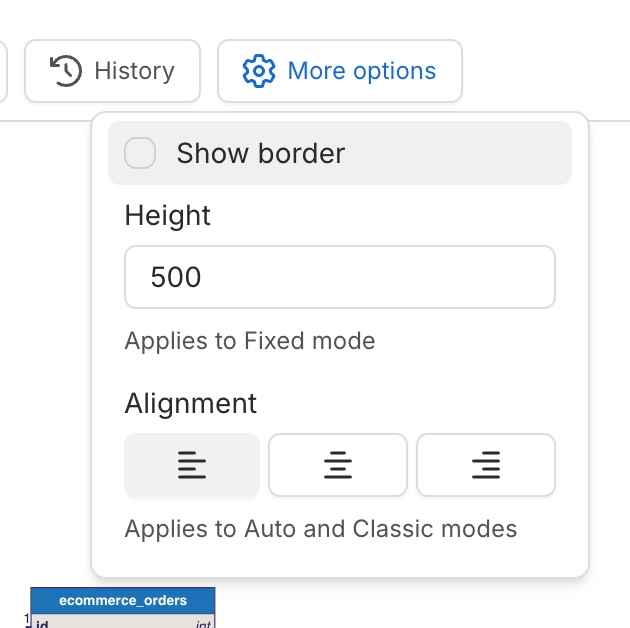
#The modes
Mode | Behaviour | Use when |
|---|---|---|
Default | Scales proportionally to the page width. | Most diagrams. It is the sensible default. |
Legacy | Fixed viewport with pan and zoom. | Large diagrams you want to explore rather than shrink. |
Max | Proportional, expanded to fill more of the page. | A diagram that is the point of the page. |
Classic | Authored size, left aligned, frame hugs the drawing. | Matching the look of the old draw.io macro. |
A diagram that looks cut off is usually in a fixed-viewport mode. Switch to default and it will fit.
#Where it is set
Per diagram in the macro, or per space so a team is consistent by default. The space setting is in Administration.
#A few things that catch people out
The editor preview does not always match the page, because the page applies the display mode and the editor does not.
Setting a fixed height overrides proportional scaling.
Published sites use the same modes, so a diagram cut off in Confluence is cut off there too. See Integrations.
#Related
One setting fixes most of the complaints.






















