
BPMN properties panel
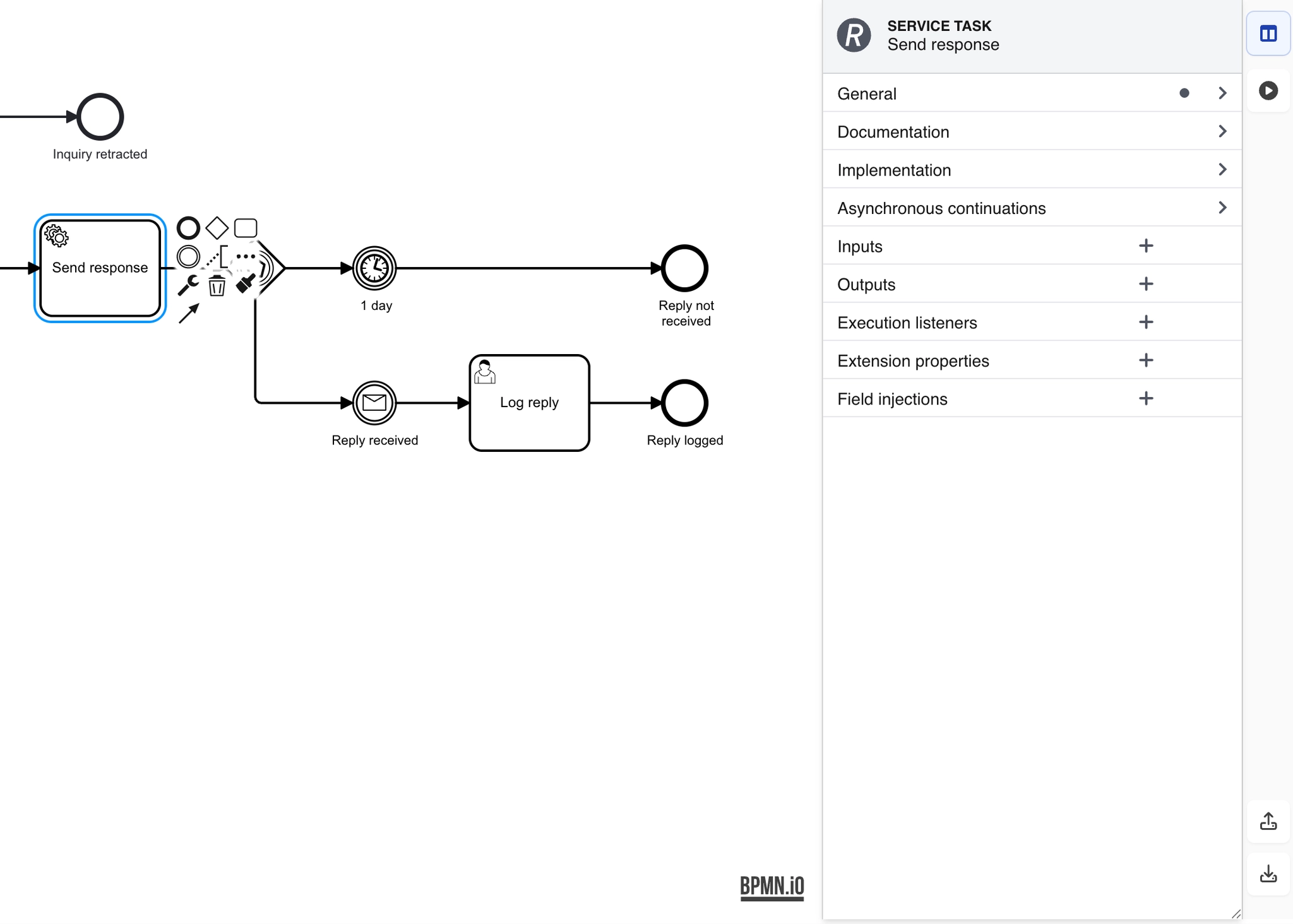
The properties column on the right holds the fields that are not visible on the diagram: id, documentation, and the type-specific settings that make an element mean something precise.
The panel is resizable, which matters because some property groups are wide.
#What this is for
Setting documentation that travels with the model.
Configuring type-specific fields such as timer definitions.
Giving elements stable ids for anything downstream.
#How it works
Action | How |
|---|---|
Name | The label shown on the diagram. |
Id | The stable identifier. Anything referencing this element uses it. |
Documentation | Free text, stored in the BPMN file itself. |
Type-specific fields | Timer definitions, error codes, condition expressions. |
Resize the panel | Drag its edge; some property groups need the width. |
#A few things that catch people out
Documentation lives in the BPMN XML, so it survives export and opens in other tools.
Ids matter if the process will be executed. Set them deliberately rather than accepting generated ones.
A cramped panel hides fields. Widen it before concluding a setting does not exist.
#Related
Simulate it before you publish it.






















