
Rack diagram (RackDiag)
RackDiag draws a rack elevation from a list of units. Multi-unit equipment declares a span, and the empty units stay visible, which is the point.
#What this example shows
Rack height declared once at the top.
Equipment placed at a unit number, with a span.
Descriptions carrying the model.
#A worked example
Open it, edit it, or copy the source below.
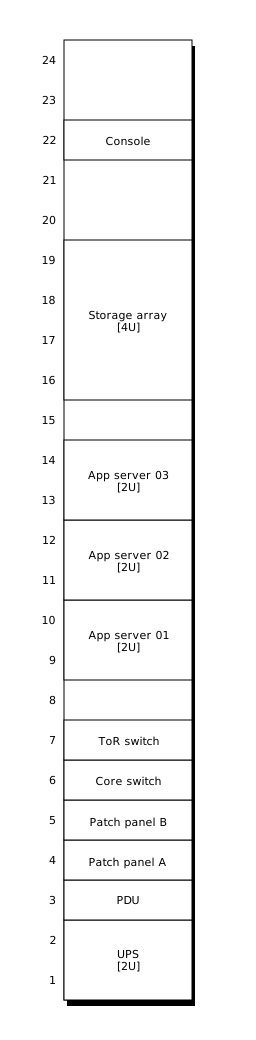
The source, which you can paste into a new diagram and edit:
#Making it your own
Units count from the bottom, as they do in the room.
Leave gaps out of the list; empty units are capacity, and capacity is why people look.
Draw the rear as a second rack if cabling or power matters.
#Related
Specialists. Borrow one when you need it.






















