
Align, distribute and auto layout
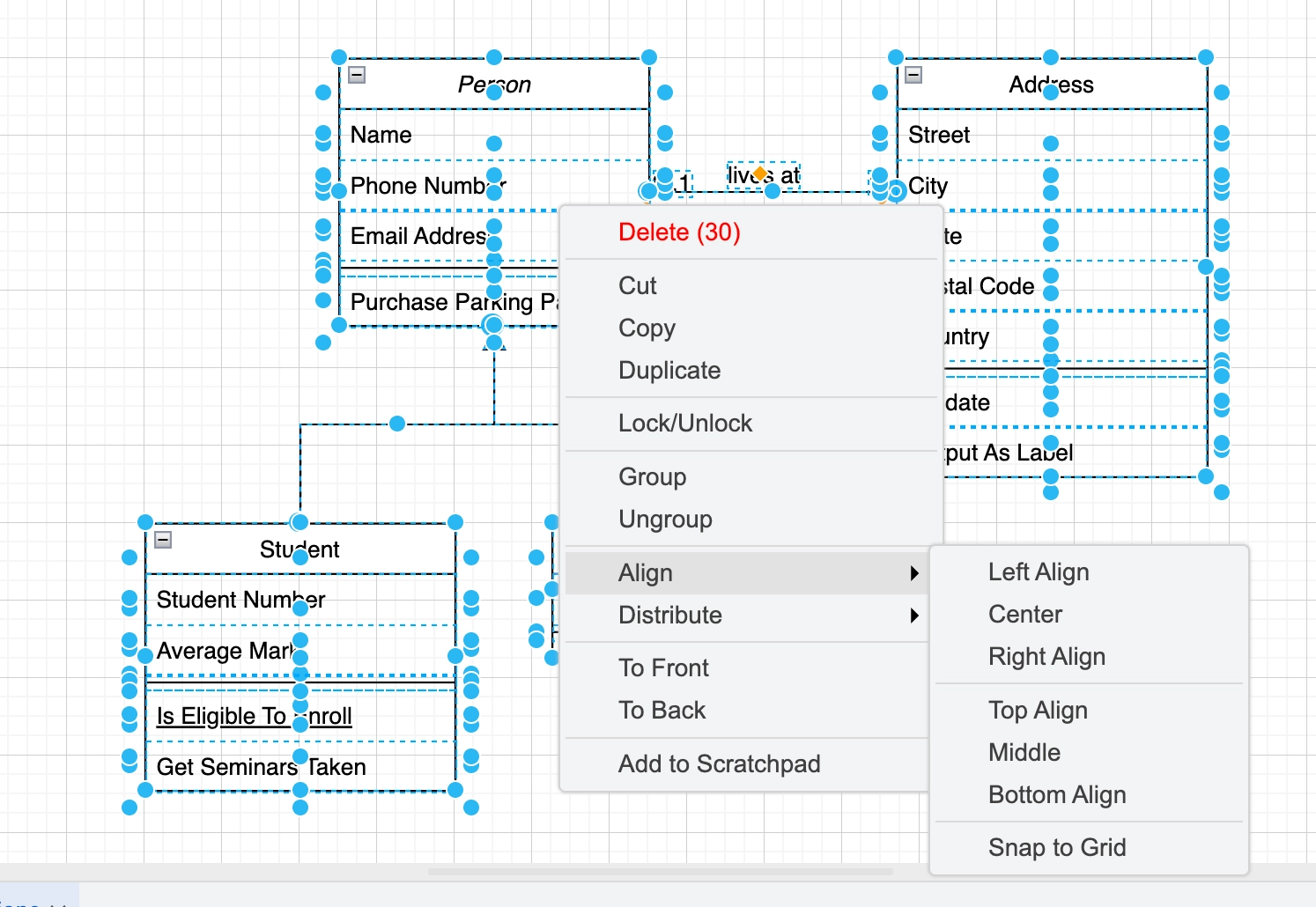
A diagram where things are almost aligned looks worse than one where nothing is. Two seconds with the align tools removes most of that.
For diagrams with a natural structure, the automatic layouts do the whole job: tree, organic, and flow layouts all take one click.
#What this is for
Tidying a diagram before sharing it.
Laying out a tree or hierarchy without positioning anything by hand.
Making a set of shapes the same size.
#How it works
Action | How |
|---|---|
Align | Select several shapes, then Arrange, Align, and pick an edge or centre. |
Distribute | Arrange, Distribute, to space a selection evenly. |
Match size | Arrange, Size, to make a selection the same width or height. |
Tree layout | Arrange, Layout, Tree, for hierarchies and org charts. |
Organic layout | Arrange, Layout, Organic, for network-style graphs. |
Flow layout | Arrange, Layout, Horizontal or Vertical Flow, for processes. |
#A few things that catch people out
Auto layout moves everything. Undo is one keystroke, so try it before assuming it will not help.
Align to the shape you consider correct by selecting it last, if the editor honours the anchor.
Distributing two shapes does nothing. It needs three or more.
#Related
The canvas rewards ten minutes of learning.






















