
draw.io keyboard shortcuts
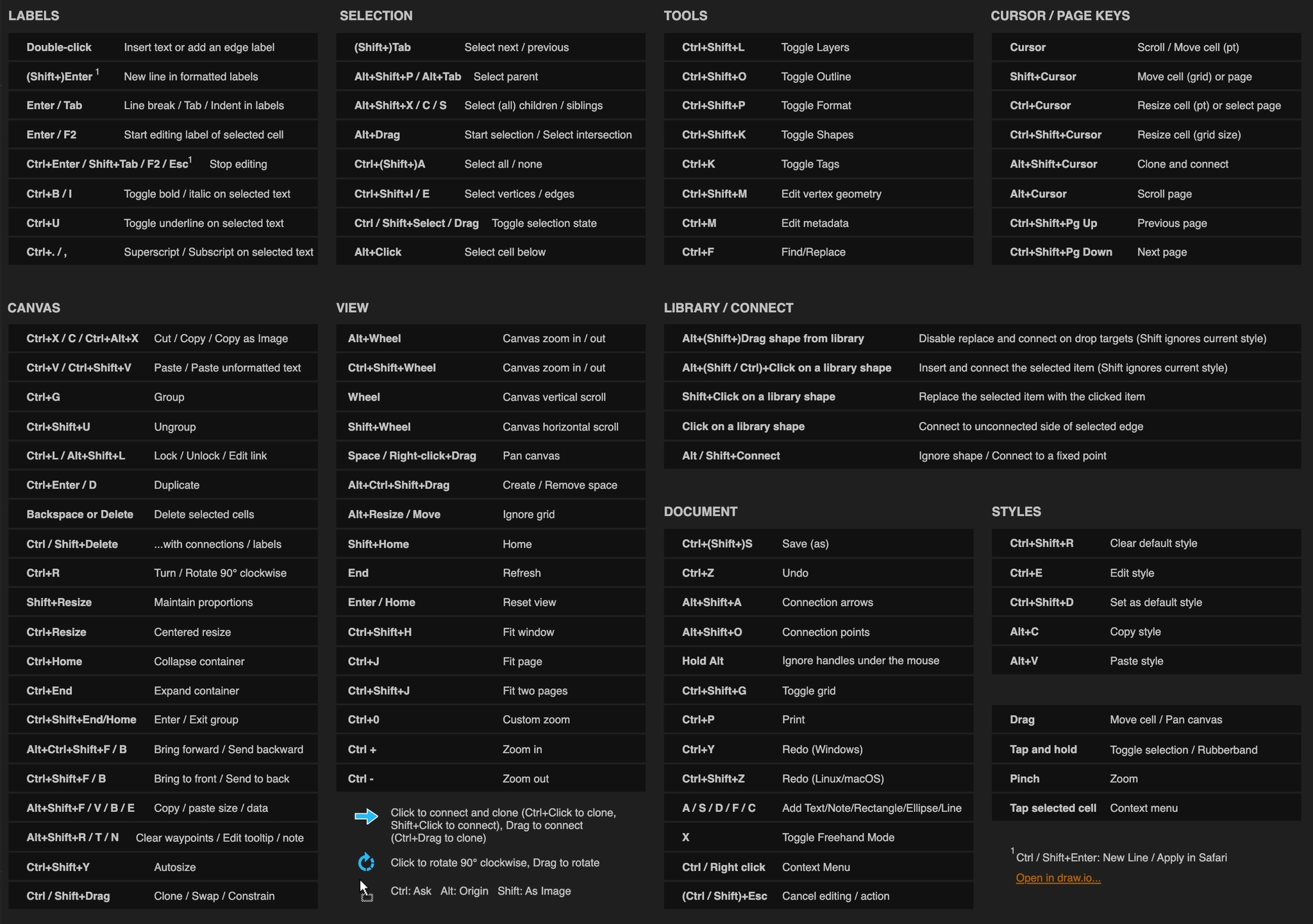
The draw.io editor has a very large shortcut list. These are the ones that change how fast you work.
#Worth knowing
Learning three of these saves more time than learning all of them.
Shortcuts work while the editor has focus, not while the page does.
On macOS, use Cmd wherever Ctrl is listed.
#Shortcuts
Shortcut | Does |
|---|---|
Ctrl+Shift+H | Fit the diagram to the window |
Ctrl+D | Duplicate the selection |
Ctrl+G / Ctrl+Shift+U | Group / ungroup |
Ctrl+E | Edit the style of the selection |
F2 | Rename the selected shape |
Ctrl+Shift+F / Ctrl+Shift+B | Bring to front / send to back |
Ctrl+Shift+L | Open the layers panel |
Alt+Shift+X / Alt+Shift+C | Align horizontal / vertical centre |
Escape | Cancel the current connector or edit |
Ctrl+Z / Ctrl+Y | Undo / redo |
Ctrl+Shift+M | Edit the diagram XML |
Right-click | Context menu, which is where most of the useful commands live |
#A few things that catch people out
Shortcuts apply while the editor has focus. Click the canvas first if a shortcut seems dead.
On macOS, Cmd replaces Ctrl throughout.
Ctrl+Shift+H is the one to learn first. It solves being lost.
#Related
The canvas rewards ten minutes of learning.






















