
Network diagram (NWDiag)

NWDiag puts each network on its own band and attaches hosts to it. A host on two networks appears on both, joined automatically, which is the feature that makes it worth using.


#What this example shows

  • Address ranges declared per network.

  • A host present on two networks, joined for you.

  • Descriptions on networks and hosts.


#A worked example

Open it, edit it, or copy the source below.
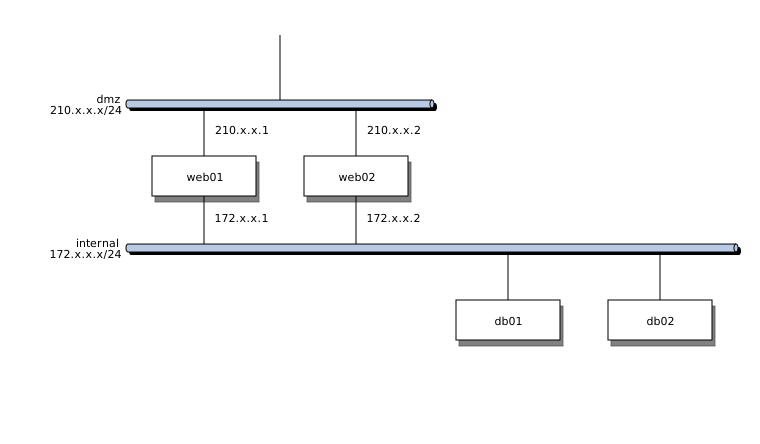
Network diagram (NWDiag)

The source, which you can paste into a new diagram and edit:

nwdiag {
  network dmz {
    address = "10.0.1.0/24";
    description = "Public";

    lb01 [address = "10.0.1.10"];
    web01 [address = "10.0.1.11"];
    web02 [address = "10.0.1.12"];
  }

  network app {
    address = "10.0.2.0/24";
    description = "Application";

    web01 [address = "10.0.2.11"];
    web02 [address = "10.0.2.12"];
    api01 [address = "10.0.2.21"];
    api02 [address = "10.0.2.22"];
  }

  network data {
    address = "10.0.3.0/24";
    description = "Data";

    api01 [address = "10.0.3.21"];
    api02 [address = "10.0.3.22"];
    db01 [address = "10.0.3.31", description = "Postgres primary"];
    db02 [address = "10.0.3.32", description = "Postgres replica"];
  }
}

#Making it your own

  • Repeat the host name in each network it belongs to.

  • Addresses are free text, so check them against your allocation table.

  • Split by site above about thirty hosts.


Specialists. Borrow one when you need it.






















