
Colour BPMN elements
Colour carries no meaning in BPMN, which makes it safe to use for emphasis: marking what is changing, highlighting a path under discussion, or shading a lane.
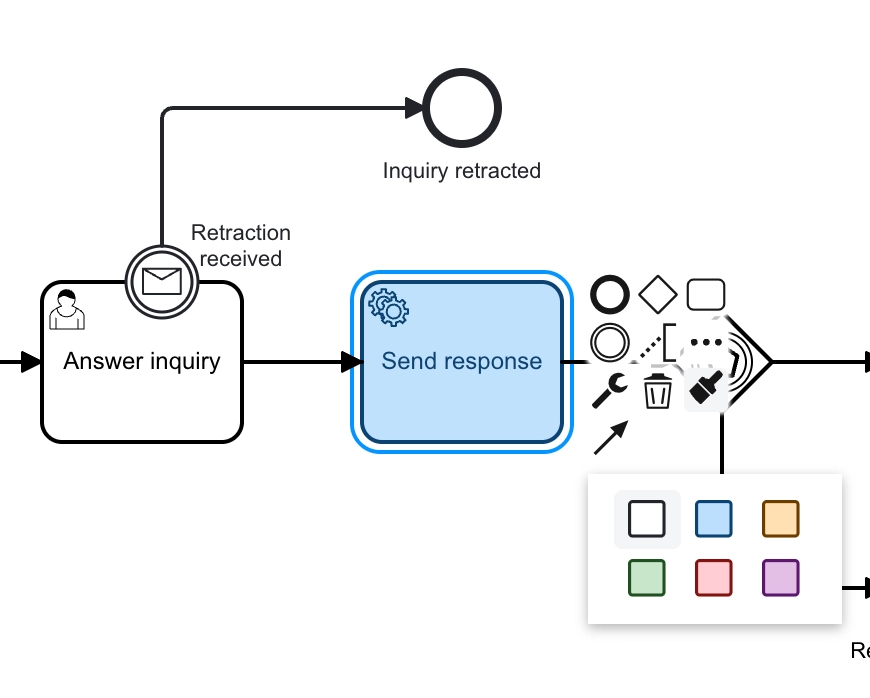
Recolouring is done from the context pad, and it is stored in the BPMN file.
#What this is for
Highlighting the path being discussed in a review.
Marking which parts of a process are changing.
Distinguishing current state from proposed state.
#How it works
Action | How |
|---|---|
Recolour | Select elements, then the colour option on the context pad. |
Multiple elements | Select several first; the colour applies to all of them. |
Reset | Choose the default colour to return to standard rendering. |
Storage | Colour is stored in the file, so it survives export. |
#A few things that catch people out
Colour is not notation. Never use it as the only way to express something meaningful.
Some readers cannot distinguish colours. Pair colour with a label or an annotation.
Colour survives export to other BPMN tools, though not every tool renders it.
#Related
Simulate it before you publish it.






















