
JSON structure (PlantUML)
PlantUML renders JSON directly, which turns an unreadable payload into something a reader can scan. It is the quickest way to document an API response.
#What this example shows
Real JSON as the source, so it can be copied from an actual response.
Nested objects and arrays rendered as a tree.
A structure that stays correct because it is the payload.
#A worked example
Open it, edit it, or copy the source below.
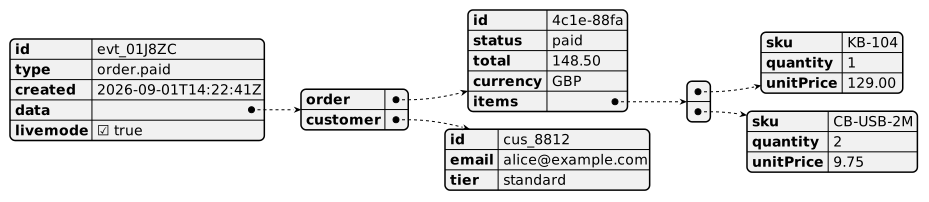
The source, which you can paste into a new diagram and edit:
#Making it your own
Paste a real response rather than writing one; that is the point.
Mark optional fields in the surrounding text; JSON cannot express optionality.
@startjson replaces @startuml for this diagram type.
#Related
Verbose, stable, and it draws almost everything.






















