
Who can create and edit events
Whether you can add or change events depends on your Confluence permissions on the calendar itself. Capable checks your view, edit and delete rights on the calendar every time you use it, not just once. If the check fails, you can't create events and the calendar shows a message explaining why.
Built-in calendars, such as Recently viewed pages and Mentions, are always read-only.
#Where you do it
Task | Where |
|---|---|
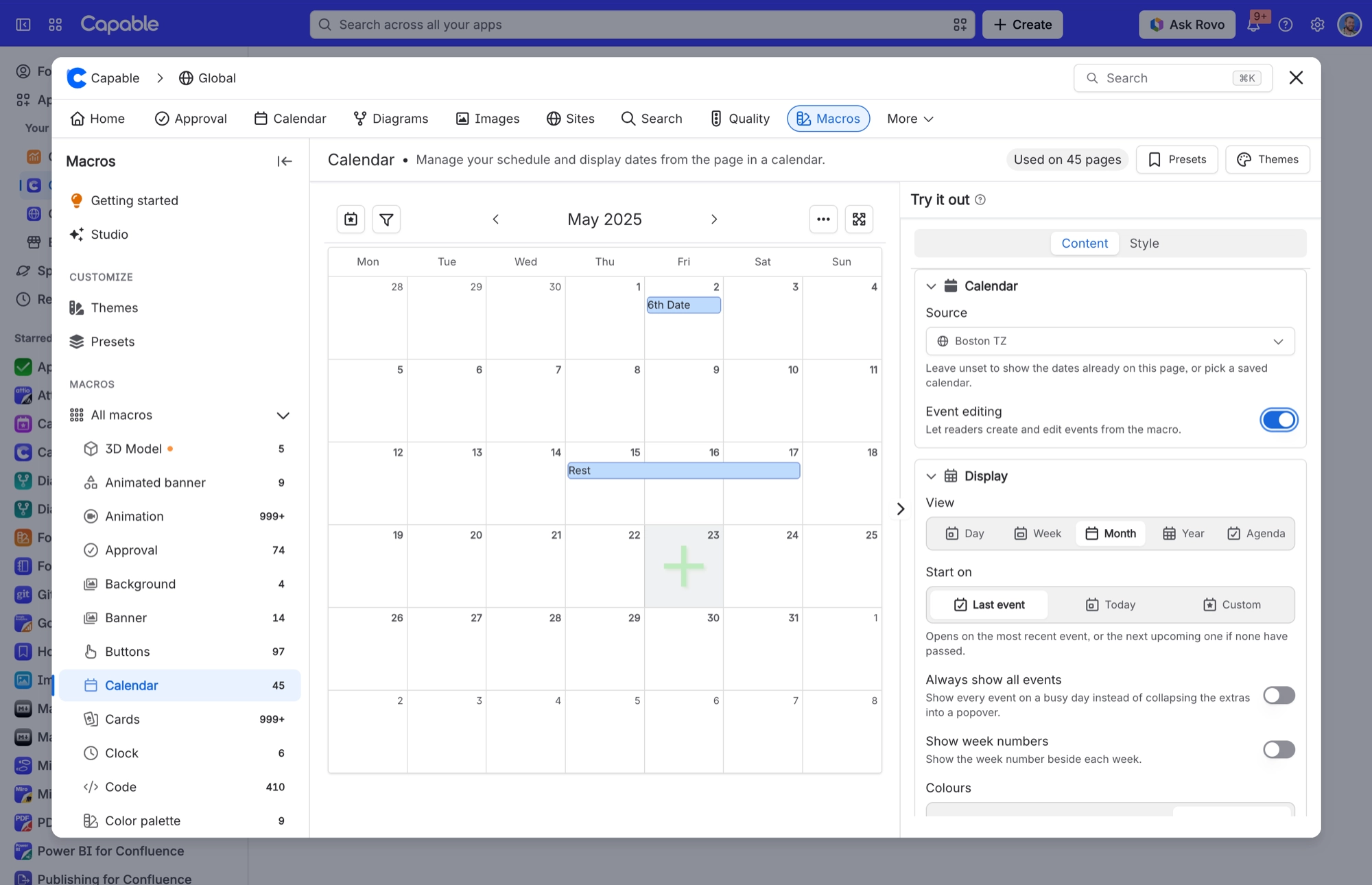
Point a page calendar at a shared, saved calendar | Calendar macro config → Content tab → Source |
Let readers create and edit events from a page calendar | Calendar macro config → Content tab → Event editing (appears once a saved calendar is picked as the Source) |
Hide specific dates from the grid | Calendar macro config → Content tab → Hidden on-page events |
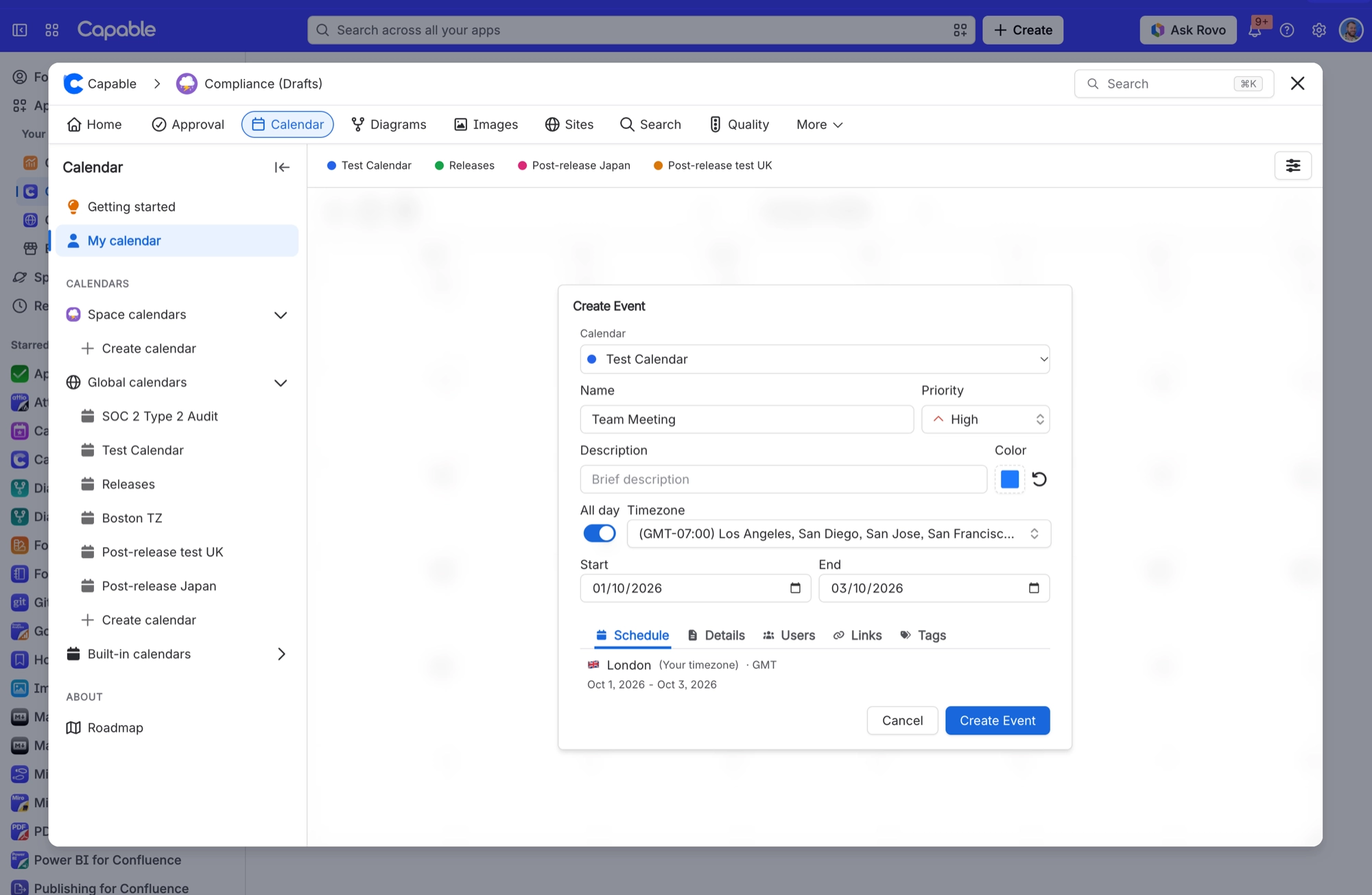
Create a saved, shared calendar | Calendar page → catalogue → create a calendar (or "Create new calendar" from the macro's Source picker) |
#Settings that affect this
Setting | Where | What it does |
|---|---|---|
Event editing | Calendar macro config → Content tab | "Let readers create and edit events from the macro." Only appears when a saved calendar is picked as the Source. Clearing the Source switches it back off. |
Base Timezone | Calendar Configuration panel | "Set the timezone by which events are co-ordinated. Note that events are shown in the timezone of the user viewing the calendar." In practice it only pre-fills the timezone in the create and edit form. |
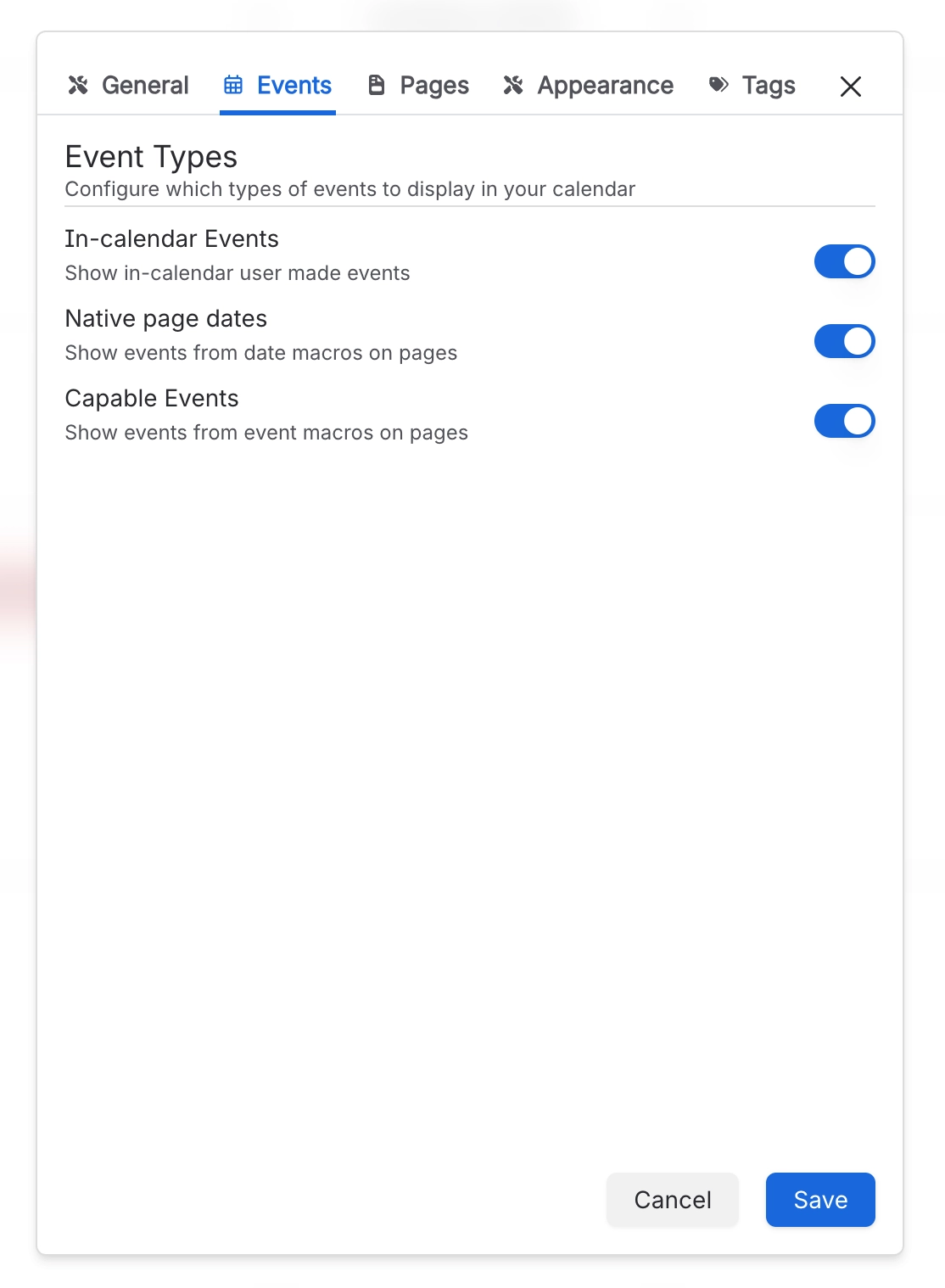
In-calendar Events | Calendar Configuration panel → Events | "Show in-calendar user made events". The events people create and save inside this calendar. |
#Worth knowing
Base Timezone doesn't move events on the grid. As its on-screen description says, everyone sees events in their own timezone.
Can't add events? Ask a space administrator for edit rights on the space or page where the calendar lives. On a Calendar macro, also check that Event editing is switched on.
#Related
How it actually behaves.






















