
Cannot create or edit events in a shared calendar
What you are seeing
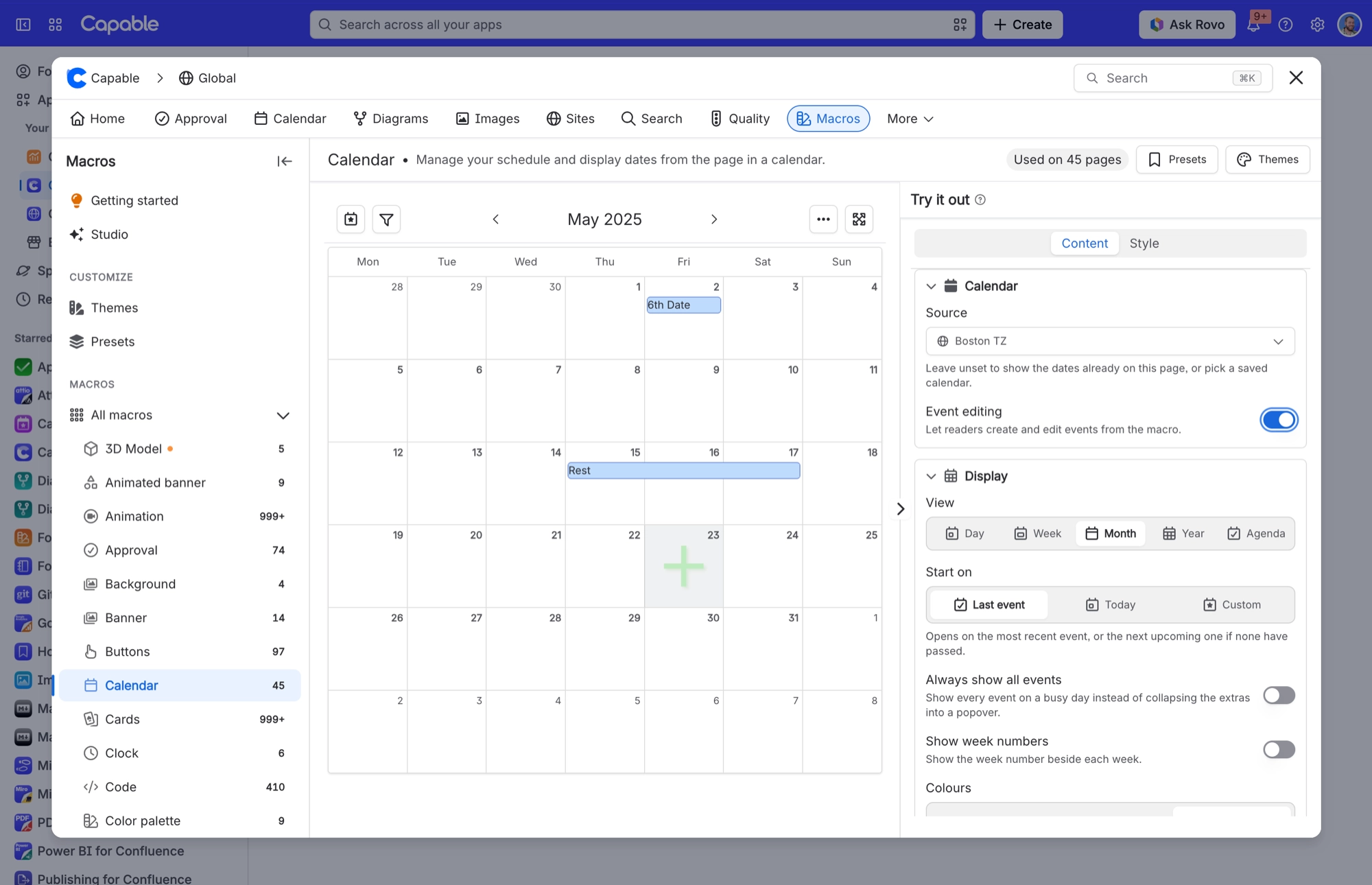
You can see a shared calendar, but you can't add events to it or change the ones already there. Hovering over an empty day doesn't offer the plus sign for a new event, or Capable shows a message when you try.
#Why it happens
Your Confluence permissions on the calendar decide whether you can create or edit its events. Capable checks them every time you make a change, so if your access has changed, you'll notice straight away.
Built-in calendars, such as Recently viewed pages and Mentions, are always read-only.
#What to do
Ask a space administrator for edit rights on the space or page where the calendar lives.
If the calendar sits in a Calendar macro on a page, check that Event editing is turned on. You'll find it in the macro's settings, on the Content tab under Calendar.
#Settings involved
Setting | Where | What it does |
|---|---|---|
Edit rights on the calendar | Confluence permissions on the space or page where the calendar lives | Without them you can view the calendar but not create or edit its events. A space administrator can grant them. |
Event editing | Calendar macro settings → Content tab → Calendar | Lets readers create and edit events from the macro. When it's off, the macro is for viewing only. |
#Related
Unlicensed or signed-out visitor lands on the Calendar page and sees a notice instead of the product
The space and global Calendar pages deliberately render a static visitor notice for unlice
Revoked link cannot be un-revoked
Revocation is permanent by design. The URL returns "no longer available" forever.
Permissions and access
The rest of this family.
Found it? Good.






















