
Switched all the event types off, but the calendar still shows everything
#What you are seeing
You switched every event type off, expecting an empty calendar. Instead, every date is still there.
#Why it happens
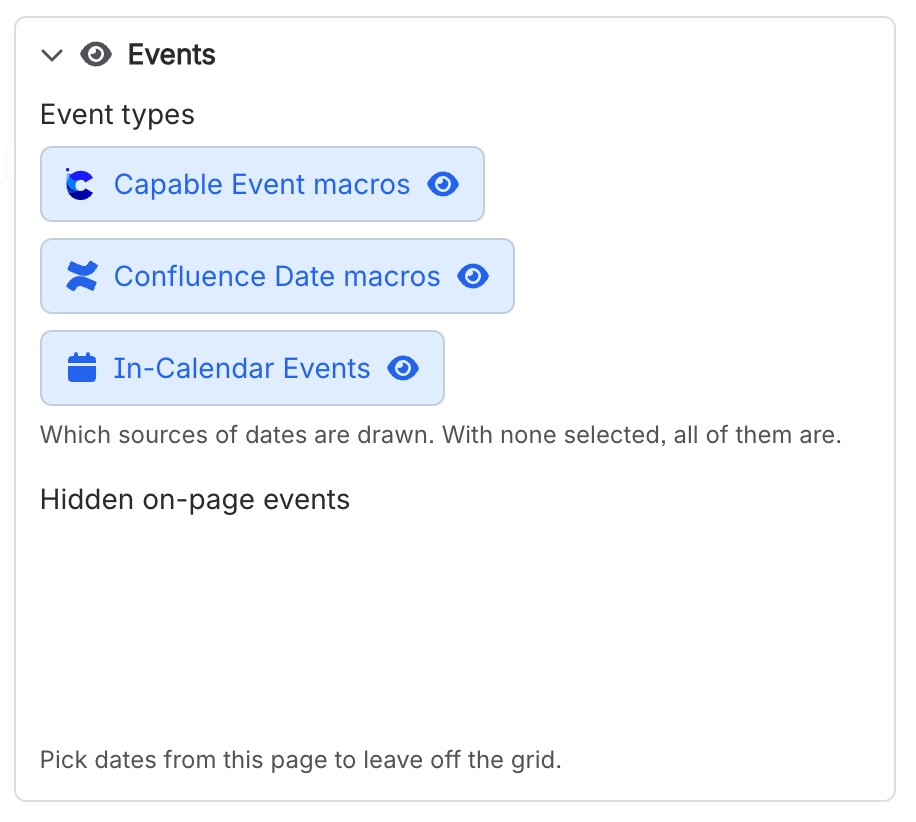
Switching every event type off doesn't mean "show nothing". With no event types selected, the calendar doesn't filter at all, so it shows dates from every source. That's intended, and the Calendar macro says so right under its Event types.
#What to do
Leave at least one event type selected. To show only one kind of date, select exactly that one.
#Settings involved
Setting | Where | What it does |
|---|---|---|
Event types | Calendar macro settings → Events | "Which sources of dates are drawn. With none selected, all of them are." Choose from Capable Event macros, Confluence Date macros and In-Calendar Events. |
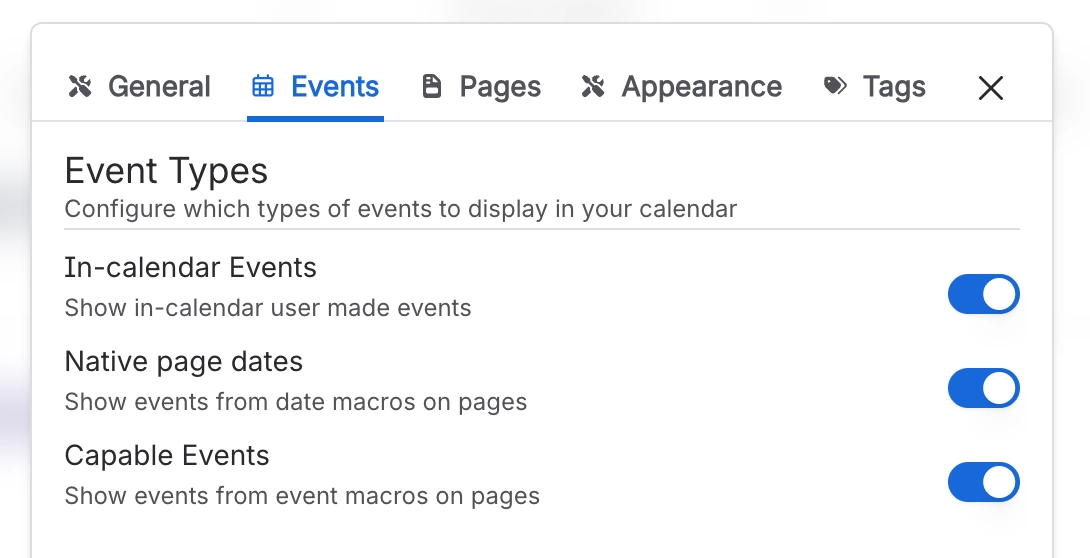
In-calendar Events | Calendar Configuration panel → Events | "Show in-calendar user made events". The events people create and save inside this calendar. |
Native page dates | Calendar Configuration panel → Events | "Show events from date macros on pages". Confluence's own date chips, picked up from the calendar's source pages. |
Capable Events | Calendar Configuration panel → Events | "Show events from event macros on pages". Capable Event macros on the calendar's source pages. |
#Related
Turned off "Confluence Date macros", but dates inside action items still appear
The action-item branch of the date reader does not honour that switch. Only paragraphs, ta
Several dates in one paragraph (or one table row) turned into a single event instead of several
By design, a paragraph or a table row makes one event running from the earliest to the lat
Everything else
The rest of this family.
Found it? Good.






















