
Turned off "Confluence Date macros", but dates inside action items still appear
What you are seeing
You turned off "Confluence Date macros", but dates inside action items still show up on the calendar.
#Why it happens
That switch only covers dates in paragraphs, table rows and standalone date chips. Dates inside action items are picked up separately, so they still appear. The event takes its name from the rest of the action item, mentions and all.
#What to do
You have two options:
Remove the date from the action item.
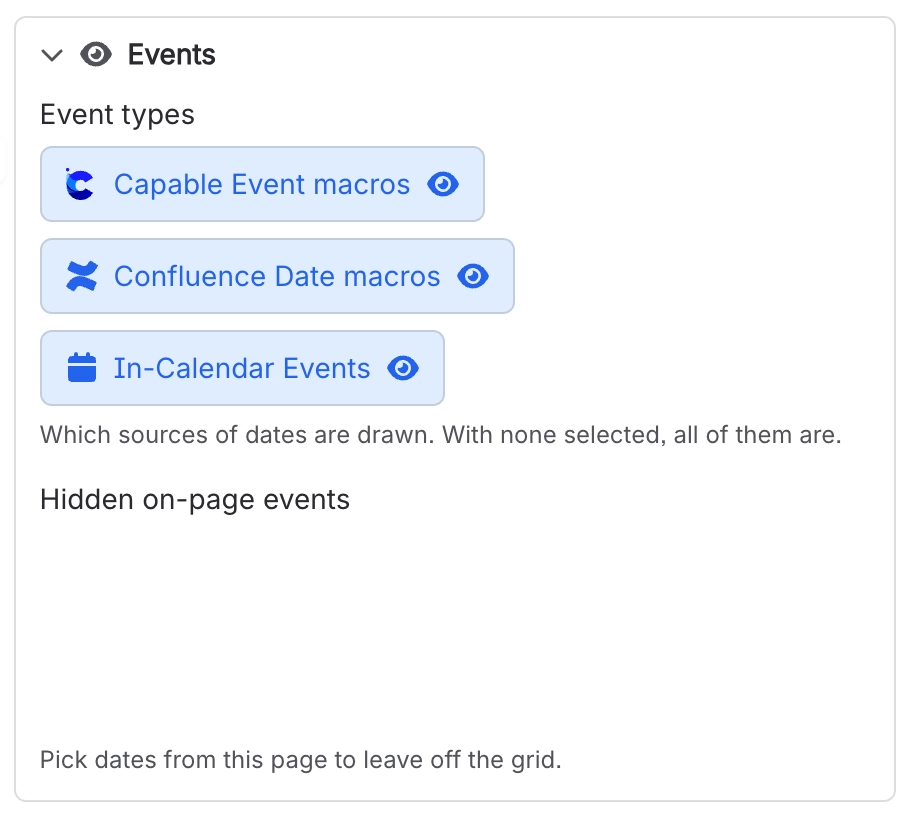
Or keep the date and hide that one event with "Hidden on-page events".
#Settings involved
Setting | Where | What it does |
|---|---|---|
Event types | Calendar macro → Events | Chooses which sources of dates are drawn. With none selected, all of them are. Turning off "Confluence Date macros" does not remove dates inside action items. |
Hidden on-page events | Calendar macro → Events | Pick dates from the page to leave off the calendar. Use it to hide a single action item date. |
Calendar subscriptions | Confluence settings → Capable (Capable Calendar in the standalone app) → Features | "Let users subscribe to Capable calendars from Google, Apple, or Outlook via a personal iCal feed. Turn off to disable subscriptions for all users." Only appears when the installed app includes the Calendar capability. |
Calendar (global settings tab) | Confluence settings → Capable → Calendar | Shows the "Calendar subscriptions" card: the personal iCal feed links your users have generated, with the user, calendar, status and created date for each. Use Previous and Next to page through them. |
Hide the Calendar capability site-wide | Confluence settings → Capable → Capabilities | Removes Calendar across the whole site. Suite only. The standalone Capable Calendar app has no Capabilities tab, though its byline still follows this setting. |
#Limits that apply here
Limit | Value | What happens |
|---|---|---|
iCal feed window | - | Events outside this rolling window never reach a subscriber's calendar app, even though they render fine inside Confluence. |
#Related
Several dates in one paragraph (or one table row) turned into a single event instead of several
By design, a paragraph or a table row makes one event running from the earliest to the lat
Date chip on a line by itself never appears on any calendar
A date with no surrounding text is named "Unknown", and events named "Unknown" are filtere
Everything else
The rest of this family.
Found it? Good.






















