
Event macro pill shows a time that looks shifted by the timezone offset (for example 14:00 rendering
What you are seeing
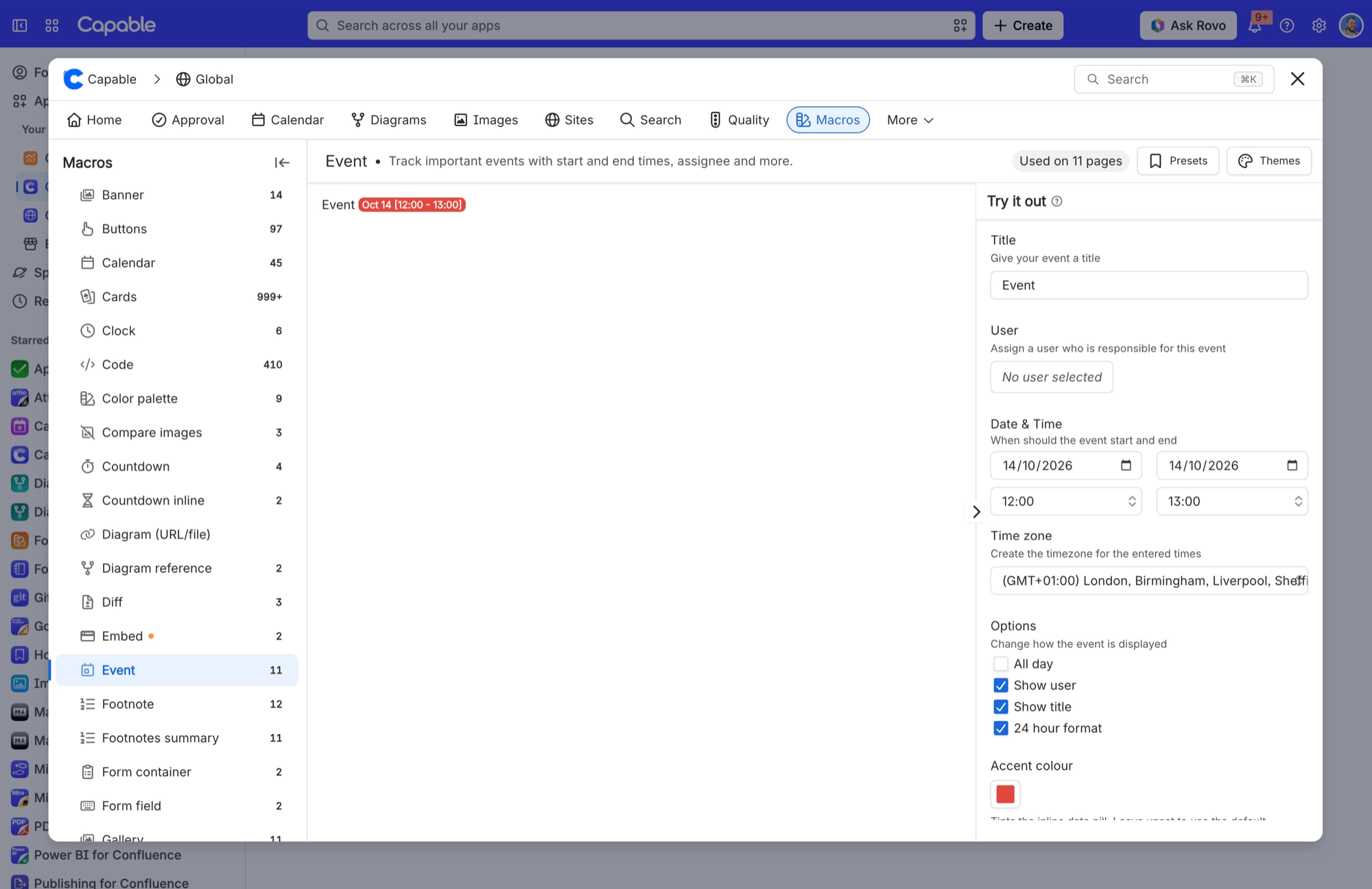
An Event macro pill shows a time that looks shifted by the timezone offset (for example 14:00 rendering as 09:00), while the date is right.
#Why it happens
It’s a known bug in how the pill formats the time range. When the macro has a time zone set, the time gets converted twice, so it ends up shifted by the offset. The date isn’t affected.
#What to do
Open the macro’s settings and check the start time, end time and time zone you entered. Those are the event’s real details.
Compare them with the time on the pill. If the pill is out by the timezone offset and the date matches, you’ve hit this bug.
Report the affected macro to Capable support, including the page it’s on, so we can look into it.
#Settings involved
Setting | Where | What it does |
|---|---|---|
Calendar capability visibility | Space settings → Capable → capability list → Calendar | Auto shows the Calendar byline where it’s relevant. In the Capable suite, that means pages Capable already knows contain dates. Always turns Calendar on for the space. Never hides it there. |
Base Timezone | Calendar configuration → General | The panel says “Set the timezone by which events are co-ordinated. Note that events are shown in the timezone of the user viewing the calendar.” In practice, it only pre-fills the time zone in the form you use to create or edit an event. |
In-calendar Events | Calendar configuration → Events | “Show in-calendar user made events”. These are the events people create and save inside this calendar. |
#Limits that apply here
Limit | Value | What happens |
|---|---|---|
Macro height | 400 to 1000, default 600 | The slider moves in steps of 50. A saved height outside the range snaps to the nearest limit, so 300 shows as 400 and 2000 shows as 1000. |
Saved event name | At least 4 characters | A title of 3 characters or fewer is rejected when you save. For the same reason, .ics import skips events with very short titles. |
#Related
Set a Base Timezone on a calendar and nothing changed
Either it only affects the event editor, or the saved time zone is not one Calendar recognises.
Repeating meeting in my subscribed calendar app only appears once
The feed publishes each repeating event once, without its repeats.
Everything else
The rest of this family.
Found it? Good.






















