
On a published Capable Site, an Event macro shows UTC times rather than the visitor's local times
What you are seeing
Visitors to your published Capable Site see Event macro times in UTC, not in their own local time.
#Why it happens
By default, the Event macro's Time zone follows whoever is viewing the page. That works in Confluence, where there's always a viewer. A published site is built ahead of time with no viewer at all, so there's no zone to follow and the macro falls back to UTC.
#What to do
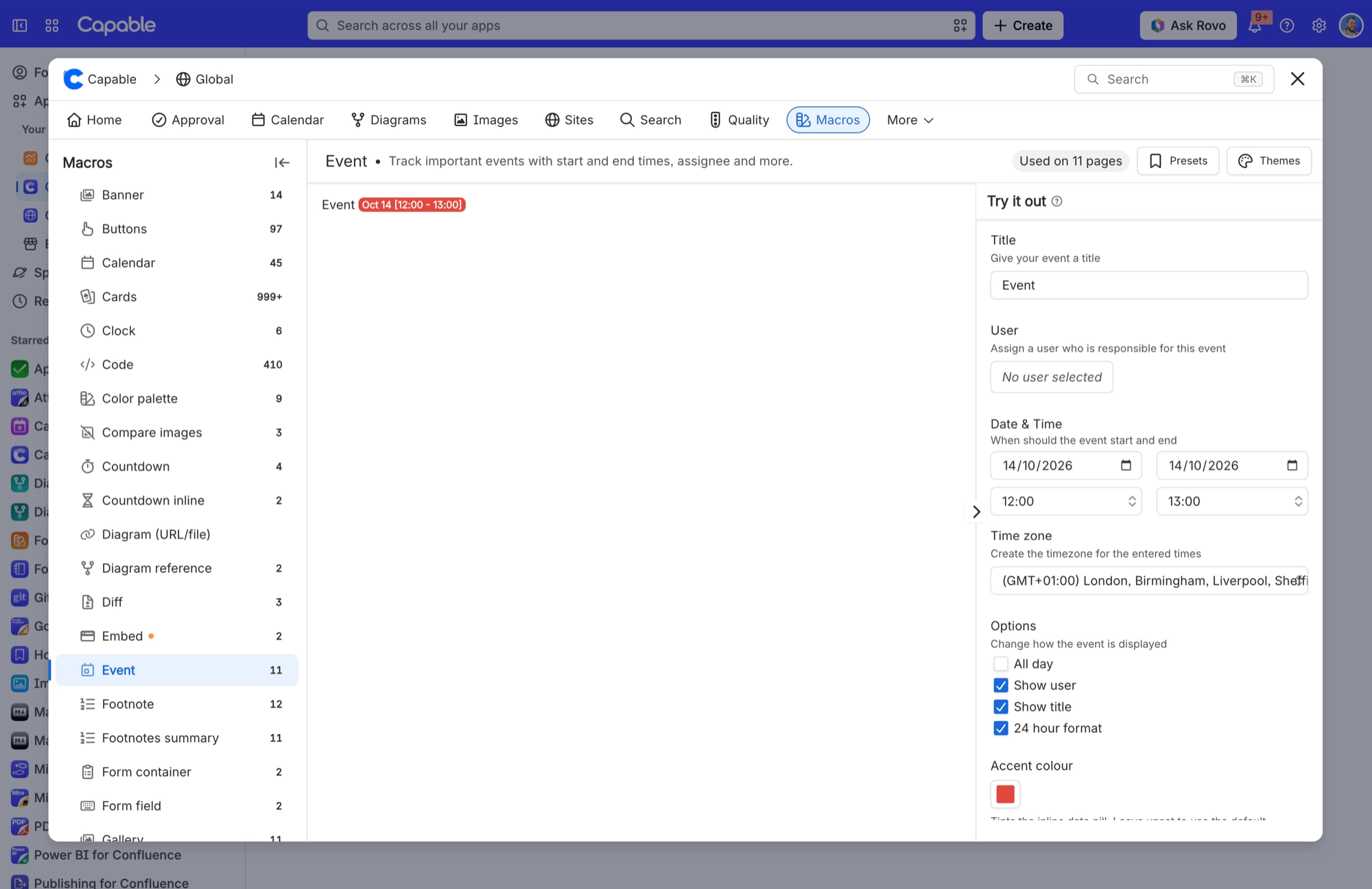
Give the macro a time zone of its own:
Edit the page and open the Event macro's settings.
Under Date & Time, choose a Time zone, usually the one your event takes place in.
Save the macro and publish the page.
Do this for every Event macro on pages that go to a site. Once the site is next published, it shows the times in the zone you chose rather than UTC.
#Settings involved
Setting | Where | What it does |
|---|---|---|
Calendar subscriptions | Confluence settings → Capable (Capable Calendar in the standalone app) → Features | "Let users subscribe to Capable calendars from Google, Apple, or Outlook via a personal iCal feed. Turn off to disable subscriptions for all users." Only appears when the installed app includes the Calendar capability. |
Calendar (global settings tab) | Confluence settings → Capable → Calendar | Card title "Calendar subscriptions", description "Personal iCal feed links your users have generated for calendars." Lists user, calendar, status and created date, paged with Previous/Next. |
Calendar capability visibility | Space settings → Capable → capability list → Calendar | Auto shows the byline where relevant. In the Suite that means only on pages Capable has already indexed as carrying dates. Always forces Calendar on for the space; Never hides it there. |
#Limits that apply here
Limit | Value | What happens |
|---|---|---|
Saved event name | At least 4 characters | A title of 3 characters or fewer is rejected on save. The same minimum is why .ics import skips very short titles. |
#Related
On a newly installed site the Subscribe panel says subscriptions "aren't available for this site yet
Subscriptions need the site's secure connection to Capable's service to be provisioned fir
Export → iCal and Export → CSV in the macro's "…" overflow menu do nothing when clicked
Those two menu items in the macro's compact toolbar have no action wired to them. The same
Export and published sites
The rest of this family.
Found it? Good.






















