
Clock
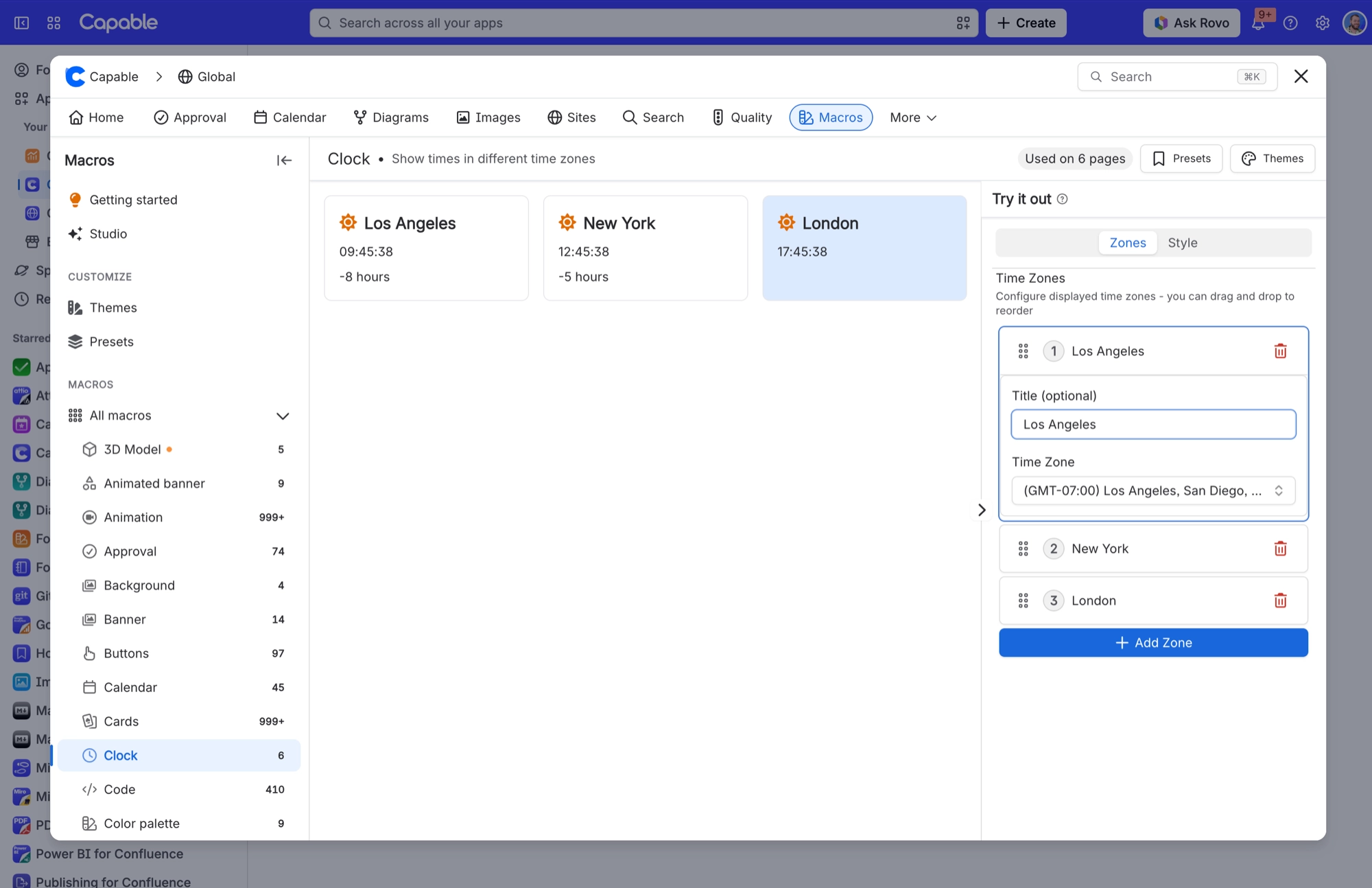
Shows a responsive grid of world clock cards that tick every second. Each card shows the current time in that zone, a sun or moon icon for day or night, and the difference from your own time zone, with a "(tomorrow)" or "(yesterday)" note when the date there is different. The card for your own time zone is highlighted.

#Settings
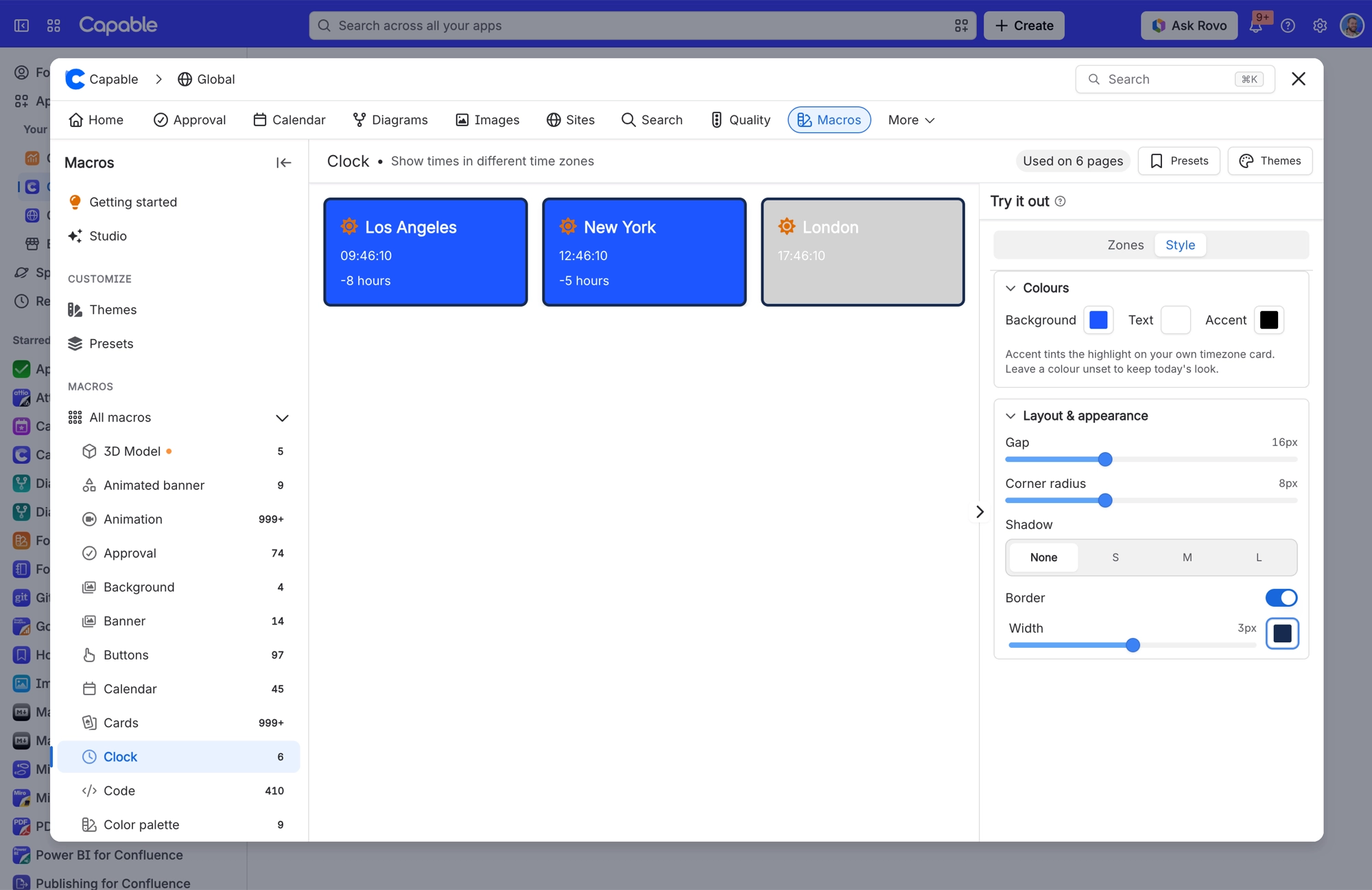
Settings are split across two tabs. Use Zones to choose which clocks appear, and Style to change how the cards look.
Setting | Values | What it changes |
|---|---|---|
Time Zones | An ordered list of zones, each with an optional title. Drag and drop to reorder. | Which clocks appear, and in what order. Each zone has a Title (optional) for a custom name, and a Time Zone, chosen from a searchable list with a My timezone shortcut. |
Background | A brand colour or a custom hex | Card fill colour. |
Text | A brand colour or a custom hex | Card text colour. |
Accent | A brand colour or a custom hex | Highlight colour for the card that matches the reader's own time zone. Other cards are not affected. |
Gap | 0 to 48 px | Space between clock cards. |
Corner radius | 0 to 24 px | How rounded the card corners are. |
Border | On / off, plus Width 0 to 6 px and a colour | An outline around each card. Unlike the Calendar macro, the Clock border is on by default. |
Shadow | None, S, M, L | Drop shadow on each card. With None, a card only shows a shadow when you hover over it. |
Display | Cards | Clocks always show as cards, so there is nothing to choose here. |
#Related
One macro, documented properly.






















