
Calendar settings
Calendar settings live in three places. Site-wide switches sit in Global settings, which site administrators can open from the Calendar sidebar or from Confluence settings; space visibility sits in space settings; and everything about a single calendar sits in that calendar's own settings dialog. Here is the complete list, grouped by where you'll find it.
#Site and space settings
These need a Confluence administrator, apart from Calendar capability visibility, which a space administrator can change.
Setting | Where | What it does |
|---|---|---|
Calendar subscriptions | Calendar sidebar → Manage → Global settings → Features, or Confluence settings → Capable → Features (Capable Calendar → Features in the standalone app) | "Let users subscribe to Capable calendars from Google, Apple, or Outlook via a personal iCal feed. Turn off to disable subscriptions for all users." Only appears when the installed app includes the Calendar capability. Turning it off stops new links being created. Links already handed out keep working until you revoke them. |
Calendar subscriptions list | Calendar sidebar → Manage → Global settings → Subscriptions, or Confluence settings → Capable → Calendar | A card called "Calendar subscriptions" listing the personal iCal feed links your users have created, with user, calendar, status and created date. The list is paged with Previous and Next. Revoke one link with its bin icon, or every link with Revoke all. Only Confluence site administrators can see the list. |
Calendar capability visibility | Space settings → Capable → capability list → Calendar | Auto shows the Calendar byline where it's relevant. In the Suite, that means only on pages Capable has already indexed as having dates. Always turns Calendar on for the space, and Never hides it there. It works the same way as the visibility setting for every other capability. |
Hide the Calendar capability site-wide | Confluence settings → Capable → Capabilities (Suite only) | Removes Calendar across the whole site. The standalone Capable Calendar app has no Capabilities tab, although its byline still respects this setting. |
Indexing tab | Confluence settings → Capable → Indexing (Suite only) | Where an administrator runs or checks content indexing. Indexing still happens in the standalone app; it just has no tab for it. |
Global settings appears only for site administrators. It sits at the bottom of the Calendar sidebar under Manage, and shows the same Features and Subscriptions tabs as Confluence settings. Space administrators do not see it.
#Settings for each calendar
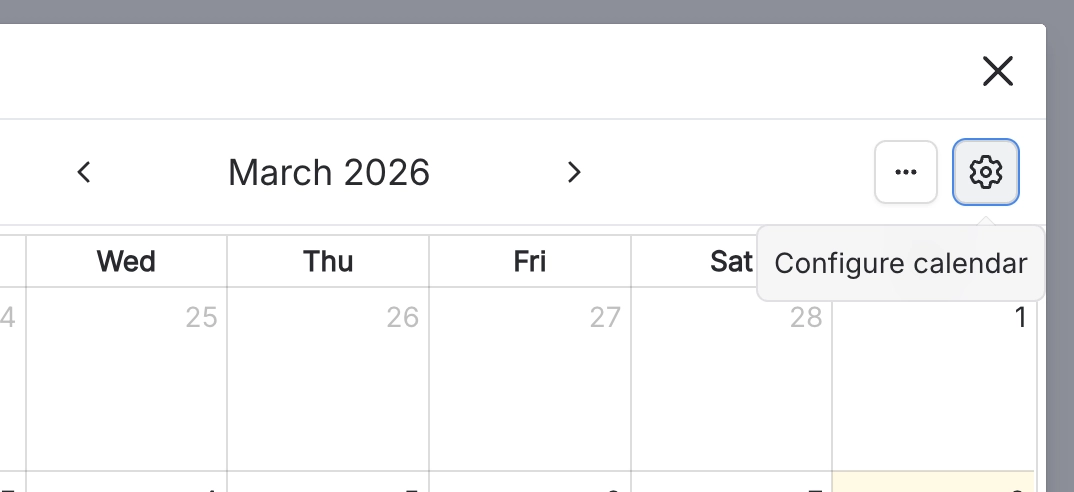
Every saved calendar has its own settings. Open the calendar and select the gear beside the overflow menu.
#The basics
Setting | What it does |
|---|---|
Calendar Name | The calendar's title. Two calendars in the same place can't share a name. |
Description | Text shown with the calendar. |
Calendar View | The view the calendar opens in. |
Base Timezone | "Set the timezone by which events are co-ordinated. Note that events are shown in the timezone of the user viewing the calendar." In practice it only pre-fills the timezone when someone creates or edits an event. The calendar itself always shows events in each viewer's own timezone. |
#Which events show
Setting | What it does |
|---|---|
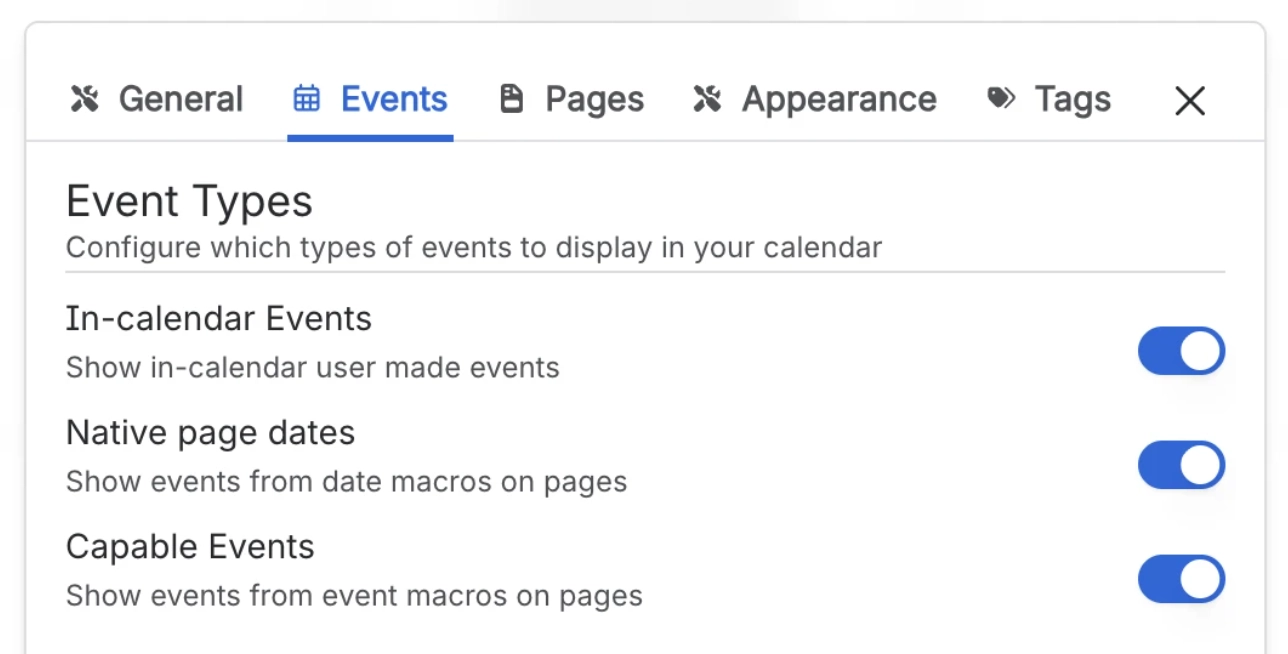
In-calendar Events | "Show in-calendar user made events". The events people create and save inside this calendar. |
Native page dates | "Show events from date macros on pages". Confluence's own date chips on the calendar's source pages. |
Capable Events | "Show events from event macros on pages". Capable Event macros on the calendar's source pages. |
#Which pages it reads
Setting | What it does |
|---|---|
Recently viewed | "Get events from recently viewed pages". The viewer's 25 most recently viewed pages. It depends on who is looking, so signed-out visitors get nothing from it. |
Pages where mentioned | "Get events from pages where you are mentioned", up to 100 pages. It depends on who is looking, so signed-out visitors get nothing from it. |
Specific pages | "Get events from specific pages (max 25)". Once you've picked 25, the picker shows "Limit reached" and won't take more. |
Pages from search | "Search for pages to include". Every page the search returns is checked for dates. The filters and Result Limit stay greyed out until you turn this on. |
Result Limit | How many pages the search returns, and so how many are checked for dates. |
#How it looks
Setting | What it does |
|---|---|
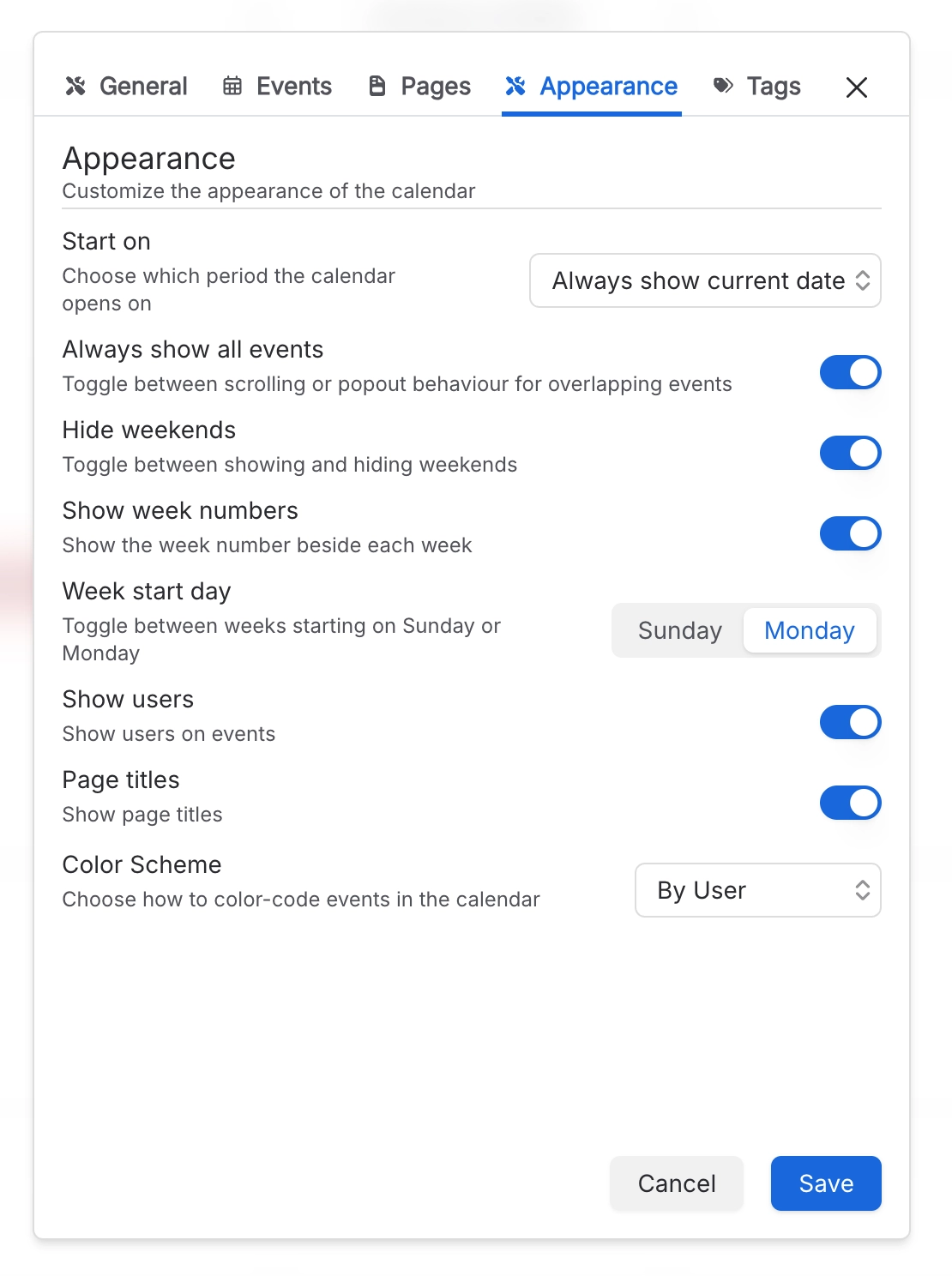
Start on | Which period the calendar opens on. You can also set this on the Calendar macro. My Calendar and the homepage widget ignore it. |
Start date | Only used when Start on is set to Custom. You can also set this on the Calendar macro. |
Always show all events | Shows every event on a busy day instead of tucking the extras into a "+N more" popover. |
Hide weekends | Removes the Saturday and Sunday columns from week and month views. |
Week start day | The first column of week and month views. Saved calendars only; you can't set it on the macro. |
Show users | Whether participant avatars appear on event cards. |
Page titles | Whether the source page's title appears on event cards. Saved calendars only, not the macro. |
Color Scheme | How events are colour-coded. "By Page" is available here but not on the Calendar macro. |
#Tags
Setting | What it does |
|---|---|
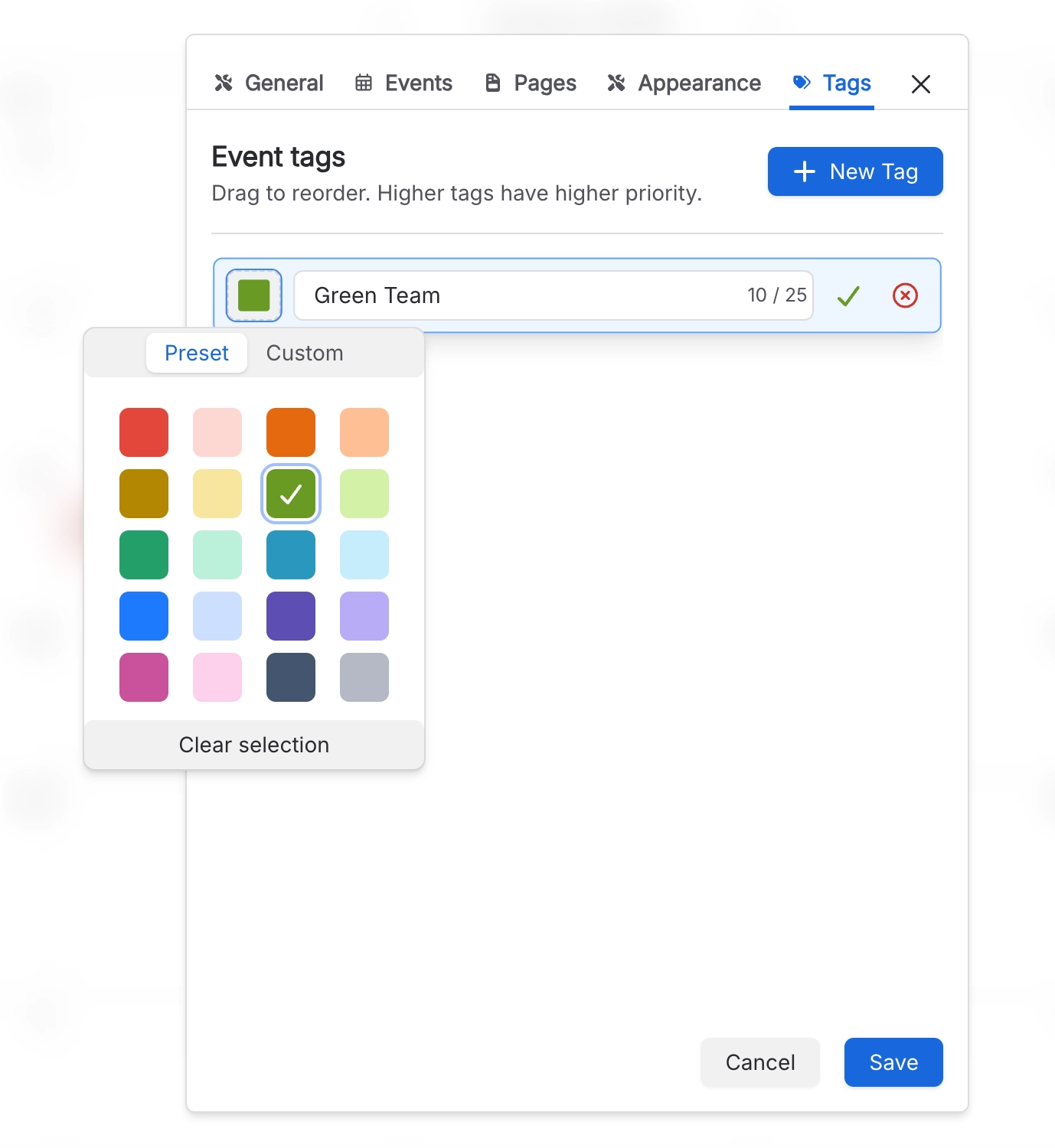
Tags | A matching tag's colour overrides the calendar's colour scheme for that event. Tags also become the categories in an iCal feed. |
#Your own settings
Setting | What it does |
|---|---|
My Calendar sources | Builds your own private view across calendars, from Calendar → My Calendar → Manage sources. You can save up to 5 sources. |
#A few things worth knowing
Settings changes can take a minute to reach other people.
Hiding a capability removes it from the navigation; macros already on pages keep rendering.
Some settings are per space and need only a space administrator.
With Always show all events off, a busy day shows a "+N more" link. Its popover opens above the calendar and stays inside the page width; clicking an event in it closes the popover and opens the event.
#Related
The complete list, grouped by where it lives.






















