
Saved calendar's page sources are all off and cannot be turned on
#What you're seeing
On a saved calendar, every page source is switched off, and you can't switch any of them back on.
#Why it happens
Page sources decide which pages a calendar pulls events from, so they only apply when at least one page-based event type is on. If In-calendar Events is the only event type switched on, every page toggle is forced off.
#What to do
Turn on a page-based event type first, then your page sources.
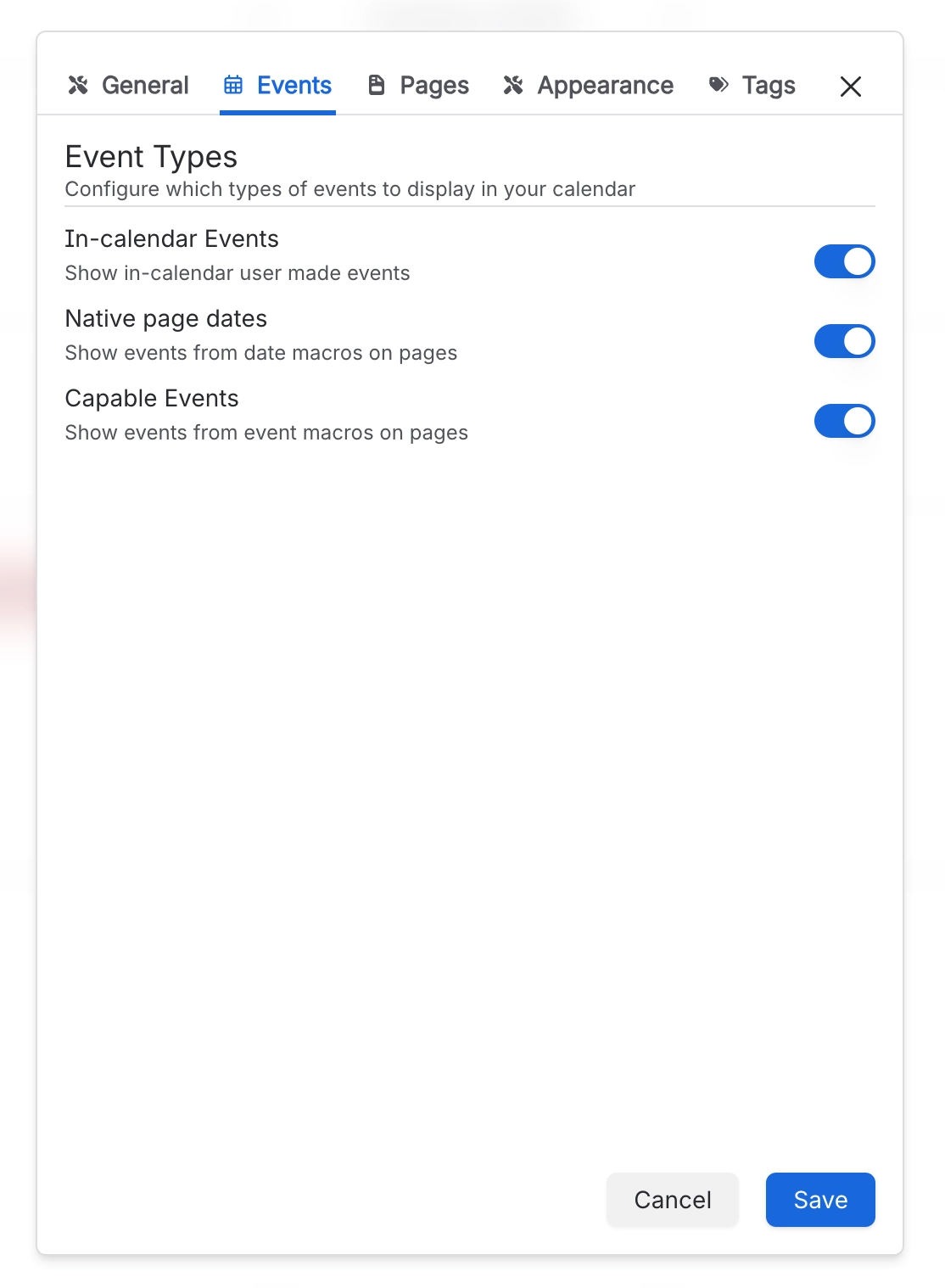
Open the calendar's settings and go to the Events tab.
Switch on Native page dates, Capable Events, or both.
Select Save.
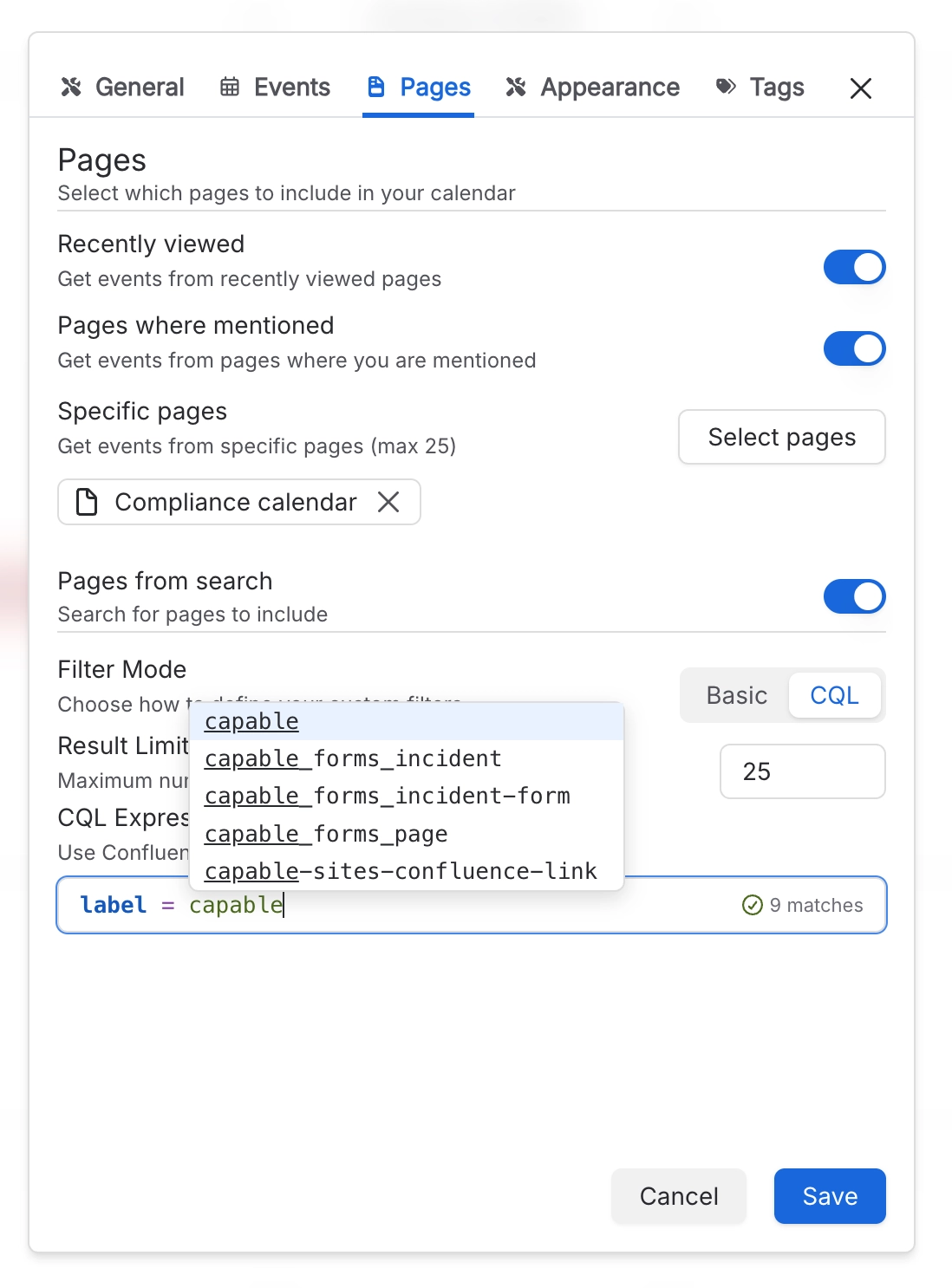
The page sources on the Pages tab can now be switched on again.
#Settings involved
Setting | Where | What it does |
|---|---|---|
In-calendar Events | Calendar settings → Events | Shows events people create directly in the calendar. On its own, it doesn't use page sources, so every page toggle stays off. |
Native page dates | Calendar settings → Events | Shows events from date macros on pages. Turn it on to use page sources. |
Capable Events | Calendar settings → Events | Shows events from Capable event macros on pages. Turn it on to use page sources. |
Page sources | Calendar settings → Pages | Recently viewed, Pages where mentioned, Specific pages and Pages from search. Together they choose which pages the calendar takes events from. |
#Related
Found it? Good.






















