
Set a Base Timezone on a calendar and nothing changed
What you are seeing
You set a Base Timezone on a calendar and saved it, but nothing on the calendar looks any different.
#Why it happens
There are two possible reasons.
It is working as designed. The Base Timezone only affects the event editor. The calendar grid always shows events in the timezone of the person viewing it, so changing the Base Timezone never moves anything on the grid.
The saved timezone is not one the calendar recognises. When that happens, the calendar quietly falls back to the viewer’s own timezone. No message appears on screen, so it is easy to miss.
#What to do
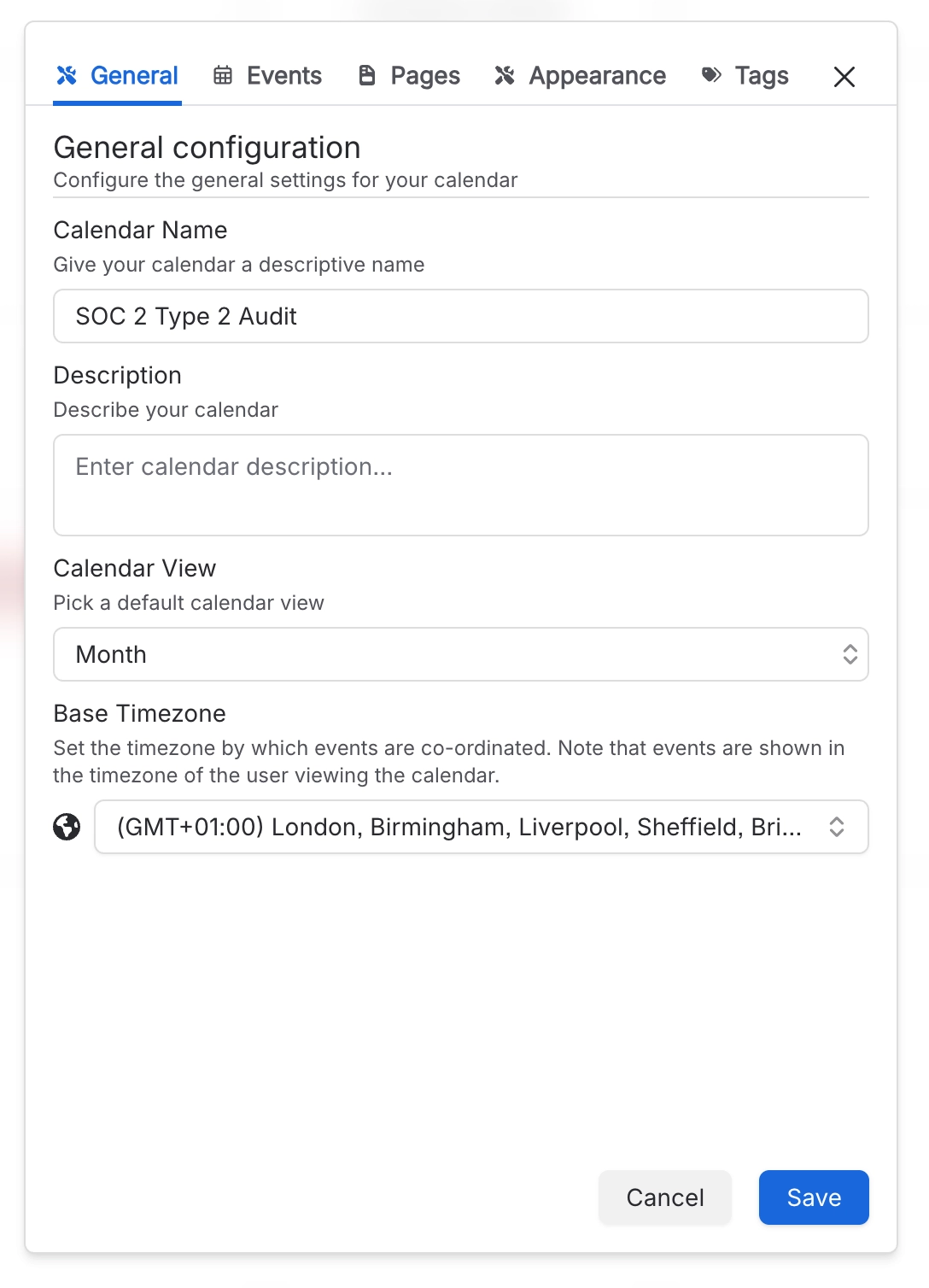
Open the calendar’s settings and go to the General tab.
In Base Timezone, pick the zone from the searchable list rather than typing it in.
Select Save.
Then remember that the grid never uses the Base Timezone. Each person sees events in their own timezone, which is usually exactly what you want.
#Settings involved
Setting | Where | What it does |
|---|---|---|
Base Timezone | Calendar settings → General | Sets the timezone events are co-ordinated in and is used by the event editor. Events on the calendar grid are always shown in the timezone of the person viewing the calendar. |
#Related
Repeating meeting in my subscribed calendar app only appears once
The feed sends each repeating event once, without its repeats, so it shows up a single time.
Edited an event but my phone's calendar has not updated
Updates to your feed are staged and start about a minute after you edit, so give it a little time.
Everything else
The rest of this family.
Found it? Good.






















