
Ticked "Publish it right away" but my site address does not work
What you are seeing
You ticked "Publish it right away" when you created your site, but your site address still does not work.
#Why it happens
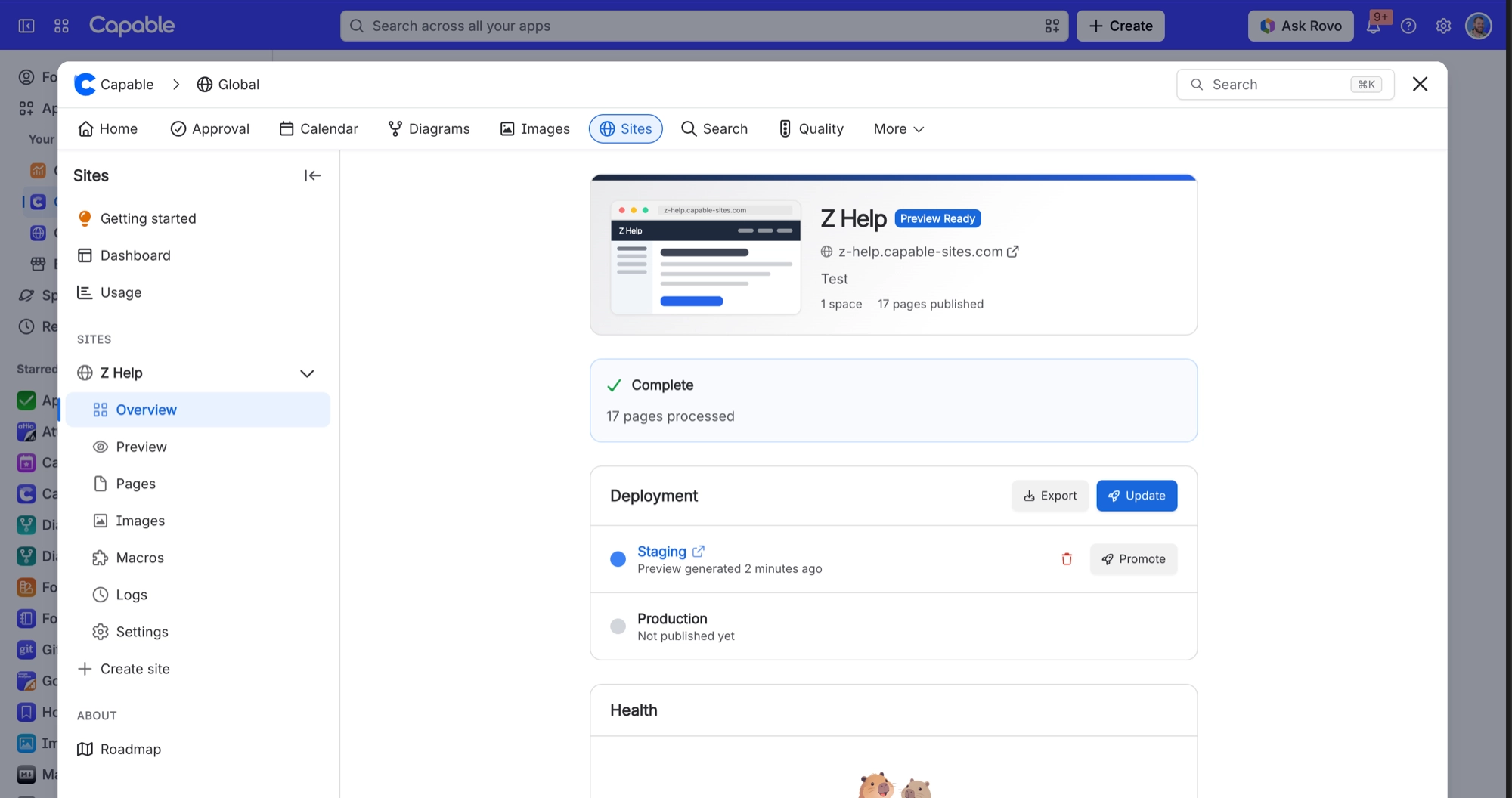
Ticking that box starts the first build straight away, but the build creates a staging preview, not your live site. The help text next to the box says the address goes live in a few minutes. It doesn't. Your site address only works once you promote the staging preview to production.
#What to do
Open your site and select Overview.
In the Deployment card, find the Staging row and select Promote.
Confirm when asked.
#Related
Edited pages in Confluence but the live site still shows the old content
Nothing publishes automatically. There is no auto-deploy.
Changed a page's SEO settings and the site still says "Preview matches Confluence"
The change counter is a search over page last-modified dates. Saving SEO metadata in the s
Publishing problems
The rest of this family.
Found it? Good.






















