
Spaces and navigation
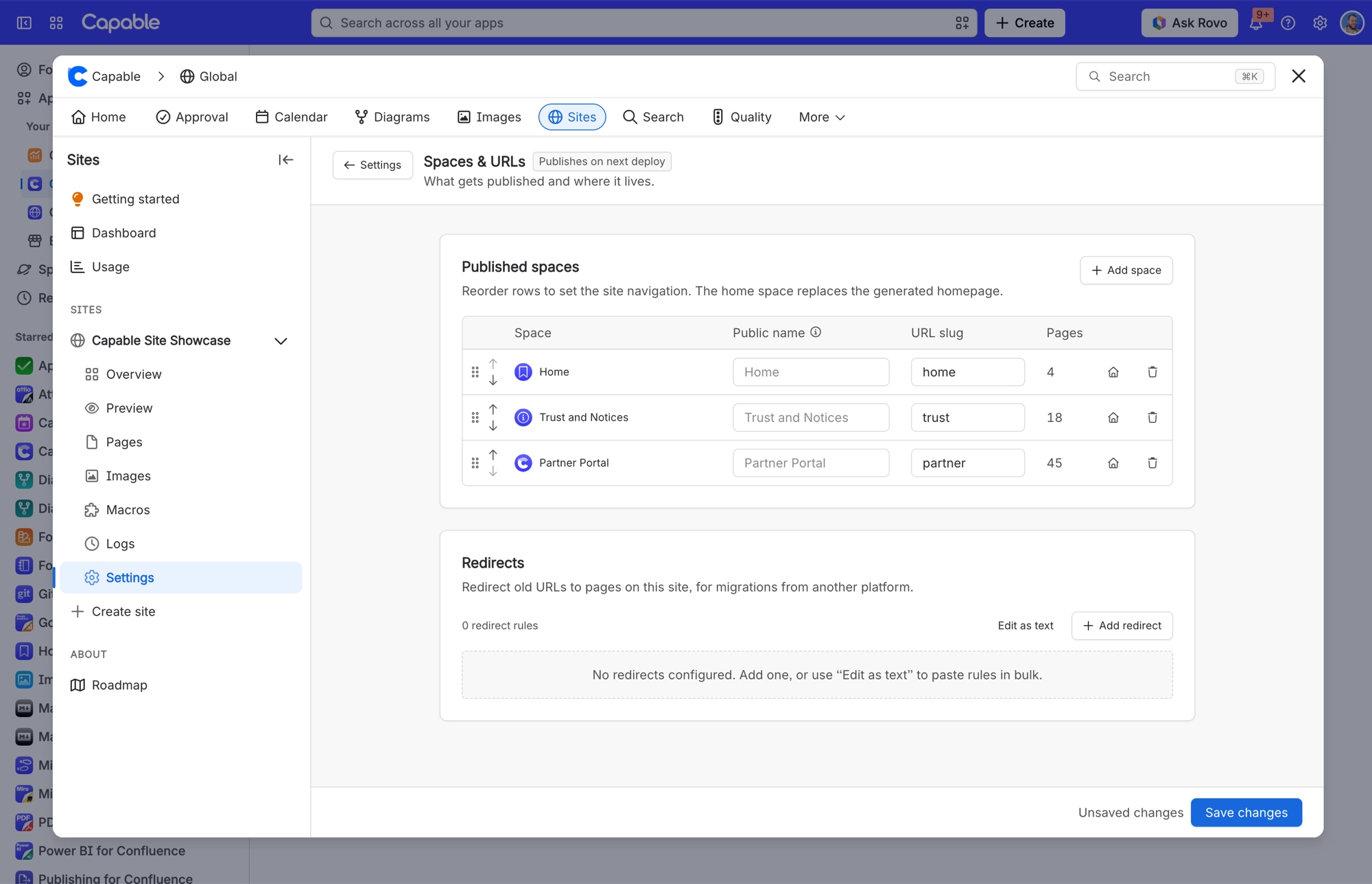
Choosing what to publish and building your navigation are the same decision here. Put the spaces in order, give each one a URL slug, and choose your homepage. You do this when you create a site, and you can change it later in the site's Settings, under Spaces and URLs.
#In this section
Spaces, URLs and navigationThe spaces you choose, in the order you choose them, become the site's navigation.RedirectsSend old URLs to pages on your published Confluence site, one rule at a time or pasted in bulk, up to 100,000 characters.
#Related
Order the spaces. That is your navigation.






















