
Unified product portal
Combine multiple Confluence spaces into a single, cohesive portal that surfaces everything about your product in one place.
Your product has user docs, API references, release notes and guides, but they live in separate Confluence spaces, separate tools, or both. Customers bounce between bookmarks, search across disconnected systems, and never quite feel like they're in one product experience. Your team spends time maintaining duplicate navigation and cross-links instead of writing better content.
Capable Sites lets you stitch multiple Confluence spaces together into a single branded portal at an address like portal.yourproduct.com, with unified navigation, consistent theming and no duplicated content.
#Why it matters
When documentation is spread across too many places, it shows up in a few familiar ways:
Customers hunt across several URLs or bookmarks to find what they need.
Each space or tool looks slightly different, so your branding feels inconsistent.
Manual cross-links between spaces break over time.
There's no single entry point where someone new can start and find everything about your product.
For product teams, this fragmentation undermines the polished, professional experience you've built everywhere else in your product.
#How it works
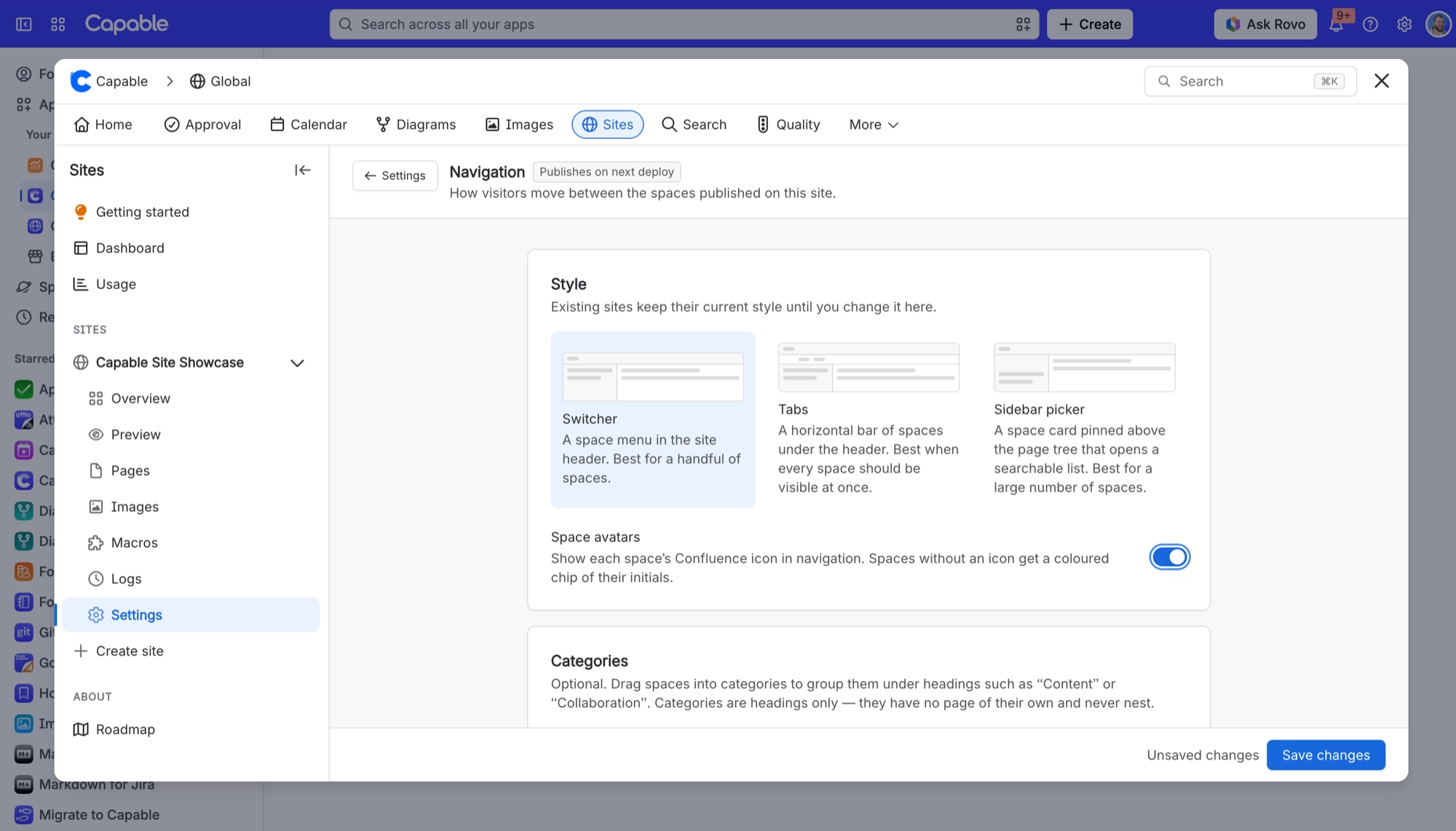
With Capable Sites, you map multiple Confluence spaces into a single site with shared navigation, a unified homepage and custom URL paths, all published to your own domain.
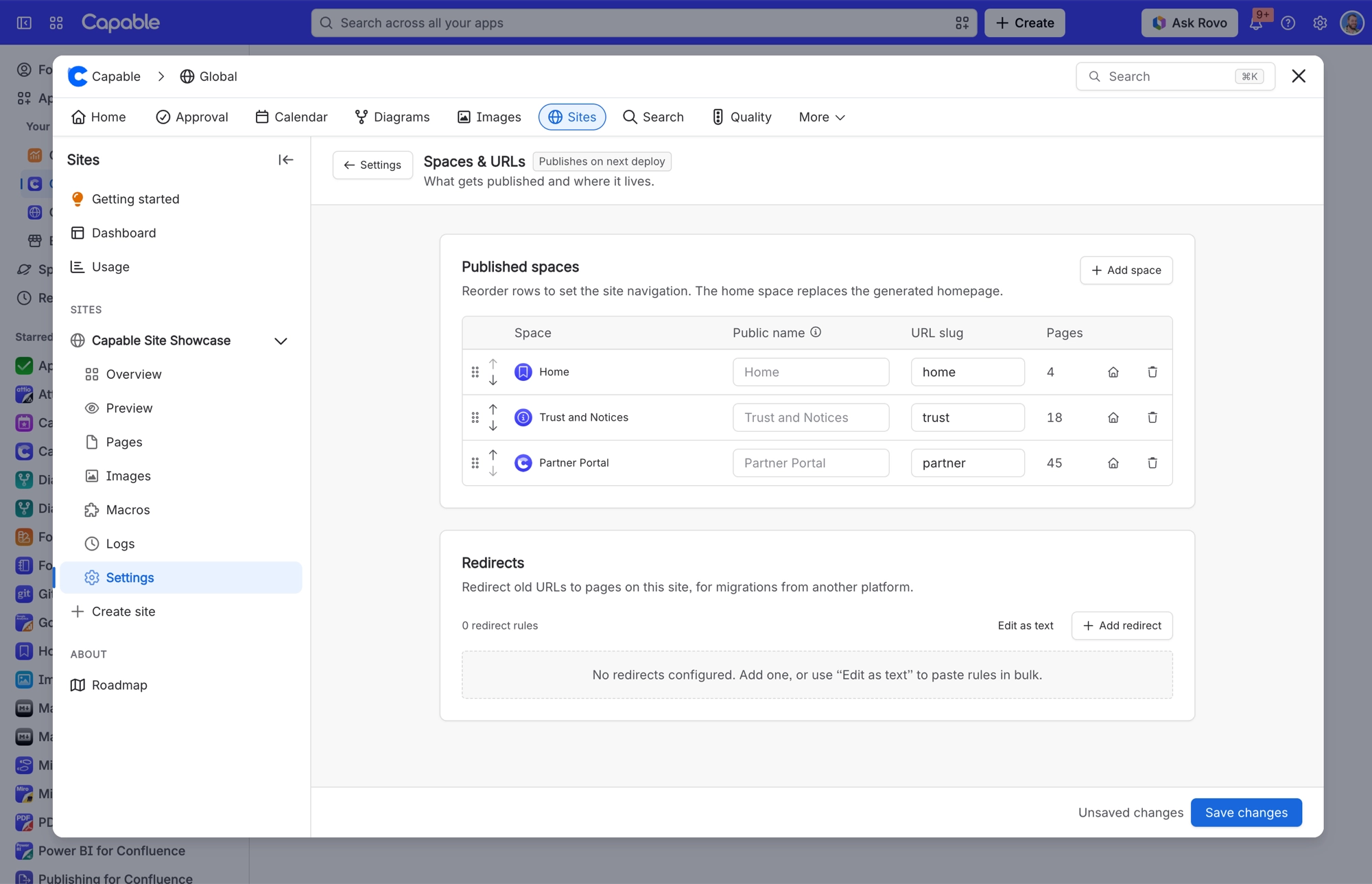
Start by adding spaces like "User Docs", "API Reference" and "Release Notes" to one site. Each space becomes a tab or section, and you choose a homepage (or a dedicated home space) that acts as the portal's front door. Visitors see one coherent site, not a patchwork of Confluence spaces.
Next, give each space a custom slug, such as /docs/, /api/ or /changelog/, so your URLs are clean and easy to read.
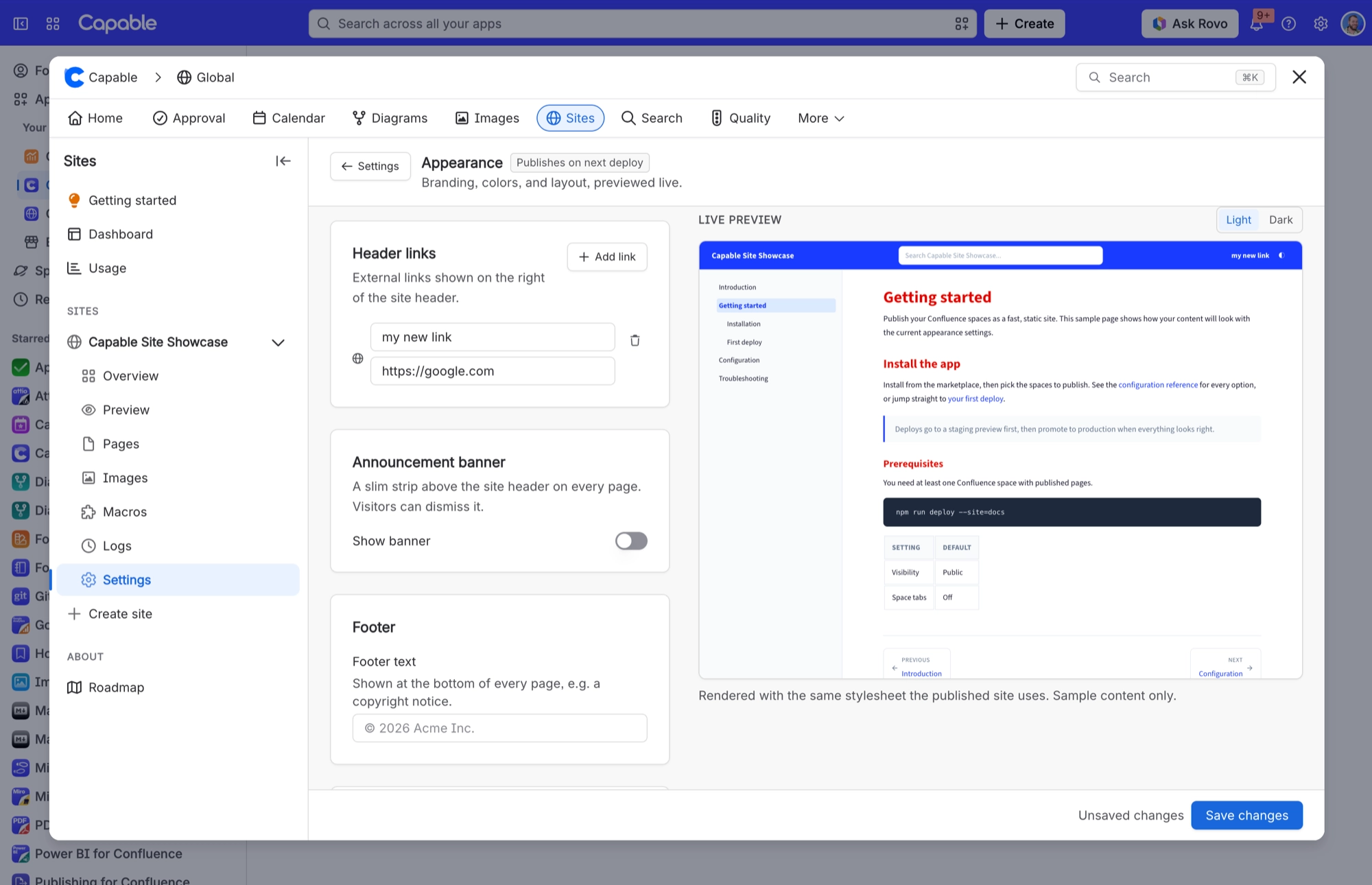
Then add header links pointing to your app, status page, community forum or support desk. The portal feels like a first-class part of your product, not a bolt-on wiki.
For teams with API or developer content, Capable Sites renders Swagger and OpenAPI specs, code blocks, diagrams and other interactive macros directly on the published site. There's no need to export to a separate developer docs platform.
#Settings that matter for this
Decision | Where |
|---|---|
Who can see it | Access modes |
Which spaces, in what order | Spaces and navigation |
How it looks | Theming your site |
Your own address | Setting up a custom domain |
#Related
A pattern, not a template.






















