Theme and design

Theming starts from a palette and lets you change everything, with contrast checked as you type.
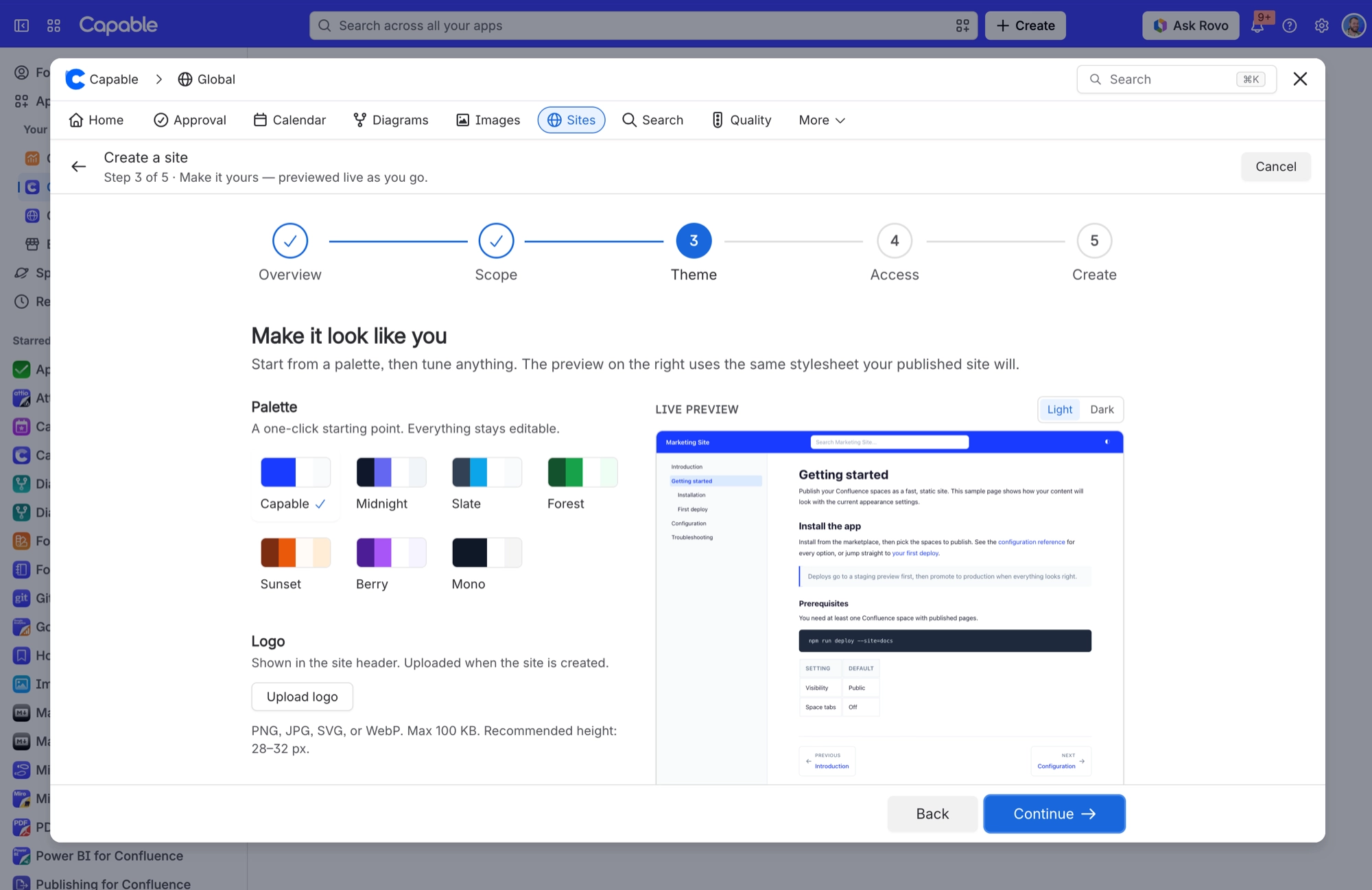
Create a site wizard at the Theme step, with seven palettes, a logo upload button and a live preview of a sample page
When you create a site, step 3 starts you from one of seven palettes. The live preview on the right updates as you click.
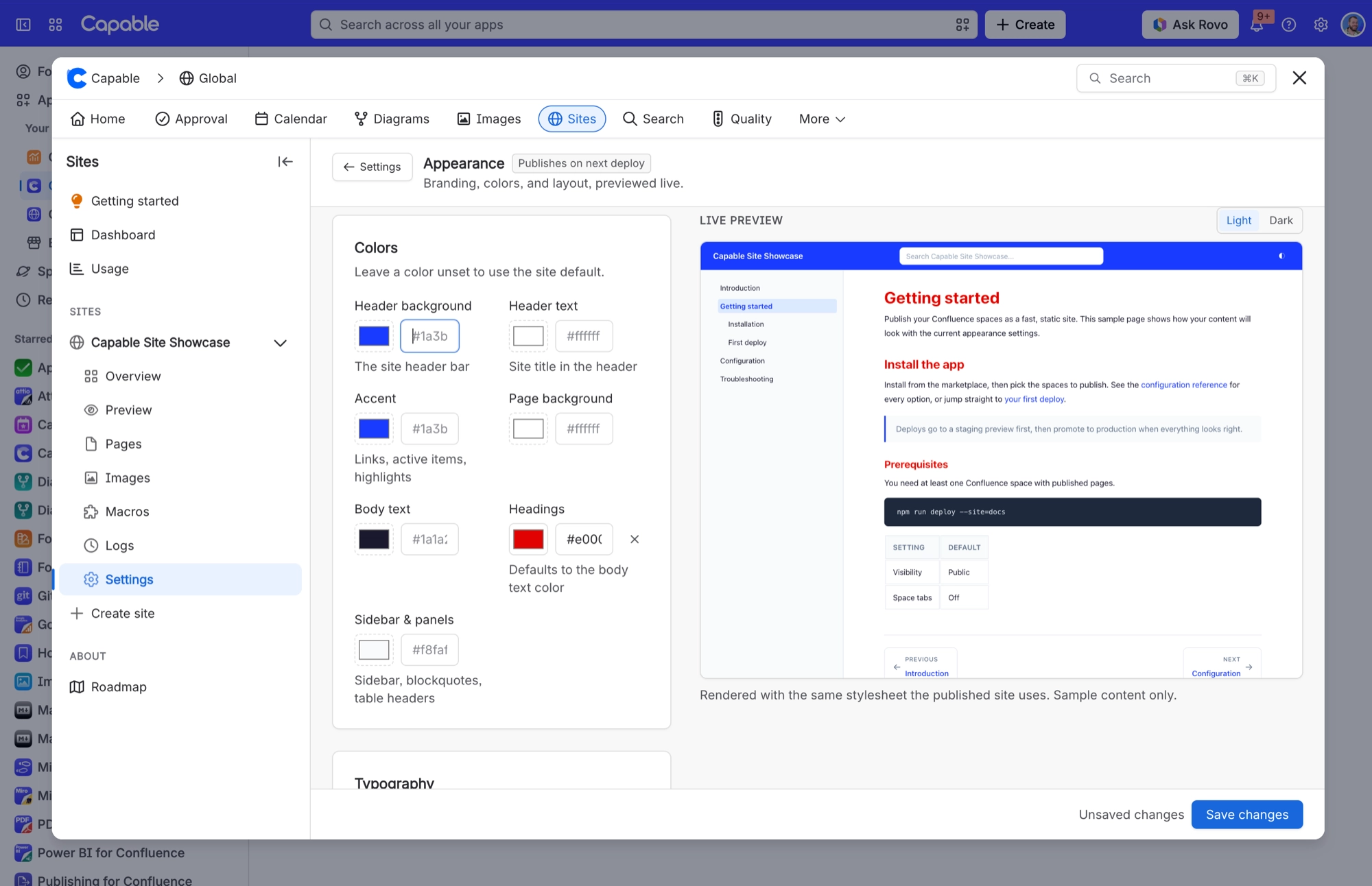
Sites Appearance settings with colour fields for header, accent, text, headings and sidebar beside a light and dark live preview
Afterwards, Settings then Appearance lets you change each colour. Leave one unset to keep the default, and use Light and Dark above the preview to check both.

A few theme values have no field in the settings screens, which is worth knowing before you go looking.


#In this section


Pick a palette. Change everything.