
Appearance preview does not match the navigation style I chose
What you are seeing
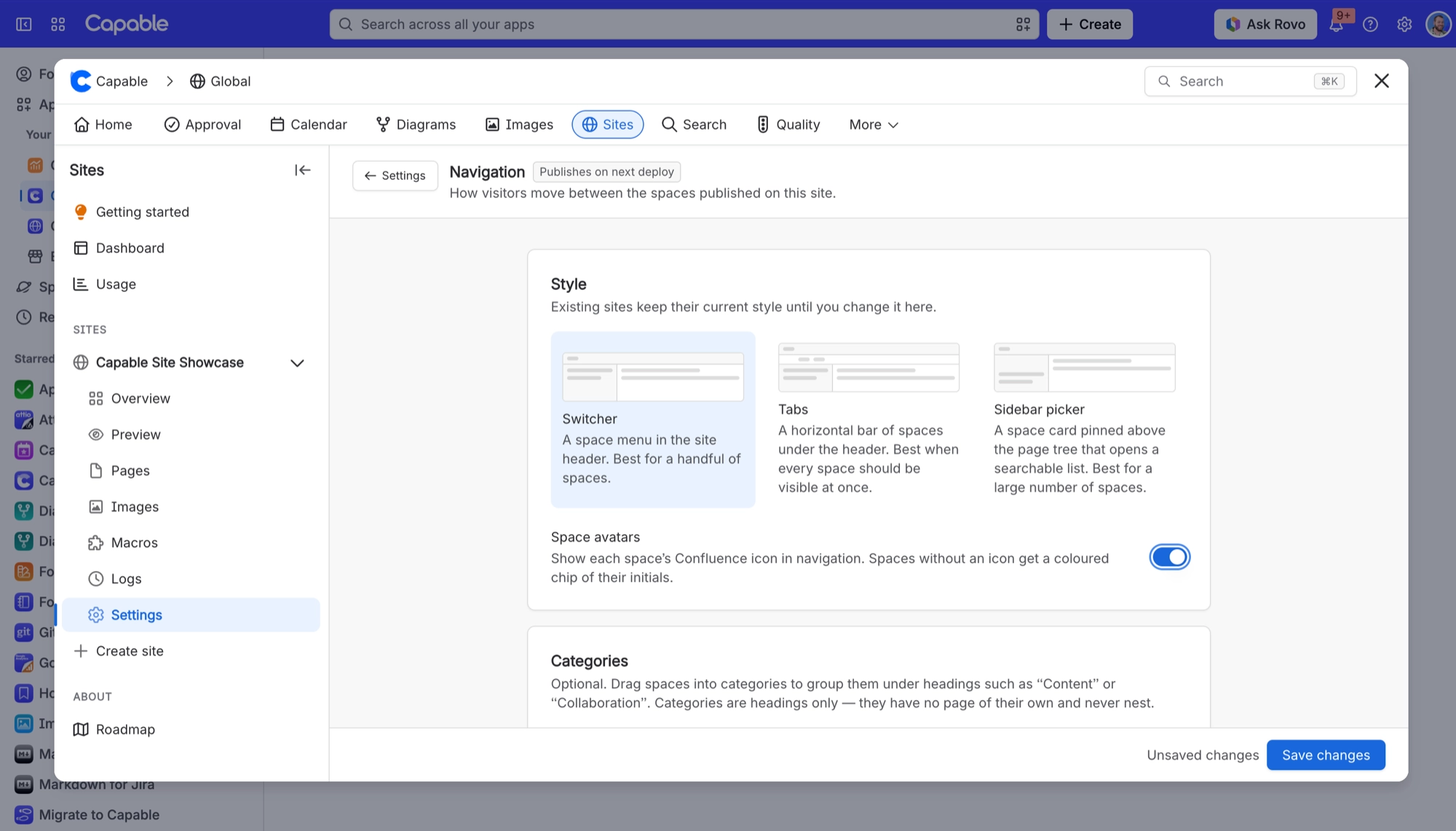
The Live Preview on the Appearance settings page shows a bar of tabs across the top, even though you picked a different style in Settings → Navigation. The tabs also show space keys rather than space names.
#Why it happens
The Appearance preview is there for checking branding, colours and layout. It always draws the Tabs style, whatever you have chosen, and labels each tab with the space key rather than its name. Your navigation setting still applies; this preview just doesn't show it.
#What to do
To compare styles, use the drawings on Settings → Navigation. Each style has a small schematic of how it looks.
To see your actual navigation, open the site's Preview tab, or check a staging preview.
#Related
On a site's first deploy, some spaces show no icon and a page count of zero in navigation
Peer-space details come from the previous deploy, so on the very first build there is noth
Whole page or space is missing from the published site with no error
Pages that fail to convert, and spaces whose page fetch fails, are logged and skipped — th
Publishing problems
The rest of this family.
Found it? Good.






















