
Macros on a published site
Capable Sites knows how to render around ninety macros, so Capable macros appear on your site as real, working content rather than as a gap or a screenshot. That is the main reason to publish rather than export a PDF.
Anything it cannot render is left out.
#What renders
Capable macros across diagrams, formatting, markdown, images, calendar, approval and PDF embed.
Native Confluence content: headings, tables, panels, code blocks, images and attachments.
Links between published pages, which point to the right page on your site.
#What does not
A macro Capable Sites cannot render does not appear on the published page. Third-party app macros are the usual case, since their content lives in that vendor's app and Capable Sites has no way to reach it.
Clickable diagrams keep working. That is the difference between publishing and exporting a PDF: a PDF flattens a diagram, a site keeps its links.
#If a macro matters
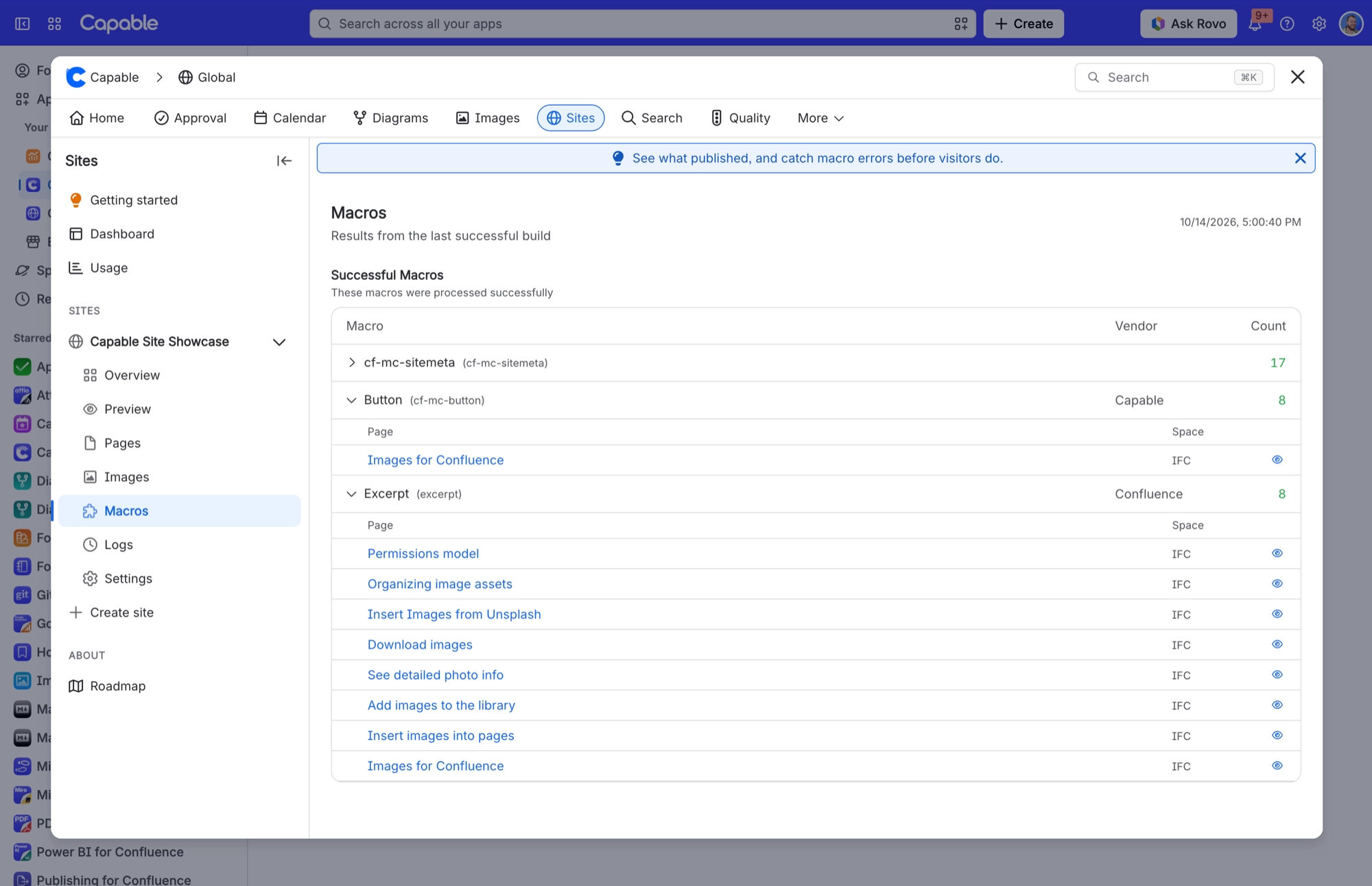
To see what made it onto your site, open your site in Capable Sites and choose Macros. It lists every macro from the last successful build, how many times each one was used, and which pages use it.
The per-macro detail lives with each capability. Formatting covers how each macro behaves on a site, including which ones work differently on a site than they do in Confluence.
#A few things worth knowing
Some macros render but behave differently on a site. The macro's own page says which.
A missing macro is usually a third-party one rather than a fault.
Images are copied into your site when it builds, so your published pages do not depend on Confluence.
#Related
Ours render. Third-party ones do not.






















