
Promote fails with "Staging preview expired"
What you are seeing
You select Promote on a site, and it fails with "Staging preview expired".
#Why it happens
Staging previews are only kept for 90 days. After that, the preview is deleted automatically, with no notice at the time it happens. There is nothing left to promote.
#What to do
Open the site's Overview and select Update to build a fresh staging preview.
When the new preview is ready, select Promote.
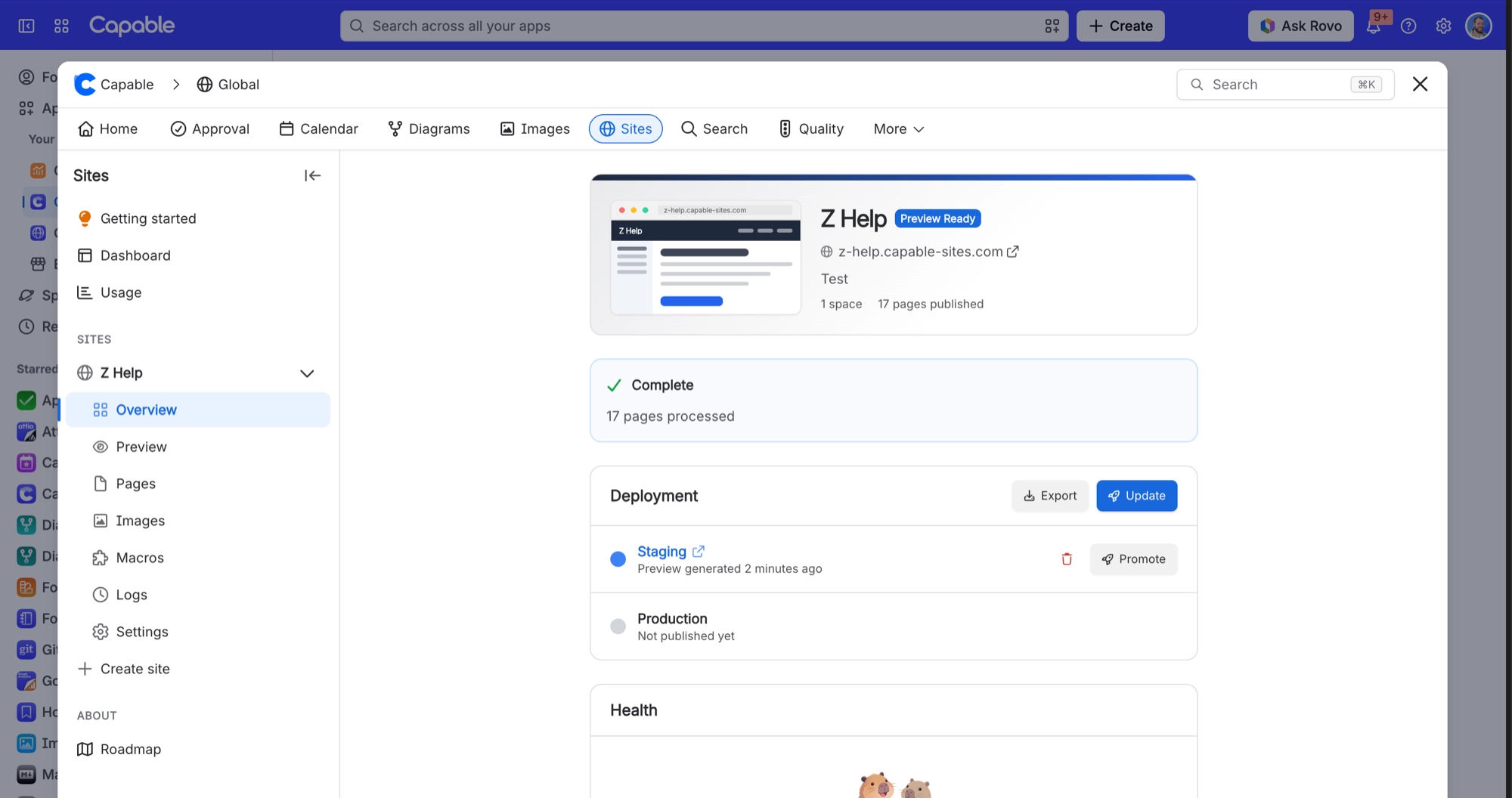
To stay ahead of it next time, watch for the "Expires in Nd" warning, which appears 14 days before a preview expires. Promote before then, or run Update to get a fresh preview.
#Related
Deploying is refused with "A deploy is already in progress for this site."
Only one deploy runs per site at a time, and a stalled deploy is not marked failed on its
Deploying is refused with "Deploy limit reached" even though I have barely deployed this site
The 12-per-hour cap applies per tenant as well as per site, so activity on your other site
Publishing problems
The rest of this family.
Found it? Good.






















