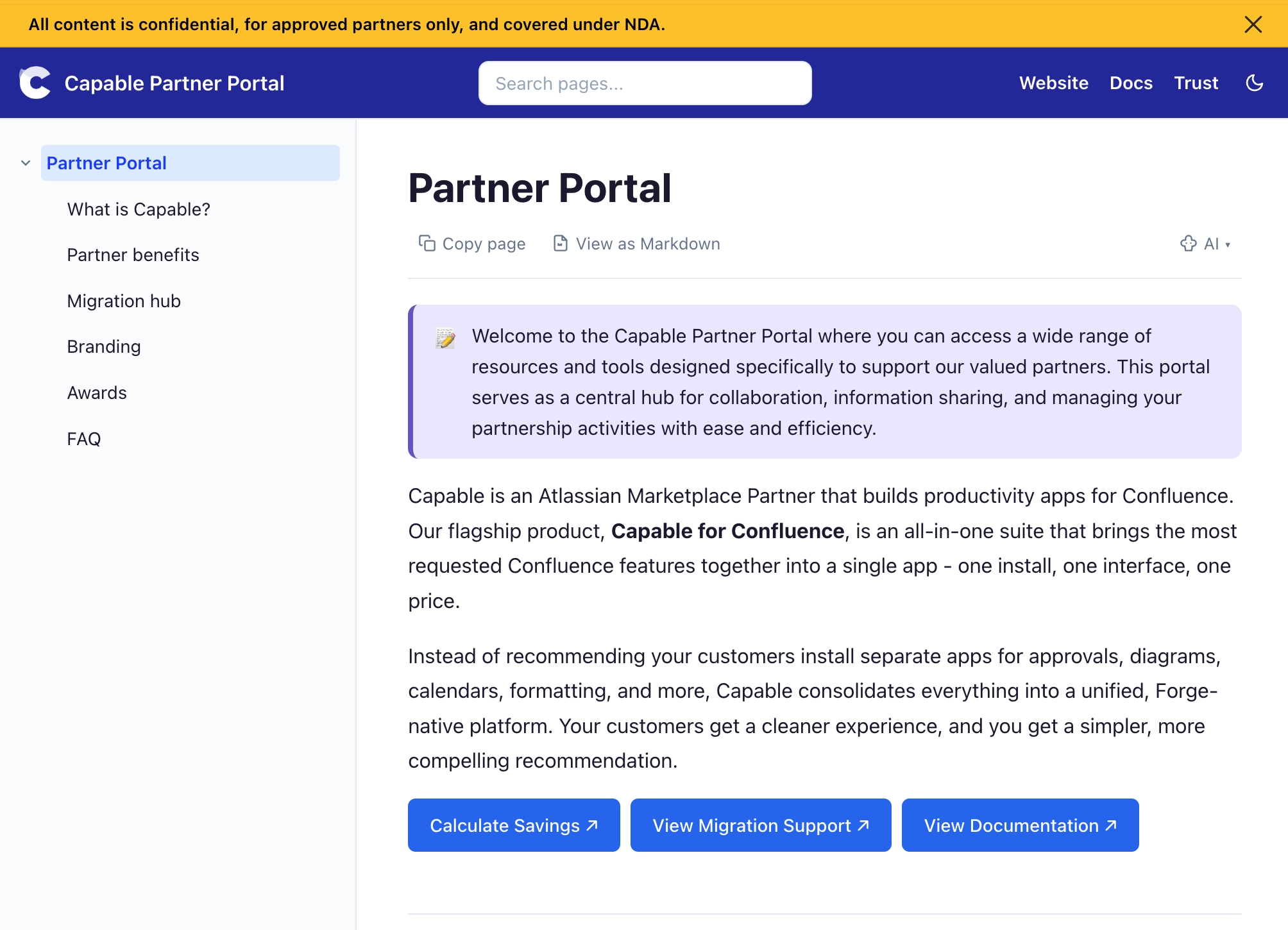
Private Partner Portal

Turn your Confluence knowledge base into a secure, branded portal. Keep customers or partners engaged, reduce support burden, and accelerate time-to-value.


#The challenge

Customer onboarding chaos costs time, hurts adoption, and drives churn. Without a unified, self‑serve hub, your support and customer success teams spend hours answering repetitive questions instead of driving outcomes.

#📄 Scattered Materials

Setup guides, videos, and docs are scattered across emails, Confluence, and external tools - customers can’t find what they need.

#🔄 Repetitive Support

Your CS team answers the same onboarding questions every week, wasting hours on preventable tickets.

#⏱️ High Time-to-Value

Without clear guidance, customers struggle to extract value quickly, risking early churn.

# Inconsistent Experience

Each customer gets a different onboarding flow depending on who’s available, leading to frustration and unpredictable outcomes.


#The solution

Capable Sites transforms your Confluence space into a password‑protected, branded onboarding and partner portal hosted on your custom domain (e.g. onboarding.yourcompany.io or partners.yourcompany.io).

Your non‑technical teams continue to write and maintain content in Confluence—no extra tools, no duplicate work. Hit publish, and every page automatically updates on your external portal.

New customers and partners get one simple URL to bookmark. Comprehensive setup guides, FAQs, troubleshooting, runbooks, and best practices - all organized, searchable, and always up‑to‑date.

#How It Works: Private Partner Portal

Use Confluence as your ops handbook or customer runbook, but expose it externally as a controlled portal that only the right people can see:

  1. Create a dedicated portal site backed by Confluence spaces such as “Customer Playbooks”, “Implementation Guides”, and “Partner Resources”. These spaces become the structured backbone of your private portal.

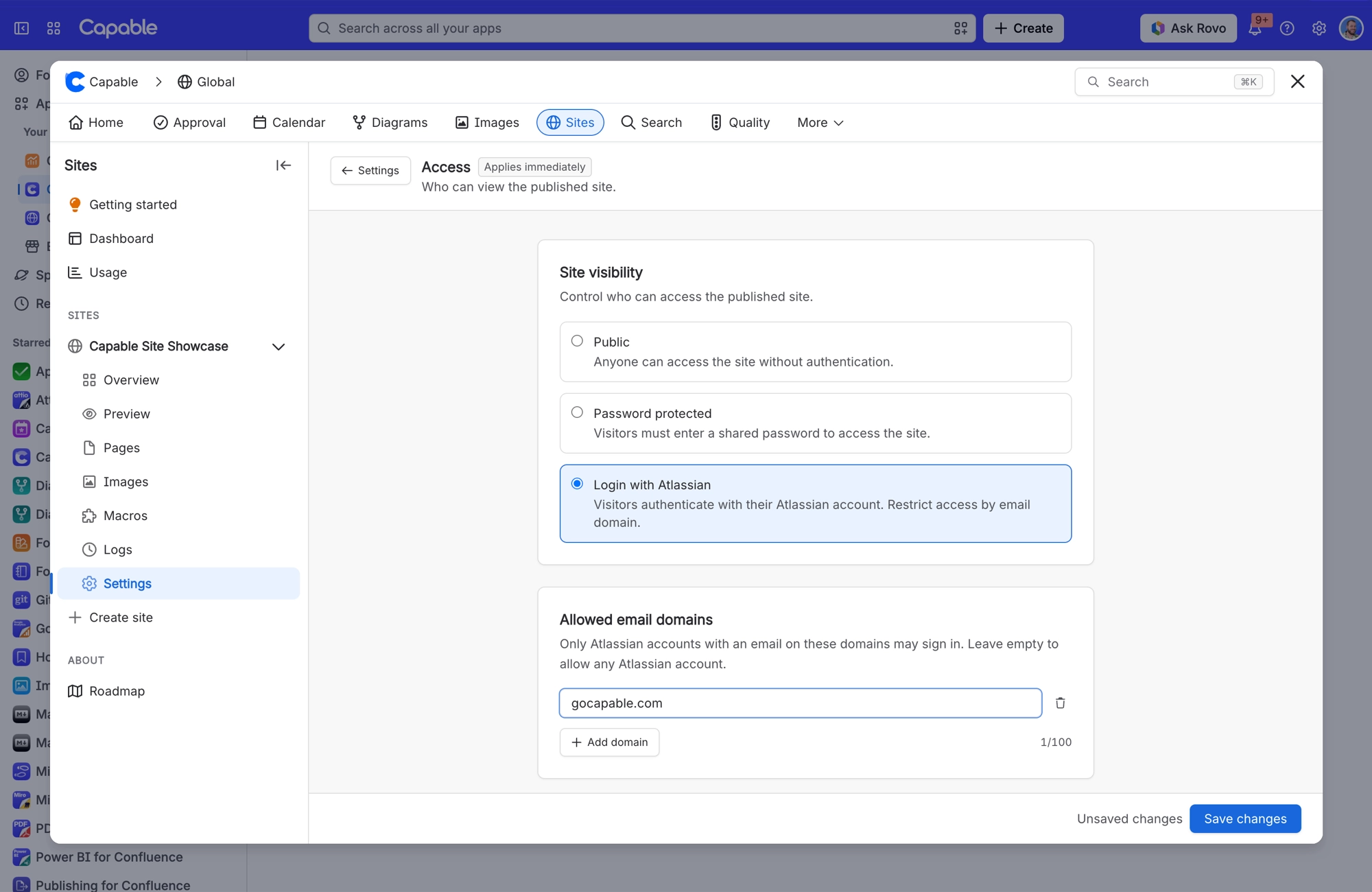
  2. Limit access using ‘Login with Atlassian’ or Password Protection with your existing identity providers - Google Workspace, Microsoft 365, Okta, or custom OIDC - so sign‑in matches your security posture.

  3. Lock access down by allowed email domains or explicit allow‑lists, ensuring only customers, partners, or internal field teams can log in to the portal.

  4. Let non‑technical teams manage content in Confluence while security and IT own access control, session TTL, and identity provider settings - clear separation of duties without slowing content down.

  5. Track usage and engagement by adding analytics and conversion scripts via head/body integrations, optionally enabling cookie consent for compliance so you can safely measure adoption and outcomes.


#Key Features

#🔐 Password Protection & Access Control

Secure your private partner or customer portal with:

  • Hashed password protection for quick, secure access control.

  • Rate limiting (e.g. max 10 attempts per 15‑minute window) to reduce brute‑force risk.

  • Configurable session duration from 1 to 720 hours, so you can match your security policies.

  • Domain and email allow‑lists to ensure only approved users can log in.

No complex SSO required unless you want it - start simple and scale security over time.

#🔑 Enterprise SSO (Optional)

When you’re ready to go deeper, connect your existing identity stack:

  • Google Workspace, Microsoft 365, Okta, or custom OIDC as OAuth SSO providers.

  • Centralized identity and access management for all customers, partners, or internal field teams.

  • Session management and access controls owned by IT and security, with no extra overhead for content authors.

#🎨 Custom Branding

Make your portal feel like a natural extension of your product and brand:

  • Use your logo, color palette, typography, and favicon.

  • Host on your own custom domain (e.g. partners.yourcompany.io).

  • Present a polished, consistent experience from welcome email to first value.

#✅ Staging & Review Workflow

Ship confident, accurate content to your external audiences:

  • Draft and review in Confluence, exactly as your teams work today.

  • Staging previews so CS, marketing, and legal can see content in context before it’s public.

  • Controlled publish workflows so only approved content appears in your portal.

#🎫 Embedded Support via Jira Service Management

Let customers and partners ask for help without leaving the portal:

  • Embed a Jira Service Management widget so users can submit tickets directly.

  • Encourage self‑serve first, with in‑context forms for the exceptions.

  • Accelerate resolution by tying tickets to the exact page or guide they were viewing.

Help users find answers in seconds:

  • Search across all published Confluence content surfaced via the portal.

  • Highlight relevant runbooks, playbooks, and implementation guides.

  • Reduce duplicate tickets; direct people to a single source of truth.

#👁️ Page Exclusion & Content Safety

Expose the right content, hide everything else:

  • Exclude internal‑only spaces or pages (e.g. roadmap, payroll, internal incident reports).

  • Safely publish your customer‑facing runbooks while keeping sensitive docs inside Confluence.

  • Avoid manual duplication and complex permission gymnastics.

#📊 Analytics & Compliance

Understand engagement and stay compliant:

  • Add analytics and conversion scripts (Google Analytics, marketing pixels, product analytics) via head/body integrations.

  • Measure portal usage, page engagement, and onboarding funnel performance.

  • Optionally enable cookie consent to meet regulatory and internal compliance requirements.