
Access modes
A site is public unless you say otherwise. Every protected mode checks visitors before any page is served, so the protection never depends on anything inside the pages themselves.
You pick the mode once for the whole site. It applies straight away, with no Update or Promote needed, and it covers the staging preview as well as the live site.
#The five modes
Mode | What a visitor does | Good for |
|---|---|---|
Public (the default) | Nothing. The site is open | Documentation, marketing, anything you want indexed |
Password | Enters one shared password, at least 8 characters | A partner portal, a private preview |
Atlassian | Signs in with an Atlassian account, optionally limited to email domains you list | An internal site for people who already use Jira or Confluence |
Signs in with a Google account from a Workspace domain you list, or an individual account you list | A company that runs on Google Workspace | |
Microsoft | Signs in with a work or school Microsoft account from an organisation you list | A company that runs on Microsoft 365 and Microsoft Entra ID |
Atlassian, Google and Microsoft sign-in all use apps that Capable registers and runs. You never create an OAuth app, a client ID or a secret. You only say who may sign in. Restrict access to sites explains the rules for each.
#Choosing a mode
Open your site, choose Settings, then Access. Under Who can view this site there is one card per mode: Public, Password, Atlassian, Google and Microsoft. Select a card and its settings open in a panel underneath. Select Save changes. The badge at the top reads Applies immediately, and it means it: the change reaches the live site within moments, without a deploy.
Who | What they can change on Access |
|---|---|
Confluence admin | Everything: the mode, the Google and Microsoft settings, session length and Sign everyone out. |
Site collaborator | Only details of the current mode: a new password, the Atlassian email domains, and session length for password or Atlassian sites. The mode cards show Admins only, and Google and Microsoft settings are read-only. |
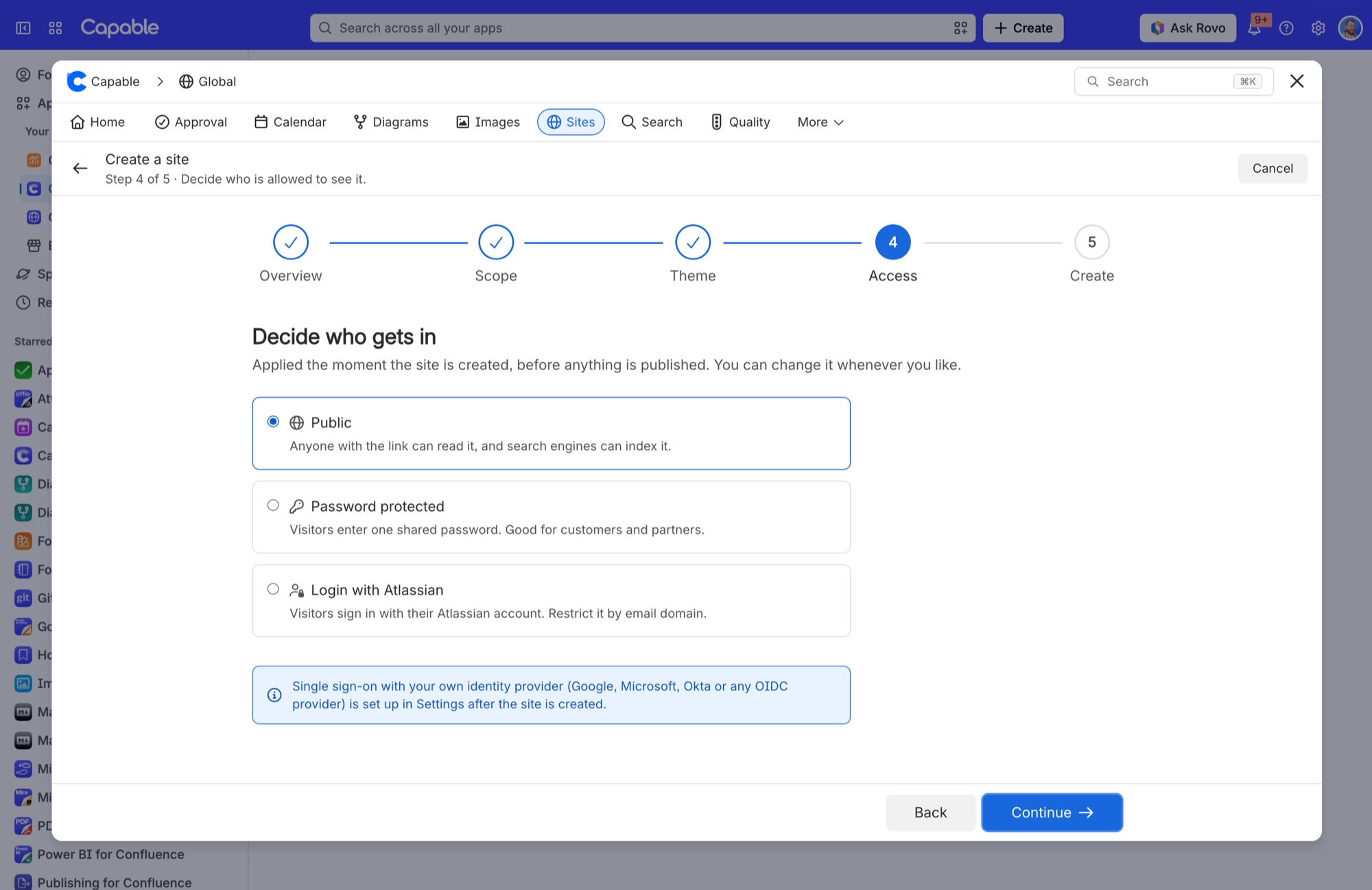
The create wizard offers only Public, Password protected and Login with Atlassian. To use Google or Microsoft, create the site with any mode and switch in Settings > Access afterwards. Okta and other identity providers are not supported.
#Sessions
Every protected mode has a session length, set under Sessions with Stay signed in for.
Mode | Choices |
|---|---|
Password, Atlassian | 1 hour, 8 hours, 24 hours, 7 days or 30 days. New sites start at 24 hours. |
Google, Microsoft | 1 hour, 8 hours, 24 hours or 7 days. Seven days is the most, so someone who leaves your organisation loses access soon after. A site set to 30 days drops to 8 hours when you switch it to Google or Microsoft. |
Any change to who can get in signs every visitor out, so they sign in again under the new rules. That covers a new mode, a new password, changed domains, emails or organisations, and a new session length. To end every session without changing anything, a Confluence admin selects Sign everyone out beside the session length. It also signs visitors out of staging previews.
#Confluence restrictions do not carry over
Page restrictions in Confluence are not access control on a published site. If a page is in a space you published, it is on the site. Use the exclude label, or do not publish that space.
#Signing out
A published protected site has no sign-out link. Signing out does work, but no page links to it, so the only way to reach it is by typing its address. To sign everyone out at once, use Sign everyone out in Access.
#A few things worth knowing
Staging previews are shareable by link. On a protected site the preview is protected too, but treat the link as sensitive.
A password is one shared secret for the whole site. There are no per-visitor accounts.
Leave the Atlassian Email domains list empty and any Atlassian account can sign in. Google and Microsoft are the opposite: you cannot save until you have said who may sign in.
Google and Microsoft sign-in work on your custom domain and on staging previews too.
A site set up with the retired bring-your-own sign-in shows This site uses a retired sign-in setup. Pick a new mode above. Choose one of the five modes and save.
#Related
Public by default. Restrictions do not carry over.






















