Macro support matrix
Here’s which Confluence elements and macros render on a published Capable Site. SUPPORTED means it renders on your live site, PARTIAL means it renders with some limitations, and NOT YET means it doesn’t render on a live site yet.
#Confluence elements
Macro | Support Level | Notes |
|---|---|---|
Code | SUPPORTED | |
Date | SUPPORTED | |
Expand | SUPPORTED | |
Headings | SUPPORTED | |
Image | SUPPORTED | |
Layout | SUPPORTED | |
Links | SUPPORTED | |
List | SUPPORTED | |
Mention | SUPPORTED | |
Panel | SUPPORTED | |
Rule | SUPPORTED | |
Status | SUPPORTED | |
Table | SUPPORTED | |
Text formatting | SUPPORTED | |
TOC | SUPPORTED | |
YouTube | SUPPORTED | |
Emojis | PARTIAL | Most emojis work, but a few show their shortcode instead, for example |
Attachment | SUPPORTED | |
Video | NOT YET | Video attachments don’t render yet, but you can embed YouTube videos. |
#Capable macros
Macro | Support Level | |
|---|---|---|
Animation | SUPPORTED | |
Background | SUPPORTED | |
Banner | SUPPORTED | |
Button | SUPPORTED | |
Cards | SUPPORTED | |
Color palette | SUPPORTED | |
Diagram | SUPPORTED | |
Footnote | SUPPORTED | |
Footnote summary | SUPPORTED | |
Gallery | SUPPORTED | |
HTML | SUPPORTED | |
Image reference | SUPPORTED | |
Progress bar | SUPPORTED | |
QR Code | SUPPORTED | |
Swagger/OpenAPI | SUPPORTED | |
Tooltip | SUPPORTED | |
Advanced Table | PARTIAL | |
Diff | PARTIAL | |
Latex | SUPPORTED | |
Latex inline | PARTIAL | |
Progress tracker | SUPPORTED | |
RSS feed | NOT YET | |
Approval | PARTIAL | |
Calendar | PARTIAL | |
Clock | NOT YET | |
Code | SUPPORTED | |
Compare images | NOT YET | |
Diagram reference | NOT YET | |
Event | SUPPORTED | |
Link Graph | NOT YET | |
Lorem ipsum | NOT YET | |
Markdown | NOT YET | |
Markdown reference | NOT YET | |
Search cards | NOT YET | |
Search table | NOT YET | |
Service status | NOT YET | |
Space Graph | NOT YET | |
Web Extraction | NOT YET | |
Word cloud | NOT YET | |
Word count | NOT YET |
#Refined Toolkit macros
Macro | Support Level | |
|---|---|---|
Button | SUPPORTED | |
Expand | SUPPORTED | |
LaTeX | SUPPORTED | |
Numbered Headings | SUPPORTED | |
Numbered List | SUPPORTED | |
Panel | SUPPORTED | |
Tab | SUPPORTED | |
Steps | SUPPORTED | |
Activity Stream | NOT YET | |
Child pages | NOT YET | |
Countdown | NOT YET | |
News | NOT YET | |
Page tree | NOT YET |
#Mosaic macros
Macro | Support Level | |
|---|---|---|
Advanced Expand | SUPPORTED | |
Alert | SUPPORTED | |
Background | SUPPORTED | |
Button | SUPPORTED | |
Button Group | SUPPORTED | |
Card | SUPPORTED | |
Footnote | SUPPORTED | |
HTML | SUPPORTED | |
Interactive Banner | SUPPORTED | |
LaTeX | SUPPORTED | |
Numbered Headings | SUPPORTED | |
Pop-up Dialog | SUPPORTED | |
Progress Bar | SUPPORTED | |
Tabs | SUPPORTED | |
Tooltip | SUPPORTED | |
Advanced Cards | NOT YET | |
BibTeX | NOT YET |
#Aura macros
Macro | Supported |
|---|---|
Tabs | SUPPORTED |
Expand | SUPPORTED |
Cards | SUPPORTED |
Buttons | SUPPORTED |
Hero Section | SUPPORTED |
Panel | SUPPORTED |
Title | SUPPORTED |
Divider | SUPPORTED |
Status | SUPPORTED |
Progress | SUPPORTED |
LaTeX | SUPPORTED |
Child Tabs | NOT YET |
Countdown | NOT YET |
Embed | NOT YET |
HTML | NOT YET |
Numbered Headings | NOT YET |
Dynamic Content | NOT YET |
#Draw.io macros
Macro | Support Level | |
|---|---|---|
Diagram | SUPPORTED | |
Board | SUPPORTED | |
Embedded Diagram (referenced) | NOT YET |
#Check your own site
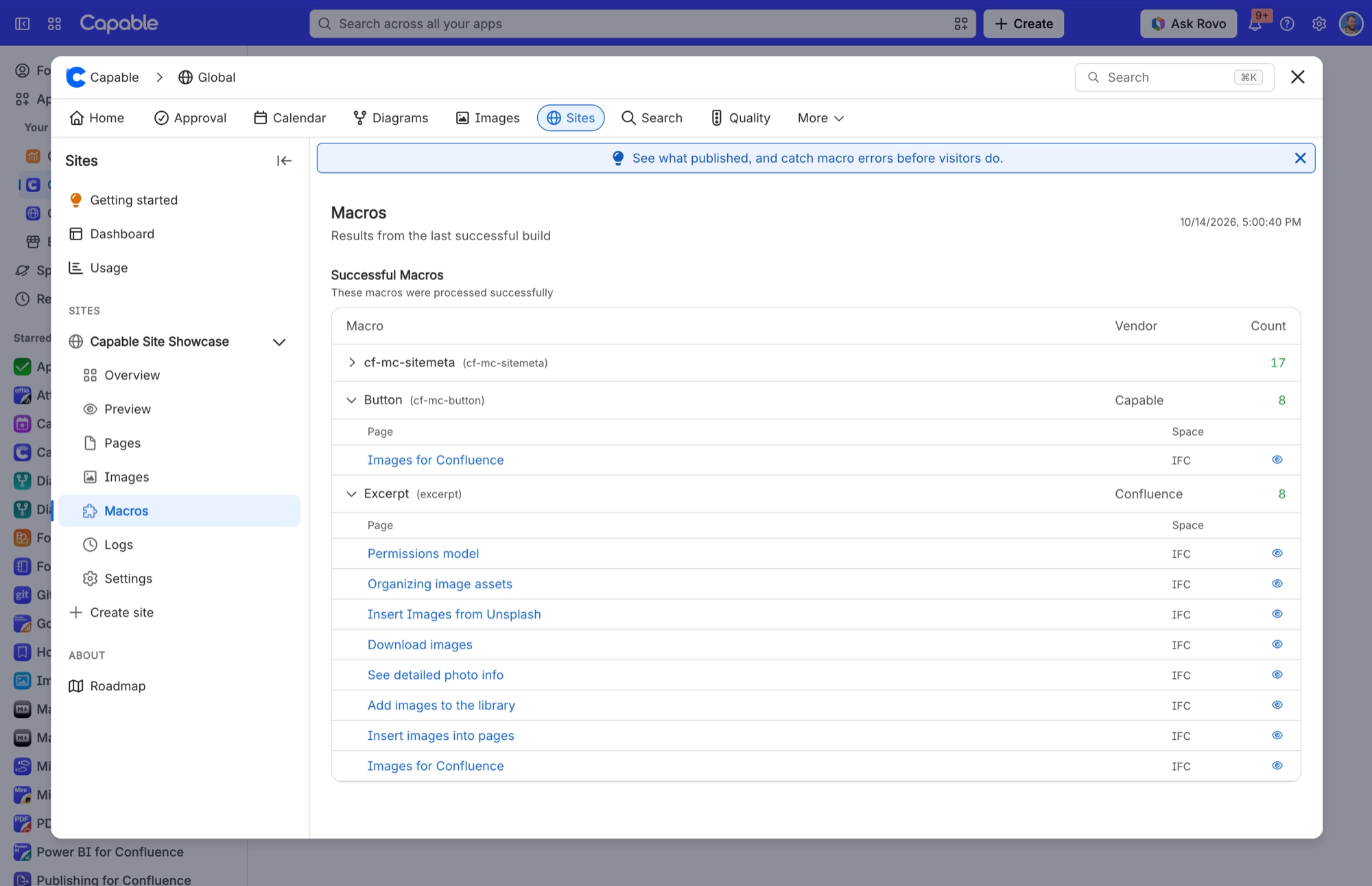
To see which macros made it onto your site, open your site in Capable Sites and choose Macros. It shows the results from your last successful build, with each macro’s vendor, how many times it’s used and the pages it appears on.