
Onboarding guide
An onboarding guide gives new starters one place to find what they need in their first few weeks. You write it in Confluence as you always have, and Capable Sites publishes it as a tidy, searchable site. As it's written for your own people, you'll usually want to keep it private.
#What one looks like
Here's a sample from the fictional company BrightMarket Analytics, written for a new Senior Product Analyst.
I've put together this onboarding plan to help you get up to speed in your new role as a Senior Product Analyst on the Growth Insights team. Feel free to reach out if you have any questions 🙂
Your first 90 days are about learning the business, building trusted relationships, and gradually taking ownership of analysis that helps the Growth team make better decisions.
Take time to learn. In your first 30 days, focus on understanding our customers, data model, product metrics, and decision-making rhythms before jumping into major recommendations.
Invest in relationships. By day 60, you should have regular connections with Product, Marketing, Sales, Customer Success, and Data Engineering partners.
Don't be afraid to ask. No one expects you to know how BrightMarket Analytics works right away. Ask questions early, document what you learn, and share improvements for the next new starter.
Show your thinking. When you present analysis, include assumptions, data quality notes, and the decision your work is intended to support.
Your early sessions will cover:
Your role expectations, 30/60/90-day priorities, team rituals, stakeholder management, and coaching on analysis approach.
Growth roadmap, activation experiments, product discovery, success metrics, and how analytics feeds product decisions.
Warehouse structure, dbt models, event tracking, dashboard reliability, and how to request new data sources.
#Settings that matter for this
Decision | Where |
|---|---|
Who can see it | Access modes |
Which spaces, in what order | Spaces and navigation |
How it looks | Theming your site |
Your own address | Setting up a custom domain |
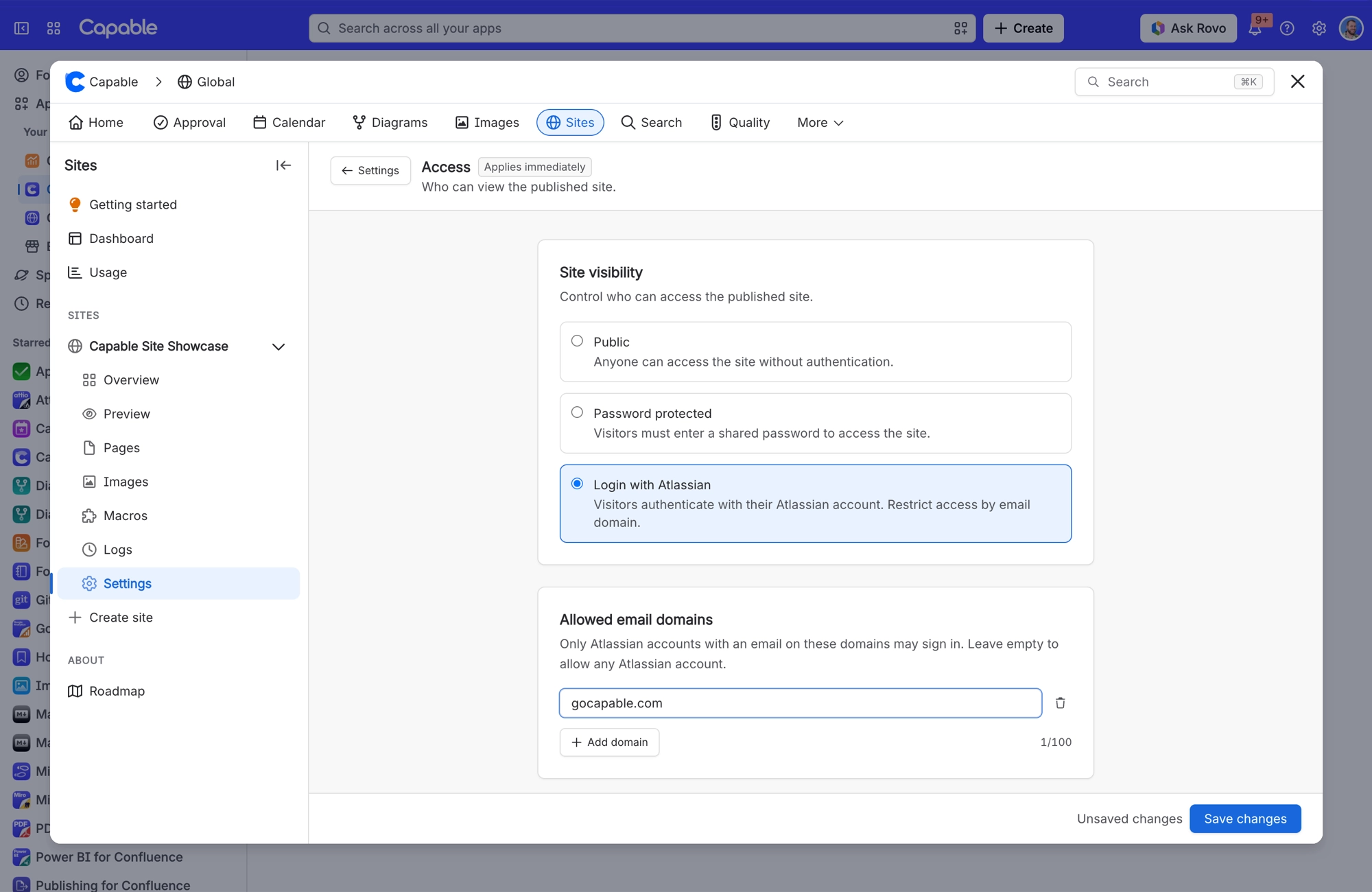
To keep a guide like this to your own people, choose Login with Atlassian and add your company's email domain. Only Atlassian accounts with an email on that domain can sign in.
#Related
A pattern, not a template.






















