
Links to some Confluence pages send visitors to an Atlassian login screen
What you are seeing
Some links on your published site take visitors to an Atlassian login screen instead of the page they were expecting.
#Why it happens
Those links point at Confluence pages that aren't published in your site. When a linked page isn't part of the site, the link is left as the original Confluence URL, so visitors are sent to Confluence and asked to log in.
#What to do
You have two options.
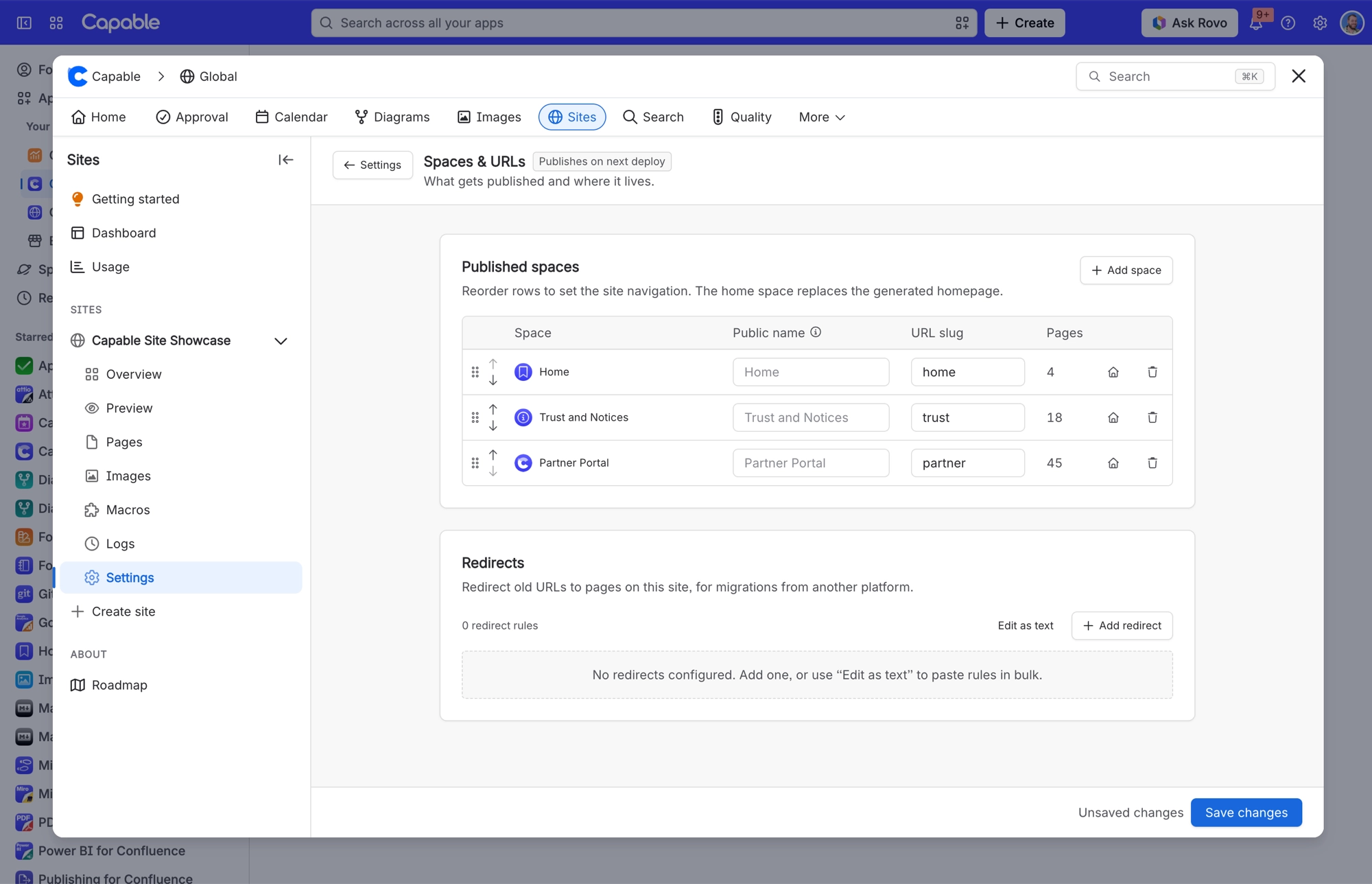
Publish the linked pages. Add the space that holds those pages to your site. In Sites, open your site's Settings, choose Spaces & URLs, then select Add space. The change goes live on your next deploy.
Change the links. If those pages should stay private, edit the links in Confluence so they point somewhere your visitors can reach.
#Related
Uploading a logo or cover image fails with "Failed to upload image"
Images are stored as attachments on a dedicated Confluence asset-store space, and that spa
Page I restricted in Confluence is visible on my public site
The build reads pages as the app and applies no permission check. Labels are the only excl
Content problems
The rest of this family.
Found it? Good.






















