
Macro shows as a grey box quoting a strange name on the live page
What you are seeing
A macro on your live site shows as a grey box quoting a strange name, rather than the content you see in Confluence.
#Why it happens
The macro comes from a third-party app, or it is a Confluence macro that Capable Sites does not support, so the site has no way to turn it into web content. Only Capable's own macros get a friendly explanatory note. Everything else shows the grey box.
#What to do
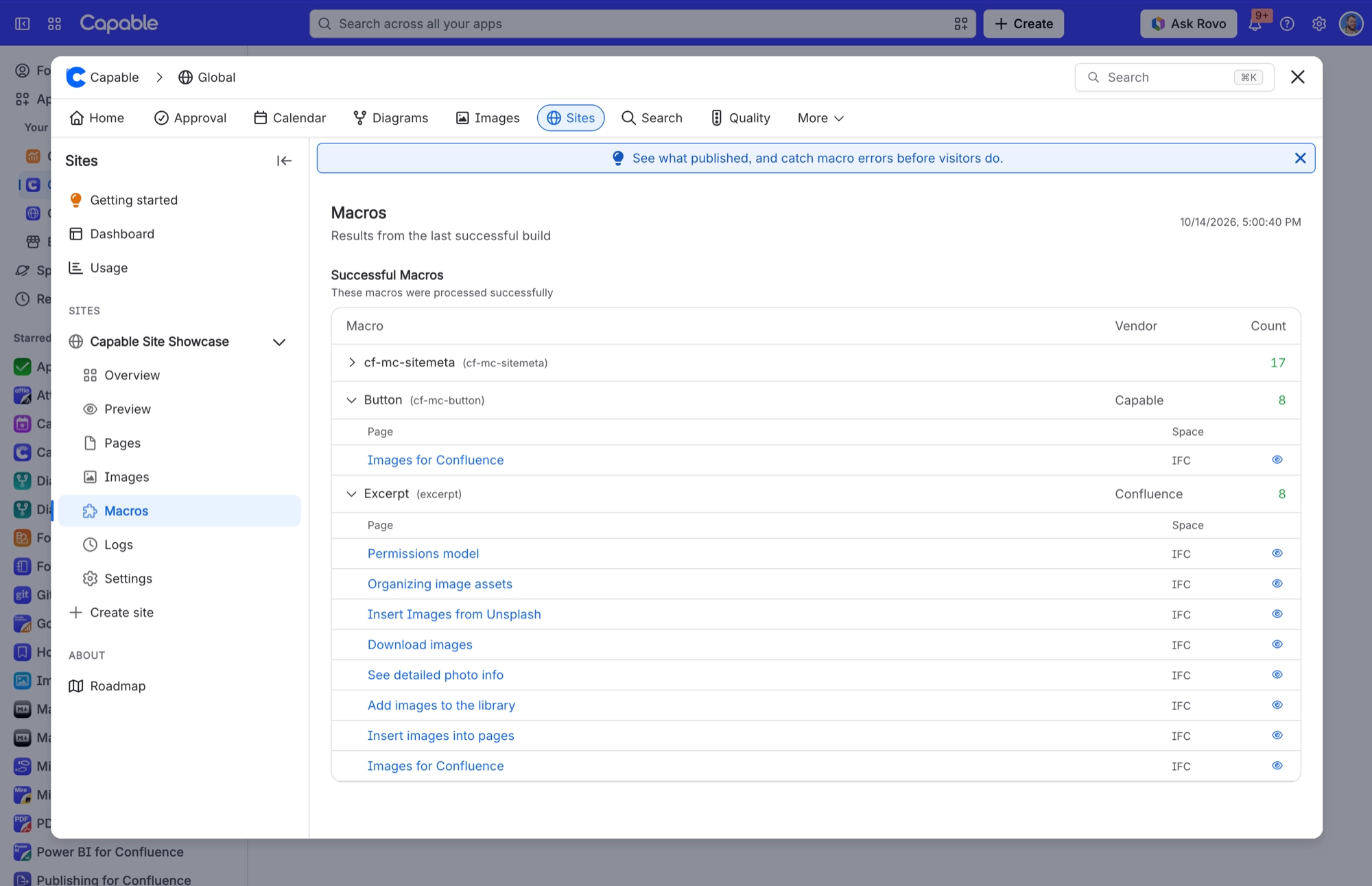
Open your site in Capable Sites and select Macros. It lists every unsupported macro and the pages that use it.
Remove those macros from the pages, or replace them with something your site supports.
#Related
Macro placeholder is left unresolved inside a deeply nested layout
Macro resolution stops after 12 passes; containers nested deeper than that (tabs inside ex
Site search does not find text I know is on a page
The published site's search matches page titles only. Body text is never indexed.
Content problems
The rest of this family.
Found it? Good.






















