
What Capable Sites is
Capable Sites turns Confluence spaces into a static website. You pick the spaces, theme it, decide who can see it, and publish. Each site gets an address of its own, and you can put a custom domain on top.
The thing to understand first is that publishing is two-stage on purpose. Nothing you write in Confluence reaches the public site until you say so, twice.
#Update, then Promote
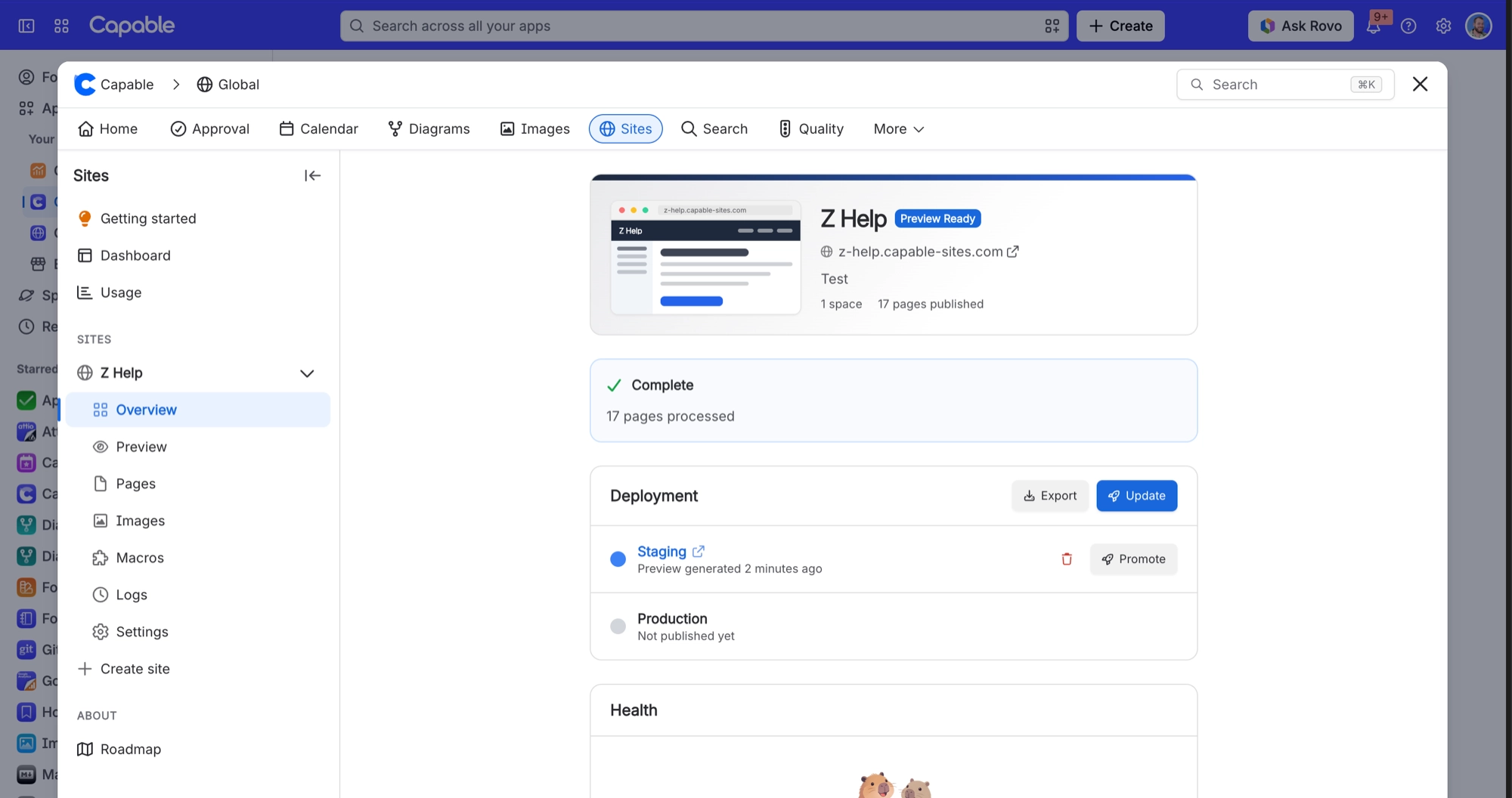
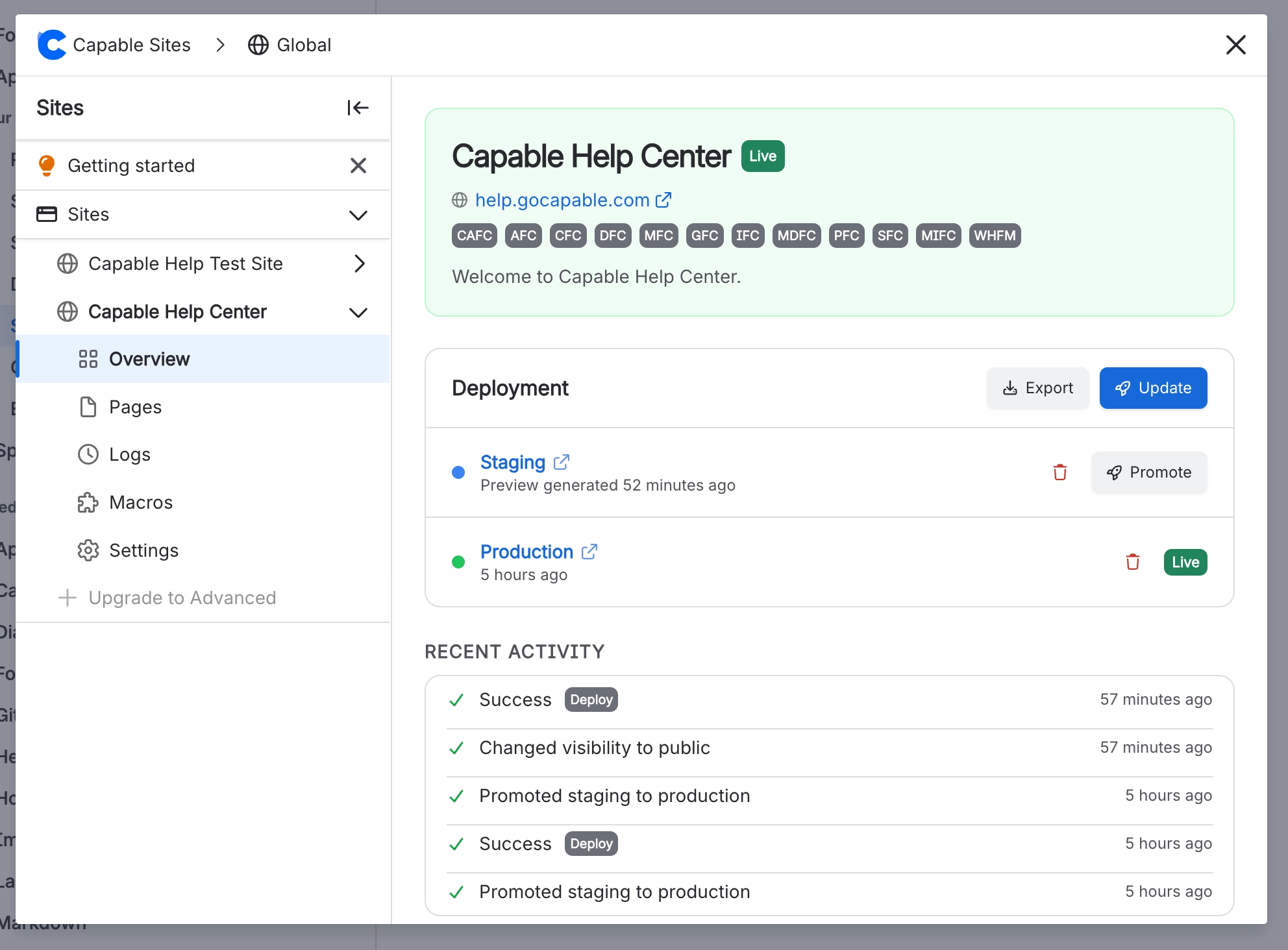
Stage | What it does |
|---|---|
Update | Builds the whole site into a private staging preview you can open and share. The live address is untouched. |
Promote | Copies that exact build onto the live address, and clears any cached copies so visitors get the new version. |
Nothing publishes automatically. Every Confluence edit needs a new Update and a new Promote. There is no auto-publish, no scheduled rebuild, and no way to turn one on.
#What a published site is
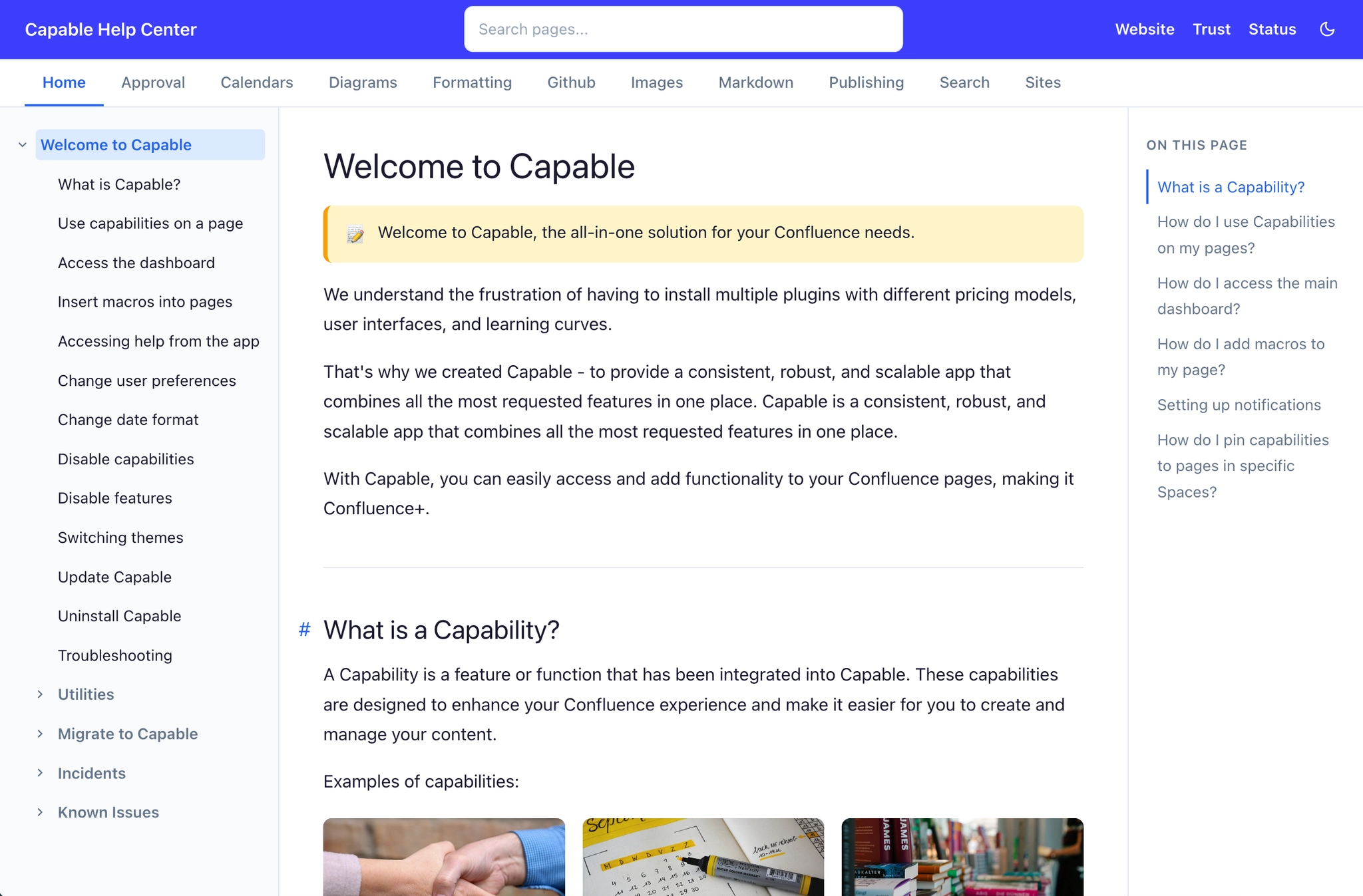
HTML pages, built from your Confluence content.
A Markdown twin of every page, plus per-page JSON.
A title-only search box.
Sitemaps, and files aimed at AI tools: llms.txt, llms-full.txt and mcp.json.
It is a snapshot. The site does not query Confluence when somebody visits it, which is why it stays up and fast regardless of what your Confluence instance is doing.
#The limits worth knowing now
Limit | Value |
|---|---|
Sites per Confluence instance | 3 on Standard, 10 on Advanced |
Spaces per site | 100 |
Published files per site | 1 GB |
Publish operations per hour | 12 per site, and 12 across your Confluence instance |
Custom domains per site | 1 |
#A few things worth knowing
A staging preview lasts 90 days, then its link stops working. Promote before it expires, or rebuild.
Every deploy rebuilds the whole site. The incremental option in settings is permanently disabled.
Uninstalling the app deletes every published site in your Confluence instance.
#Related
Update builds it. Promote publishes it.






















