
SEO and metadata
A published site is meant to be found. It builds sitemaps, sets per-page metadata, and ships files that let AI tools read it properly.
Most of it is automatic. The parts you control are per page.
#Per page
Open your site in the Sites panel, choose Pages, then select a page. Its metadata opens in the side panel, so you can edit it without opening the page itself.
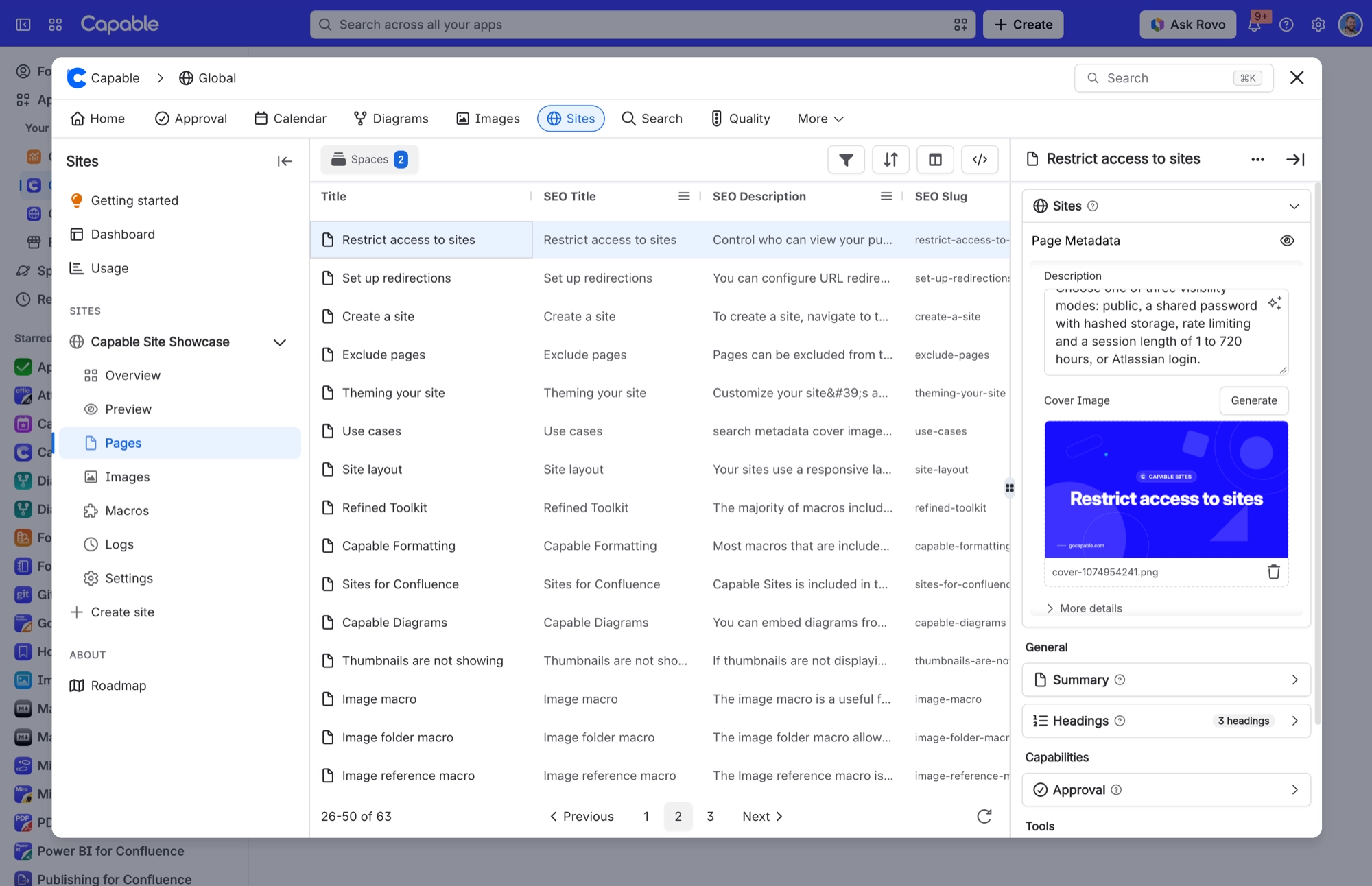
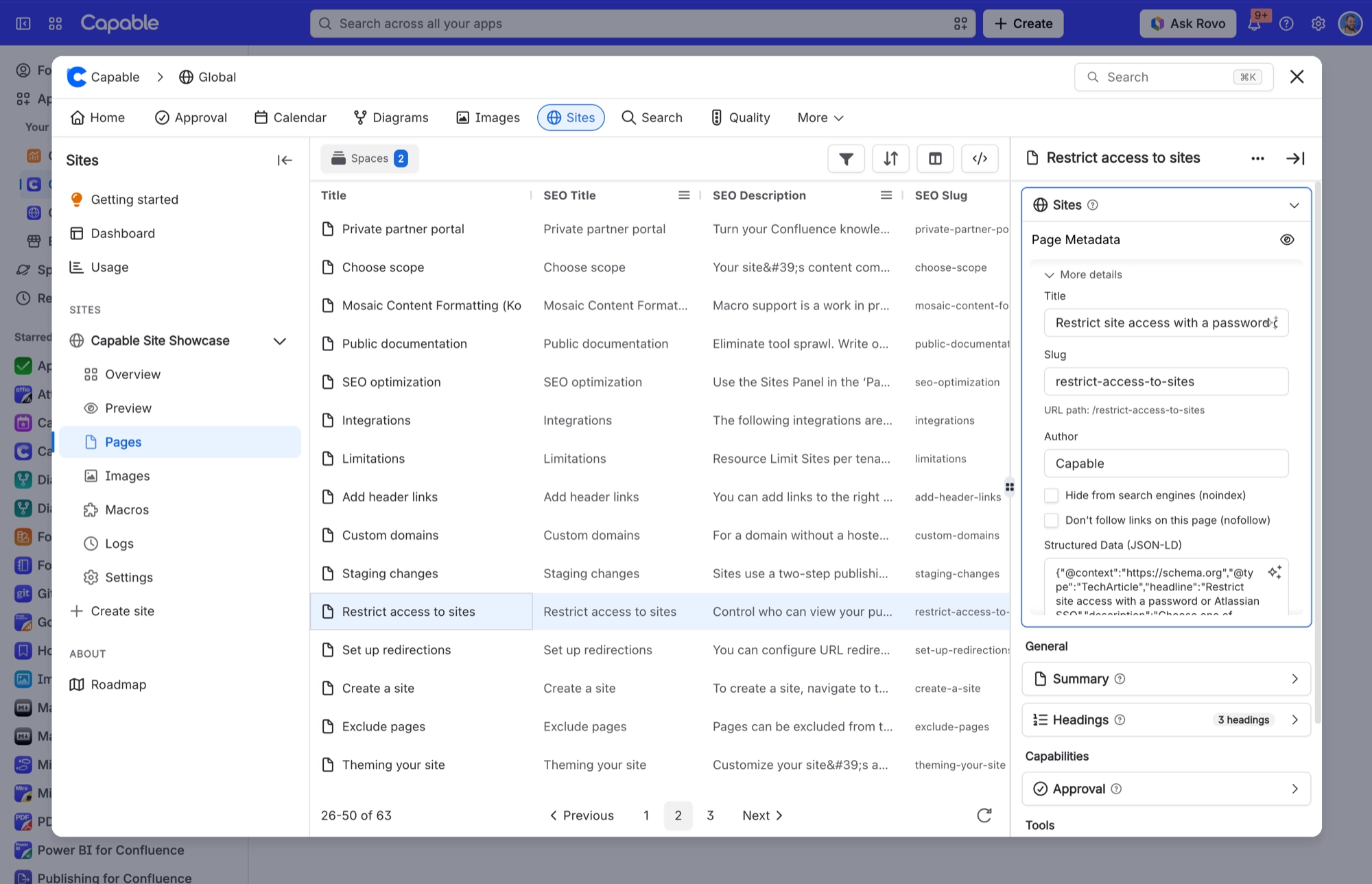
Set with | Controls |
|---|---|
The Site metadata macro on the page | SEO title, description and slug for that page |
The Page metadata side panel | The same values, without adding a macro to the body |
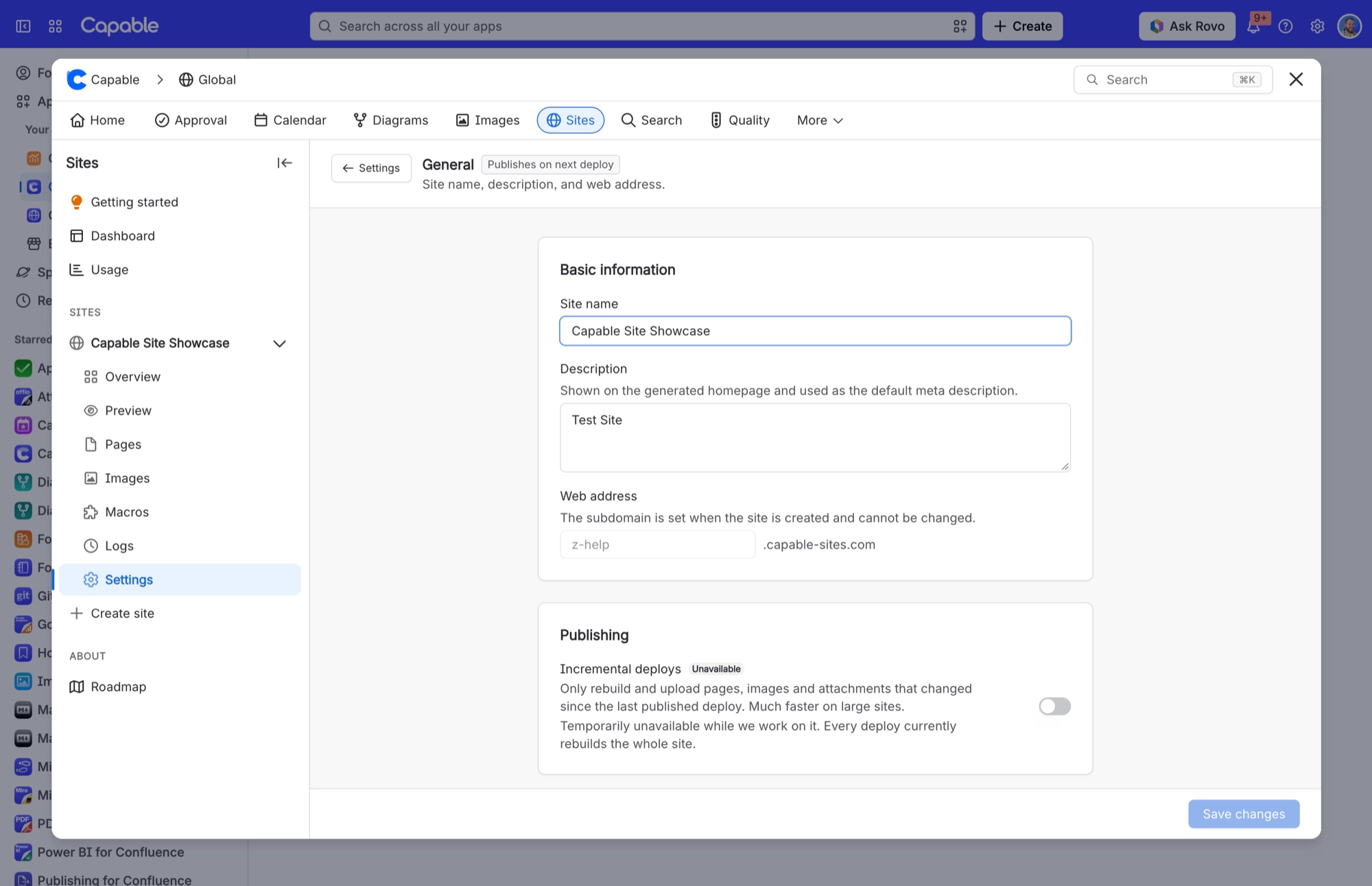
The site description | The fallback used where a page sets nothing |
Under More details you can also tick Hide from search engines (noindex) or Don't follow links on this page (nofollow), and add Structured data. Select Save metadata when you are done.
#Keeping old links working
Changed slugs redirect. Change a page's slug, or rename a page so its address changes, and the old address forwards to the new one after your next deploy.
Migrations use Redirects. Moving from another documentation platform? Add rules in Settings > Redirects so the old URLs land on the right pages. See Redirects.
Space addresses work either way.
/docsand/docs/both reach the space, so links without the trailing slash no longer show a page not found error.
Every one of these is a forwarding page at the old address that sends visitors on straight away and names the new address as canonical. Search engines treat it as a permanent move.
#Built automatically
Sitemaps, updated to point at your live address or custom domain when you promote.
A robots.txt file that welcomes search engines on your live site and keeps them out of staging.
A Markdown copy of every page, plus a JSON version of each page.
llms.txt, llms-full.txt and mcp.json, so AI tools can read the site.
A social sharing image per page, falling back to the site default cover image.
None of the AI-facing files can be turned off. If that matters for your site, it is worth knowing before you publish.
#A few things worth knowing
Changing SEO settings is a page change, so it needs an Update and Promote to reach the live site.
Staging is never indexed, by design.
The site description doubles as the default social preview text.
A page marked noindex still appears in the site's own search and sitemap. To keep a page off the site entirely, exclude it.
A password or sign-in protected site cannot be indexed, because search engines cannot sign in.
#Related
Findable by people, readable by machines.






















