
Access modes
A site is public unless you say otherwise. Both protected modes check visitors before any page is served, so the protection never depends on anything inside the pages themselves.
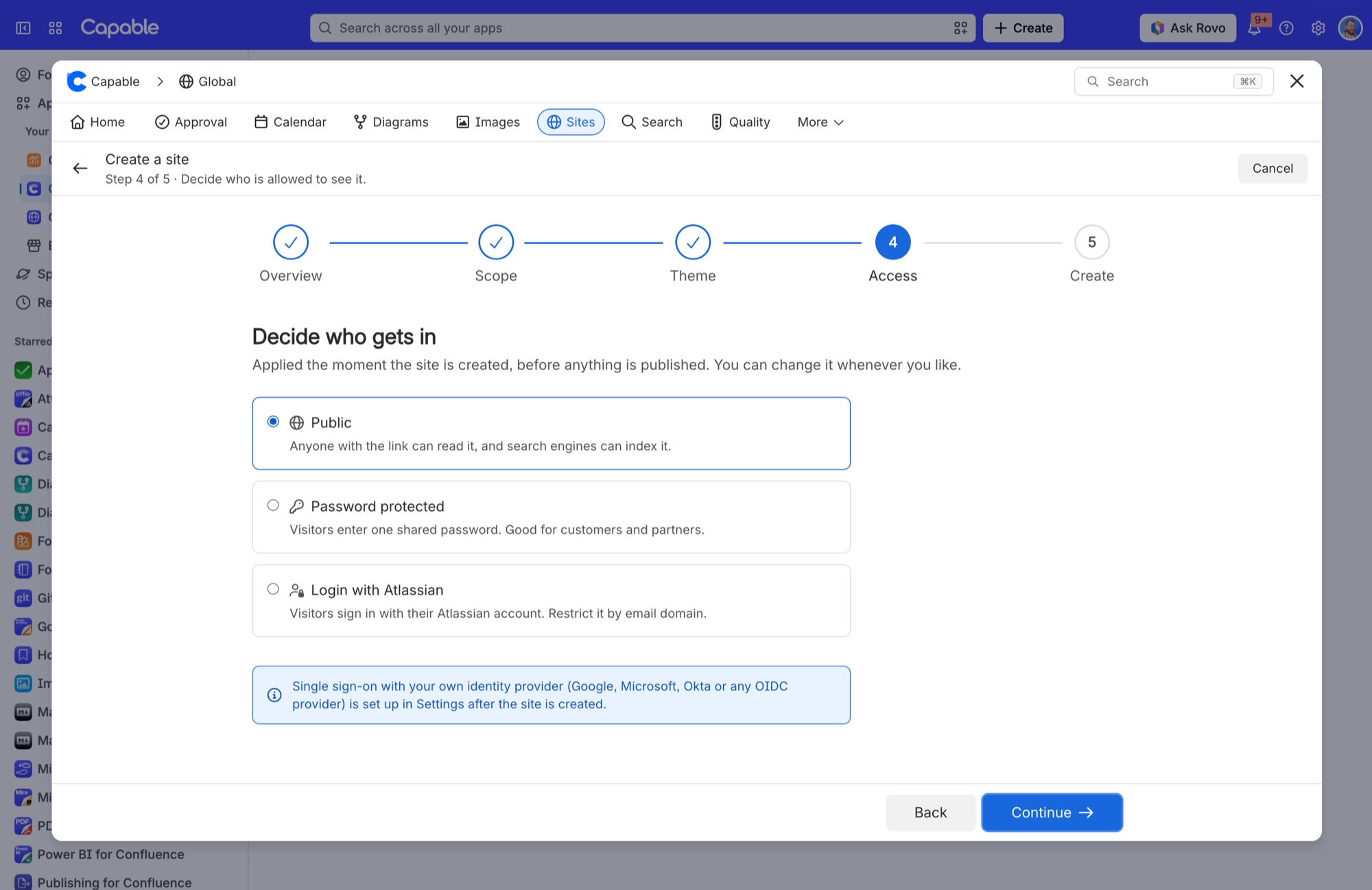
One thing the create wizard says is not true, and it is worth knowing before you plan around it.
#The three modes
Mode | What a visitor does | Good for |
|---|---|---|
Public (the default) | Nothing. The site is open | Documentation, marketing, anything you want indexed |
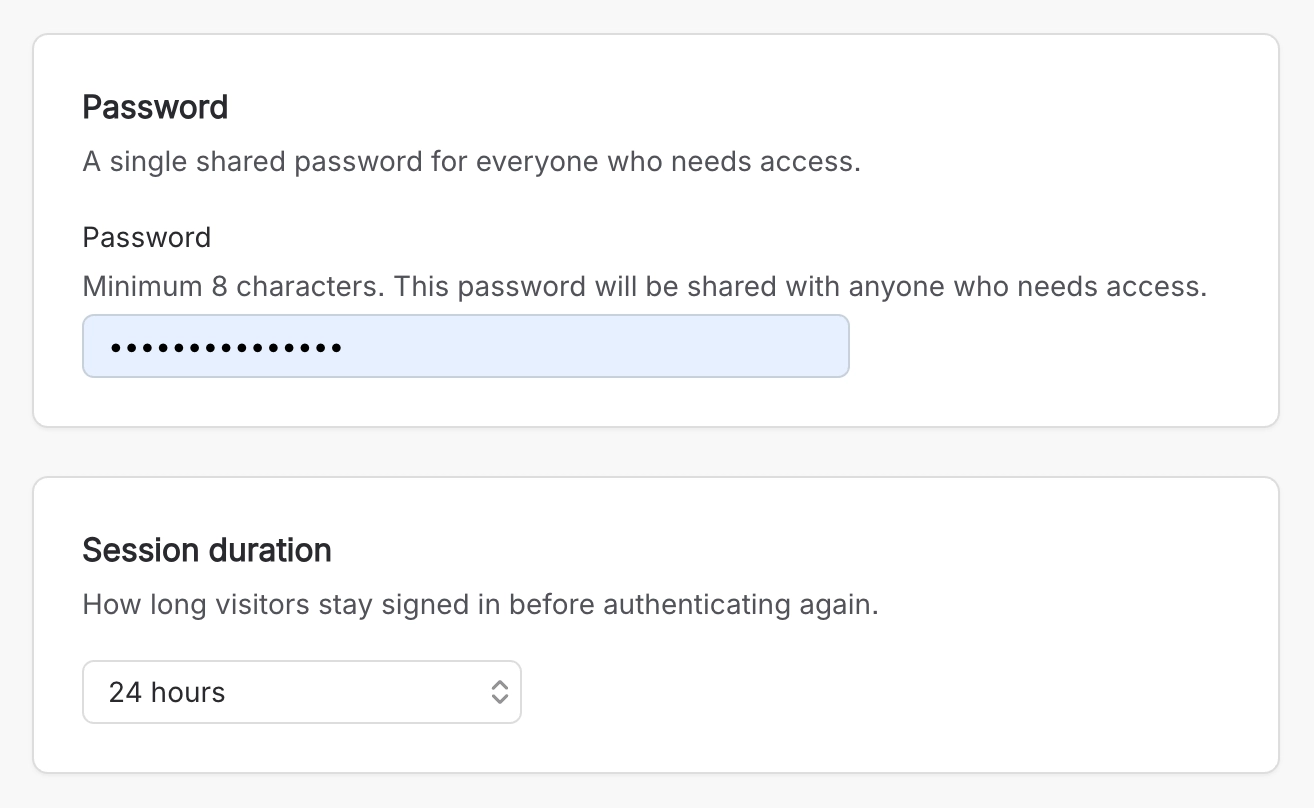
Password protected | Enters one shared password, at least 8 characters | A partner portal, a private preview |
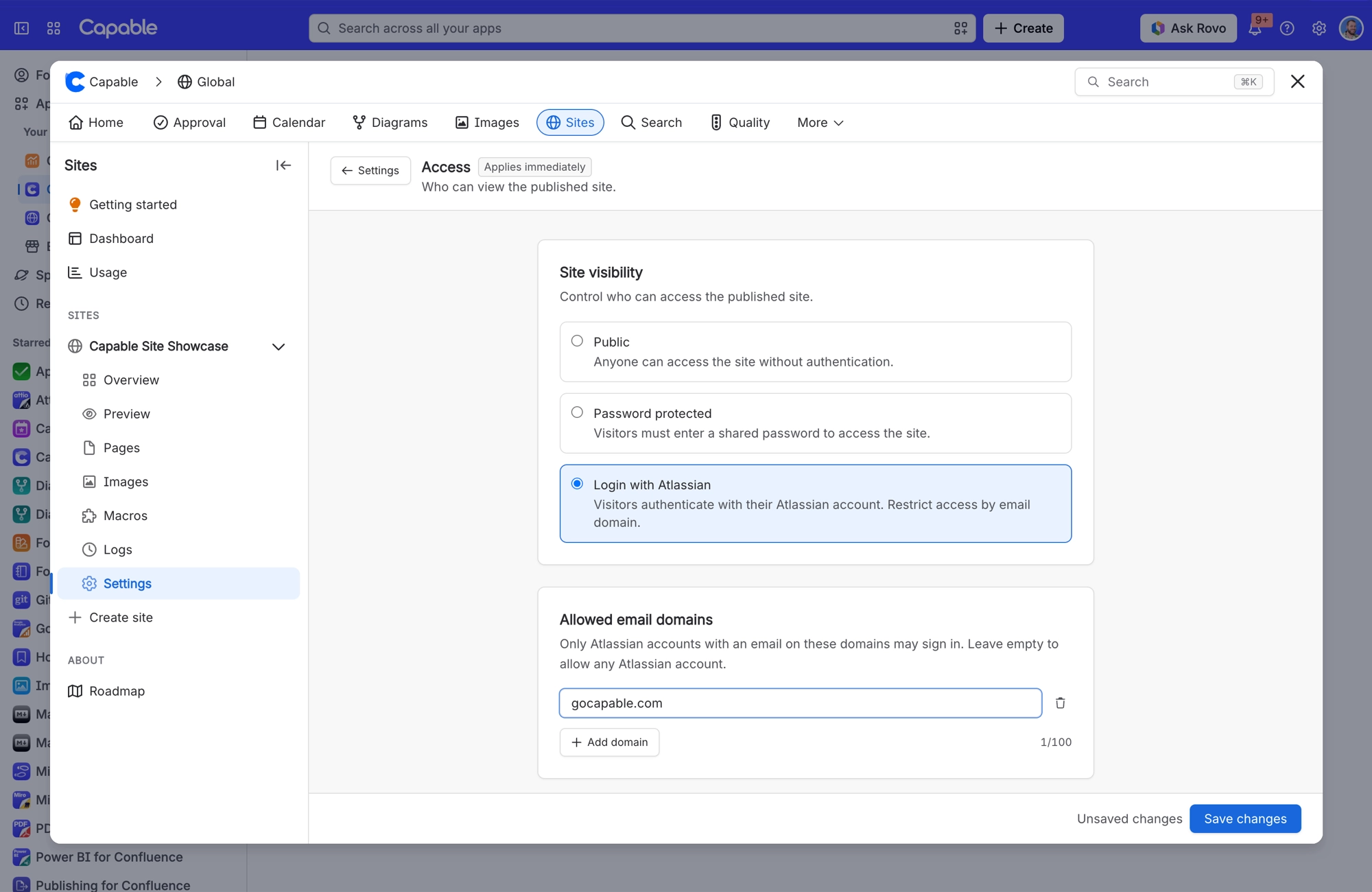
Login with Atlassian | Signs in with an Atlassian account, optionally restricted to allowed email domains | An internal site for your own people |
Both protected modes have a session duration, so you decide how often people sign in again.
#Single sign-on is not set up later
Step 4 of the create wizard says single sign-on with your own identity provider (Google, Microsoft, Okta or any OIDC provider) is set up in Settings after the site is created. It is not. Access in Settings offers the same three modes as the wizard, and nothing else.
If you want a site only your own people can open, use Login with Atlassian with your email domains in the allowed list. An older site that already uses SSO / OAuth shows it in Access as read-only. You can switch away from it, but you cannot set it up.
#Confluence restrictions do not carry over
Page restrictions in Confluence are not access control on a published site. If a page is in a space you published, it is on the site. Use the exclude label, or do not publish that space.
#Signing out
A published protected site has no sign-out link. Signing out does work, but no page links to it, so the only way to reach it is by typing its address.
#A few things worth knowing
Staging previews are shareable by link. On a protected site the preview is protected too, but treat the link as sensitive.
A password is one shared secret for the whole site. There are no per-visitor accounts.
Allowed email domains only apply to the Atlassian login mode. Leave the list empty and any Atlassian account can sign in.
#Related
Public by default. Restrictions do not carry over.






















