
Web extraction
Pulls a single value out of a JSON API and drops it into a sentence on the page, with text before and after it.
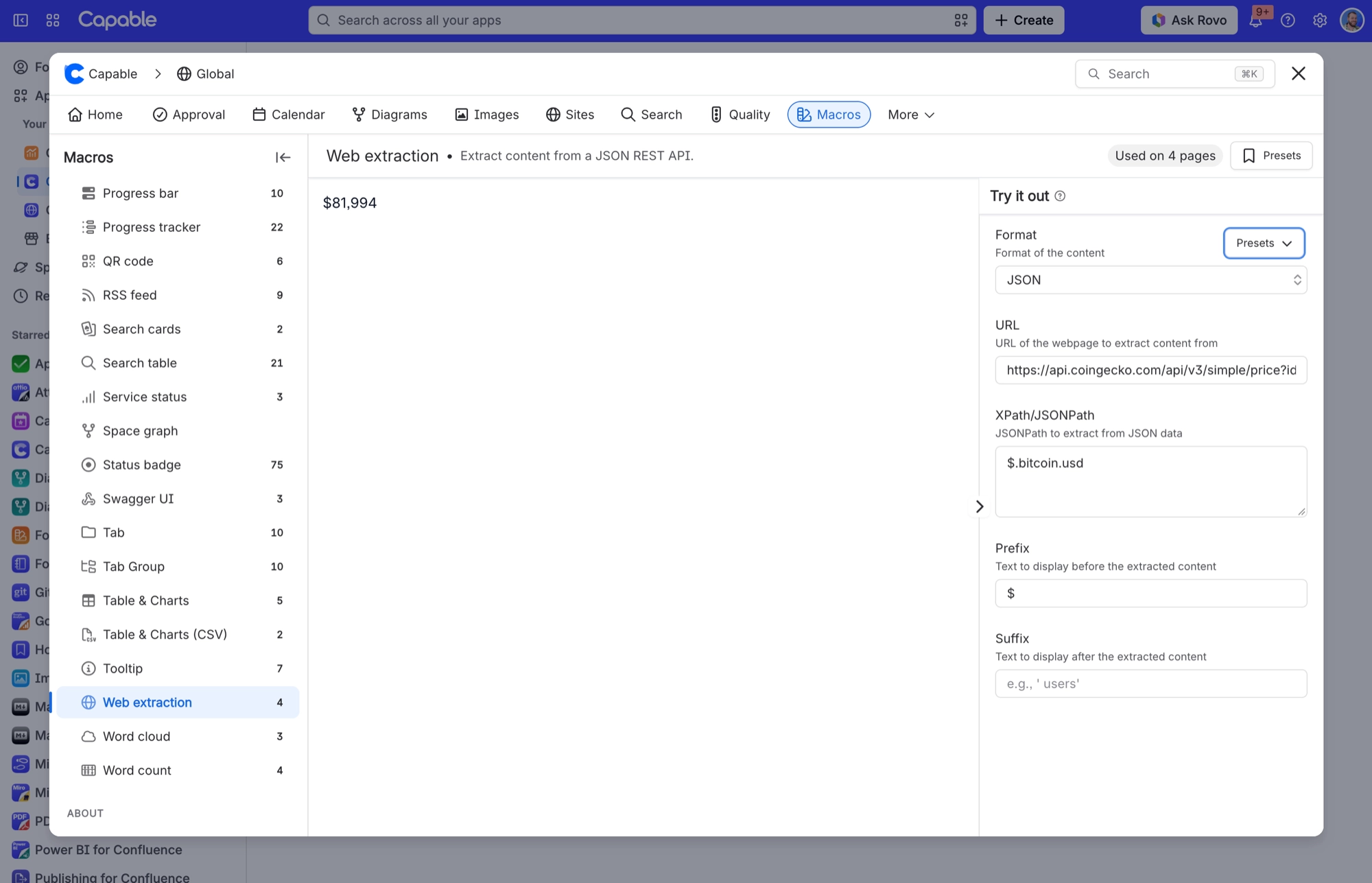
Use it for the one live number a page needs, such as install counts, a repository's star count, today's temperature or an exchange rate, without embedding a whole dashboard. You give it a JSON endpoint and a JSONPath to the field you want, plus a prefix and suffix so the value reads as a sentence rather than a bare figure. The value is fetched when someone views the page and kept for up to fifteen minutes before it is fetched again. Numbers are formatted with thousands separators. A Presets menu fills in five worked examples so you can see the shape of a working configuration.
#See it
The example below is a real macro running on this page, not a screenshot. Open this page in the editor to see how it is set up.
#London Temperature
#Settings
Setting | Values | What it changes |
|---|---|---|
Format | JSON (the only option in the dropdown) | How the response is read. JSON is the only choice, so you can leave this as it is. |
URL | Any http(s) address that returns JSON. Capable fetches it for you, waiting up to 10 seconds each time and trying up to four times if the source is slow or briefly unavailable. | The endpoint to read. Required together with the path. |
XPath/JSONPath | A JSONPath. These forms work: | Selects the value. If the path does not match anything, the value reads "Property not found", "Array index not found" or "Target is not an array" instead. |
Prefix | Free text | Printed immediately before the value. Kept even when the value cannot be fetched, so the sentence still reads. |
Suffix | Free text | Printed immediately after the value. The default is not empty: a macro inserted without changing this field reads "… installs". |
Presets | London Temperature, GitHub Repository Stars, Bitcoin Price, Exchange Rate, Atlassian Marketplace Downloads | Each fills format, URL, path, prefix and suffix in one click. |
#Related
The largest family, and the most precise.






















