
Footnote
Drops a small numbered marker like [3] into a sentence, with the note's text on hover, and feeds that note into the page's Footnotes summary.
Use this when a sentence needs a source, a caveat or an aside that would break the flow if you wrote it inline. You put the marker where the sentence is, and the actual wording lives in the footnote instead of cluttering the paragraph. The marker numbers itself from its position on the page, so you can add, delete or reorder footnotes and the numbers update the next time the page is saved. Pair it with the Footnotes summary macro at the bottom of the page to get the collected list of notes. On its own the marker still works, because the text shows in a tooltip when a reader hovers over it.
#See it
Every example below is a real macro on this page, not a screenshot. Open this page in the editor to see how any of them is set up, and hover a marker to see its tooltip.
#Citing a source
A footnote marker sits in the text like this[1], and collects at the foot of the page.
#Adding supporting detail
A footnote marker sits in the text like this[2], and collects at the foot of the page.
#Defining a term
A footnote marker sits in the text like this[3], and collects at the foot of the page.
- Demo quotation included for illustrative purposes. Replace with a real source when using this pattern in production. ↩
- A footnote usually contains supporting information that is useful but not essential to the main sentence. ↩
- For example, a term could be briefly defined here instead of adding a long aside in the paragraph. ↩
#Settings
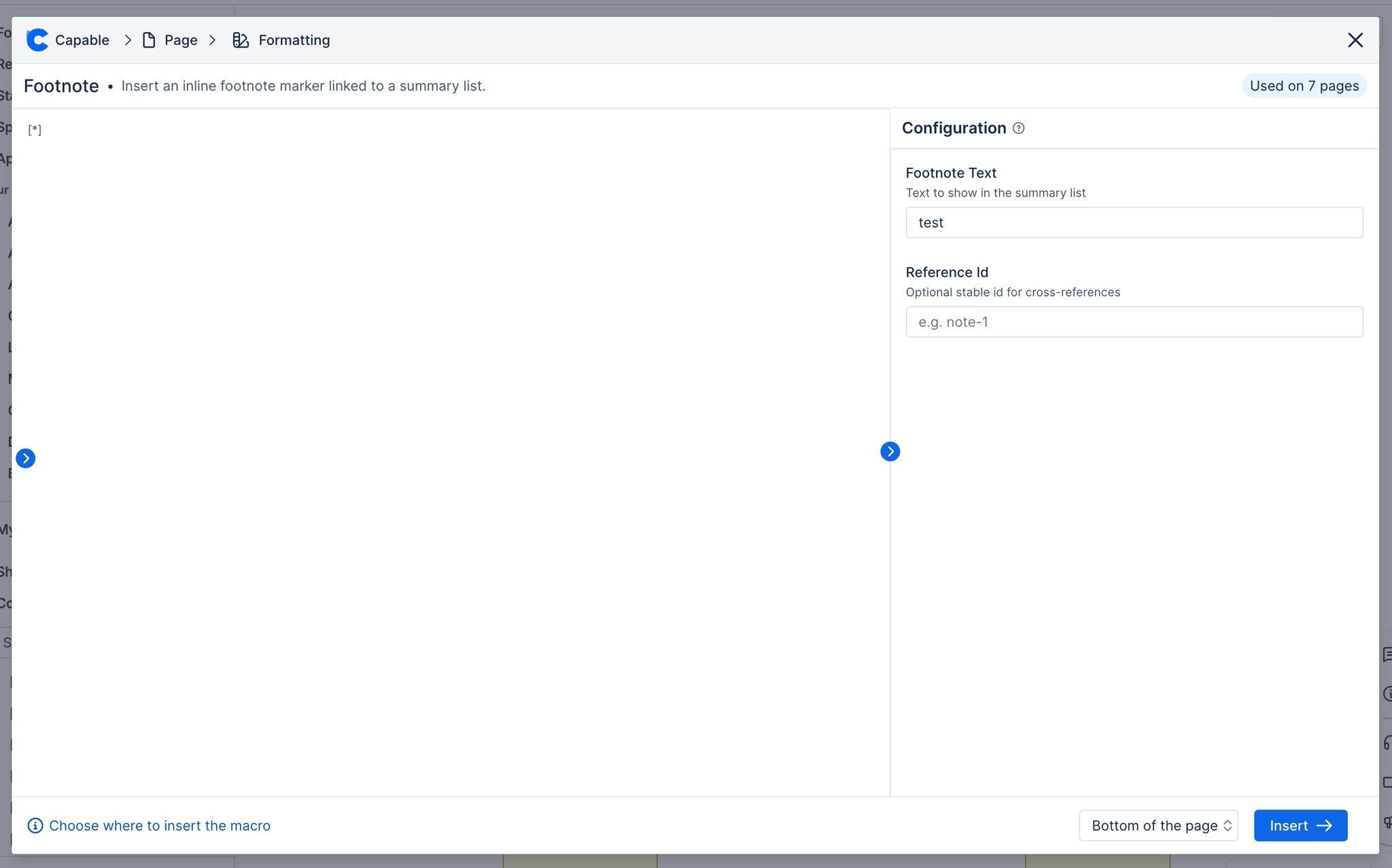
Setting | Values | What it changes |
|---|---|---|
Footnote Text | Free text. It can run over several lines, and there is no length limit. | The note itself. It is what appears in the Footnotes summary list, and what a reader sees in the tooltip when they hover over the marker. If you leave it empty, the footnote is skipped when the markers are numbered. |
Reference Id (optional) | Free text, such as | Nothing your readers will notice. It gives the footnote a stable name, which only matters as a fallback to tell apart two footnotes that would otherwise look identical. Most pages can leave it blank. |
#Related
Numbered in place, collected at the foot.






















