
LaTeX math inline
Renders a small LaTeX equation inside a line of text, sized to sit on the baseline with the words around it.
Use this when a symbol or short formula belongs in a sentence, "the cost grows as E = mc^2 for each…", rather than on a line of its own. The macro takes only as much room as the equation needs, instead of a fixed-width box. Otherwise it works just like the block LaTeX macro, with the same KaTeX renderer and the same Text and Live editing modes. If your equation uses a block environment such as align or cases, the macro switches to display mode for you and puts the equation on its own line.
#See it
Every example below is a real macro on this page, not a screenshot, and each one is a configuration taken from a page somebody actually built. Open this page in the editor to see how any of them is set up.
#16px
Inline maths sits in the line of text, like
E=mc^2\begin{pmatrix}12 & 12 & 3\\ 5 & 4 & 3\\ f & 3 & e\end{pmatrix}#16px (2)
Inline maths sits in the line of text, like
\Delta t = \gamma\,\Delta t_0
#16px (3)
Inline maths sits in the line of text, like
\gamma = (1 - v^2/c^2)^{-1/2}#Settings
You'll find LaTeX inline under Macros in the Capable app, where Try it out lets you write an equation and preview it before you add it to a page.
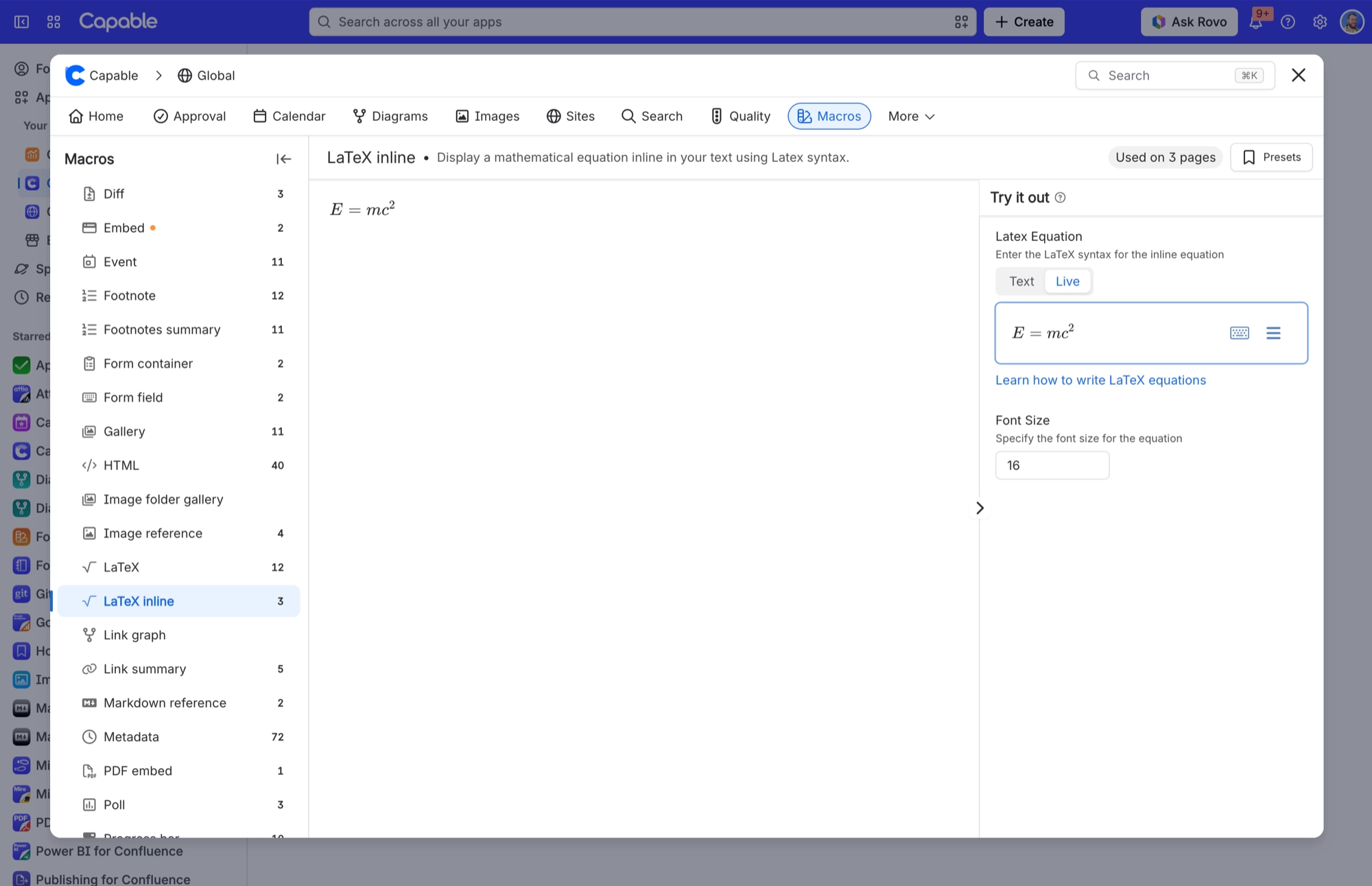
Setting | Values | Default | What it changes |
|---|---|---|---|
Latex Equation | Any LaTeX, typed in Text mode or built in Live mode, just like the block macro. A mistake shows in red rather than breaking the macro. You don't need surrounding | E = mc^2 | The equation itself. Required. Left empty, the macro shows "Invalid LaTeX equation". |
Font Size | A whole number of pixels from 8 to 96. Anything outside that range is brought back within it, and anything that isn't a number uses 16. | 16 | How big the equation is. The default of 16 sits comfortably with body text. The block macro's default is 21. |
Width (set for you) | Pixels, measured automatically. | Not set | You can't edit this. While you edit the macro, it measures your equation and saves its width with a little room to spare, so the equation always gets at least that much space. |
Height (set for you) | Pixels, measured automatically. | Not set | The same as Width, for height. |
Rendered copy (not saved) | The inline macro never saves a rendered copy of your equation. | Not set | Nothing you need to set, but it explains why published Sites show the raw LaTeX. See Export and publishing. |
#Worth knowing before you use it
There's no Align or Equation colour setting here. The block LaTeX macro has both. An inline equation always takes the colour of the text around it.
If your equation contains a block environment (
\begin{align}, equation, eqnarray, gather, multline, split, cases, matrix, pmatrix, bmatrix, vmatrix, Vmatrix or array), the macro switches to display mode and puts the equation on its own line. So an "inline" macro with one of those will break the sentence it sits in.The inline macro starts drawing your equation straight away, so it fits the line from the first moment. While it loads, you'll see a placeholder bar roughly the length of the equation.
The macro adds a little padding around every equation so superscripts and integral signs aren't clipped. That makes it very slightly taller than the characters themselves.
Because no rendered copy is saved, published Sites have nothing to show but the LaTeX source. See below.
#Export and publishing
PDF and Word: the equation appears as inline code within the paragraph, not as a rendered equation. Published Capable Site: degraded. An inline equation is published as its raw LaTeX source in a centred block of its own, which breaks the sentence it was written into.
The full picture is in one place. Export support differs between the standalone app and the suite, and several macros have no export at all. See the export support matrix in Reference.
#Related
The largest family, and the most precise.






















