
Brand and colour
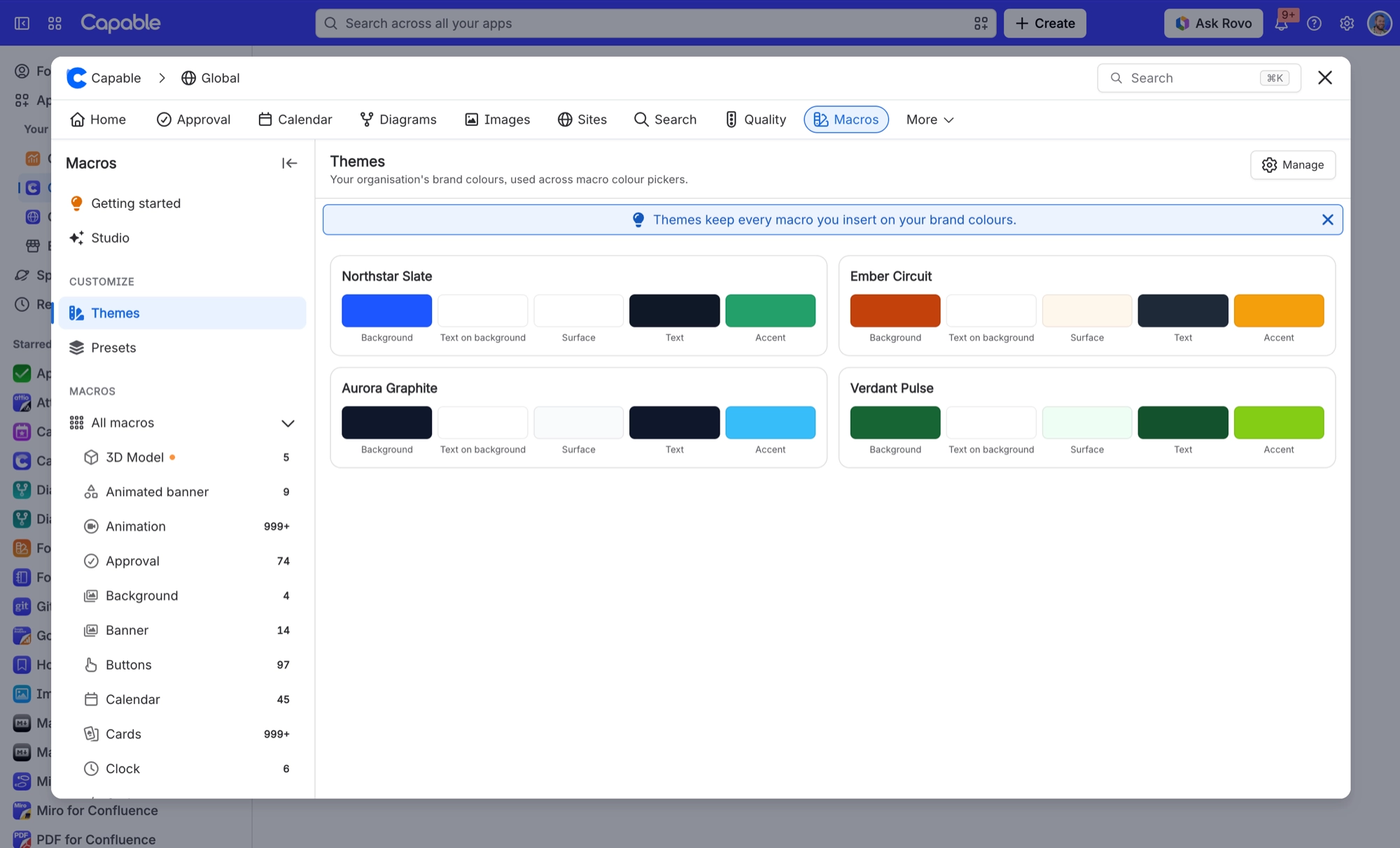
Capable macros do not ask you for a hex code first. They ask which role a colour plays, and take the value from your brand guidelines.
That one step is what makes a page built from six different macros look deliberate.
#The five roles
Role | What it is for |
|---|---|
Background | The surface the macro sits on |
Text on background | What must read against that surface |
Surface | A raised area inside the macro, such as a card face |
Text | What must read on the raised surface |
Accent | Emphasis: buttons, progress fills, highlights |
#Where the values come from
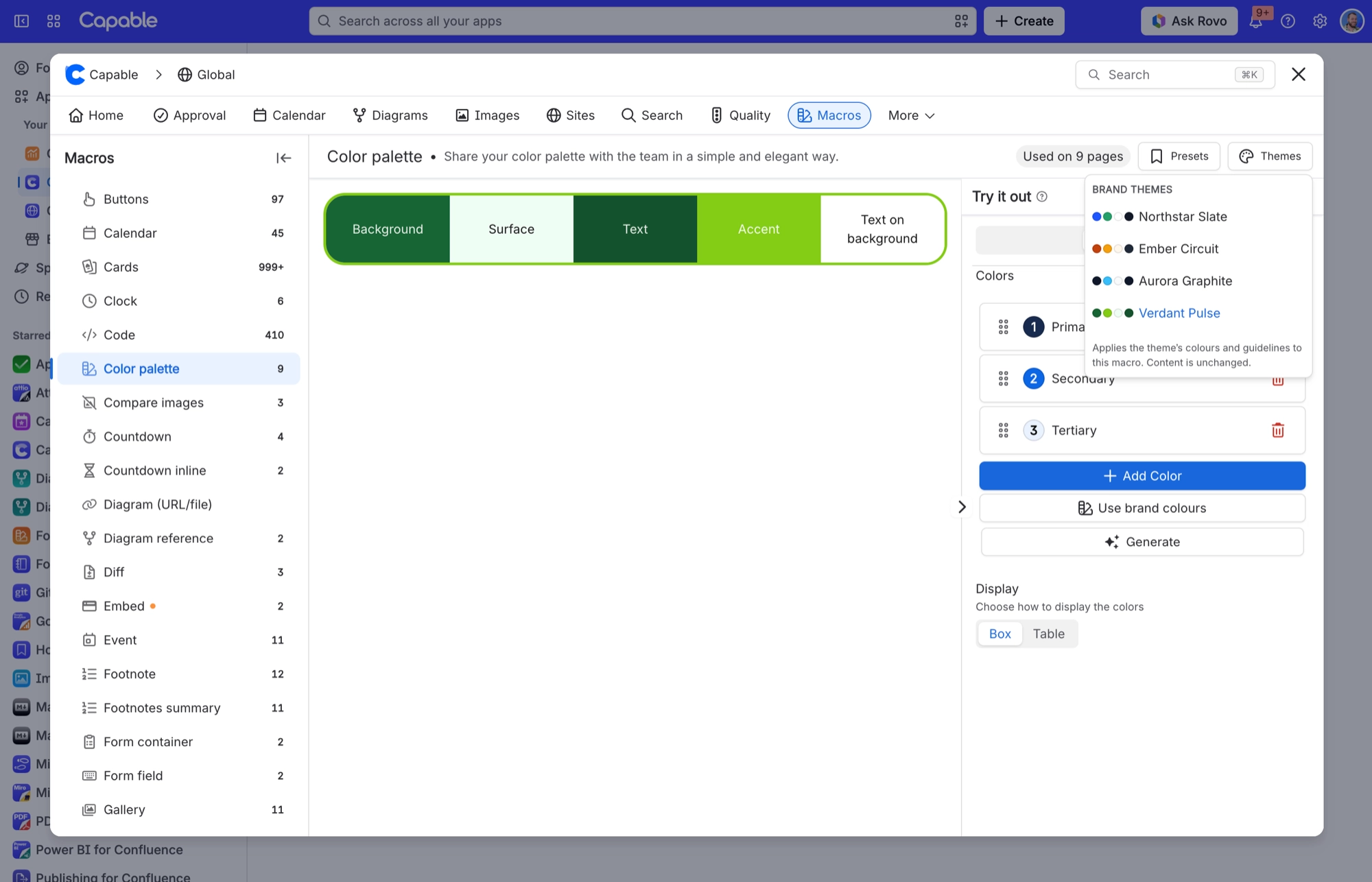
A new macro is seeded from your default theme, so it matches before you touch it.
Changing your brand guidelines updates every macro using the roles.
An administrator can turn off freeform colours entirely, leaving only your brand roles.
Dark mode is derived, not authored. Where a macro supports it, the dark counterpart of your colour is calculated so a card picked for a light page still reads on a dark one.
#Who changes the brand
Themes are set by a Confluence site administrator on the Brand guidelines tab of Global settings, which sits under Manage in the Macros sidebar. The Manage button on the Themes and Presets pages takes a site administrator straight there. Everyone else sees the themes but cannot change them.
#A few things worth knowing
Freeform colours are not updated when the brand changes. That is the trade for using them.
The colour control is the same in every macro, so learning it once is enough.
Check both themes before publishing anything that matters.
If you open the Macros dialog to insert a macro, Manage opens Capable's settings in Confluence administration instead, because the insert dialog has no Global settings entry.
#Related
Pick a role, not a hex code.






















