
Swagger/OpenAPI
Embeds full Swagger UI API reference documentation from a URL, a page attachment, or a spec pasted inline.
Put your API's reference documentation on the Confluence page where people already look for it, instead of linking away to a separate portal. It renders the standard Swagger UI - grouped endpoints, expandable operations, schemas and examples - from an OpenAPI 3 or Swagger 2 document. Where your site admin has approved the API's own domain for direct browser access, the "Try it out" controls also light up so readers can call real endpoints from the page, with an API key, bearer token or basic credentials you configure once. Otherwise the macro is read-only documentation, which is the safe default.
#See it
The example below is a real macro on this page, not a screenshot. Open this page in the editor to see how it's set up.
Loading API documentation…
#Settings
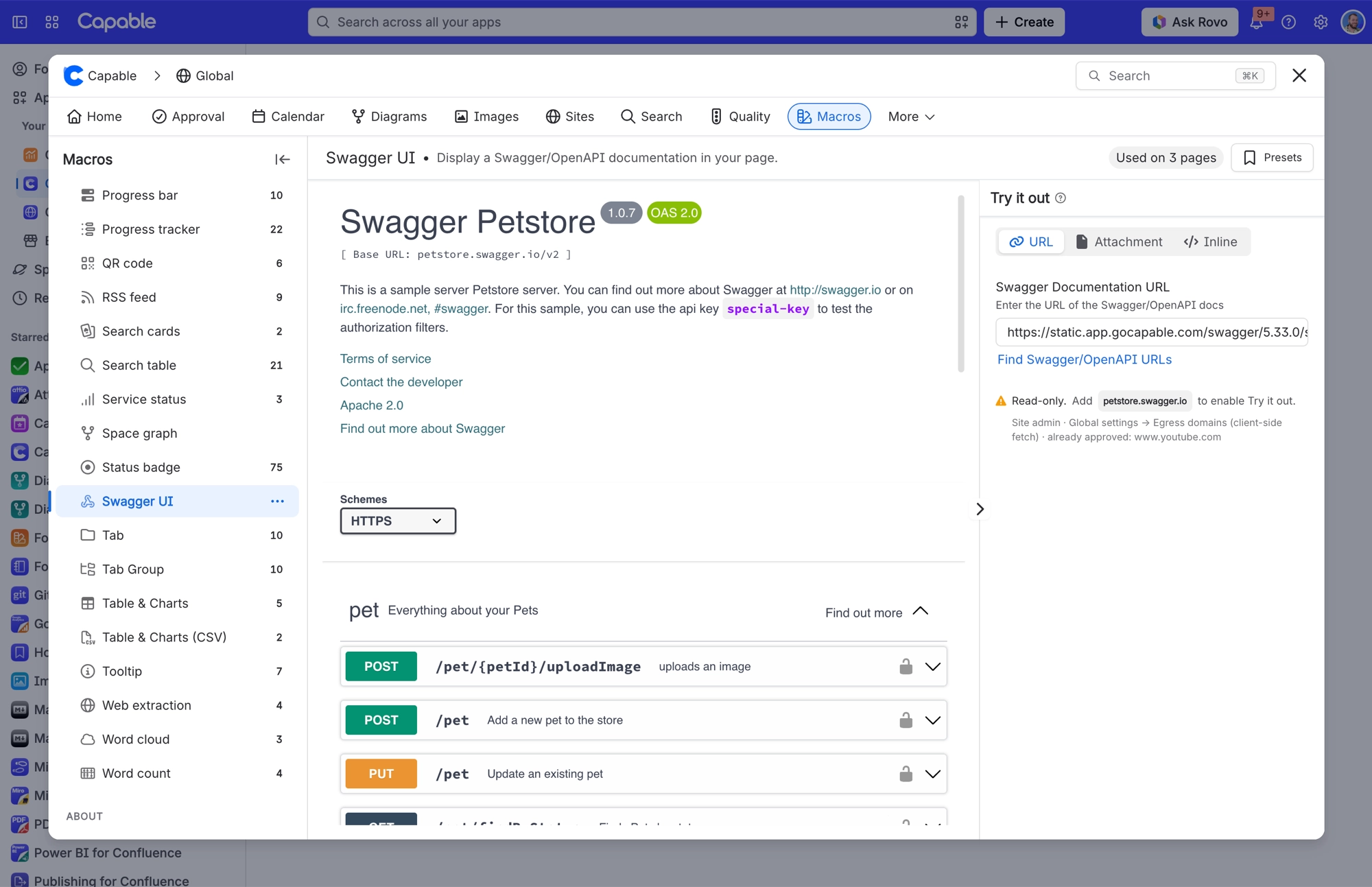
Setting | Values | What it changes |
|---|---|---|
Swagger Documentation URL | Any http or https link to a JSON or YAML spec. The picker suggests seven: Petstore API (a sample hosted by Capable), Confluence REST API, Jira REST API, Mailchimp API, Spotify API, Twilio API and Twitter API. The "Find Swagger/OpenAPI URLs" link opens apis.guru, a directory of public API specs. | Capable fetches the spec for you, so it loads even when the spec's host blocks requests from other websites. Choosing the URL tab clears any attachment or pasted spec. |
Attachment | A file attached to this page. Only JSON, YAML and OpenAPI files are listed, along with any attachments that have no declared file type. | Loaded with the reader's own Confluence access each time the page is viewed. Choosing the Attachment tab clears the URL and any pasted spec. |
Swagger Documentation Specification | A spec pasted into a JSON code editor. | Saved in compressed form inside the macro. Choosing the Inline tab clears the URL and attachment. |
Authentication | None, API key, Bearer token, Basic auth | What gets sent with every "Try it out" request. The whole Authentication section stays hidden until your site admin has approved the API's domain for direct browser access, as there's nothing to sign in to before then. |
Key name | Header or query parameter name, for example X-Api-Key or api_key | Only shown and used when Authentication is API key. |
Key value | Free text, masked like a password | The API key value. Only for API key auth. |
Send in | Header, Query parameter | Whether the API key goes in a request header or is added to the URL's query string. Only for API key auth. |
Bearer token | Free text, masked | Sent as |
Username | Free text | The Basic auth username. Sent together with the password as a standard |
Password | Free text, masked | Basic auth password. Only for Basic auth. |
Send cookies | on / off | When on, the browser includes cookies with "Try it out" requests. Only shown when the Authentication section is visible. |
#Related
The largest family, and the most precise.






















