
LaTeX math
Renders a block mathematical equation written in LaTeX, centred on its own line in the page.
When a page needs a real equation rather than a picture of one - a formula in a spec, a derivation in a research note, a bit of statistics in a report - this macro draws it from LaTeX, so the maths is sharp at any zoom and stays editable as text. You type the LaTeX in a plain text box, or switch to Live for a visual equation editor if you would rather not remember the syntax. If your site has Capable AI enabled, a Generate button lets you describe the equation in words and have the LaTeX written for you. Use it for standalone display equations; for a symbol inside a sentence, use LaTeX math inline instead.
Type | Stands on its own |
|---|---|
PDF and Word export | Not exported |
Published Capable Site | See below |
Name in the picker | LaTeX math (Capable) in the suite. The standalone app usually adds the word macro |
#See it
Every example below is a real macro on this page, not a screenshot, and each one is a configuration taken from a page somebody actually built. Open this page in the editor to see how any of them is set up.
#Left, 21px
#Center, 21px
#Center, 21px (2)
#Settings
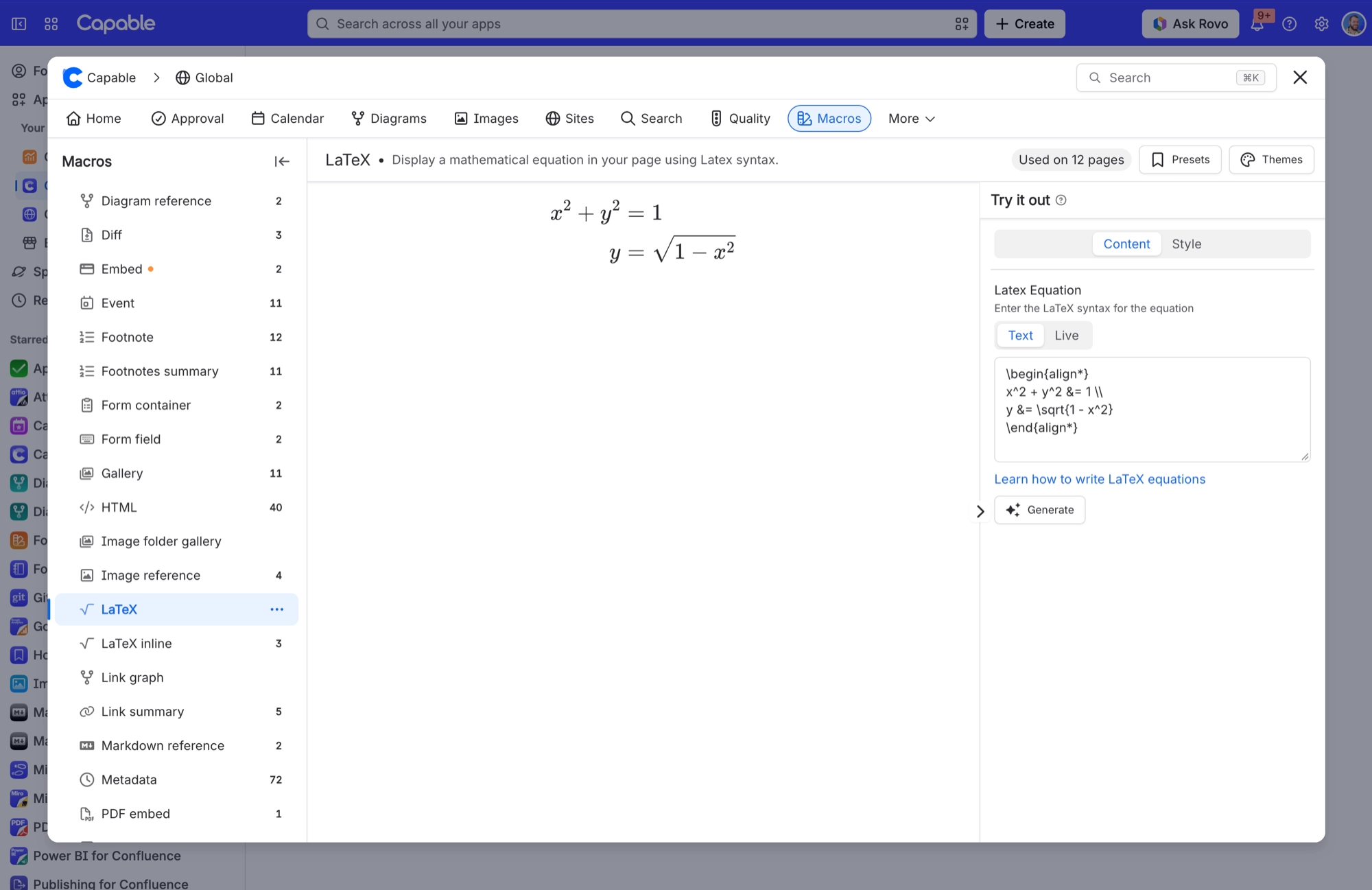
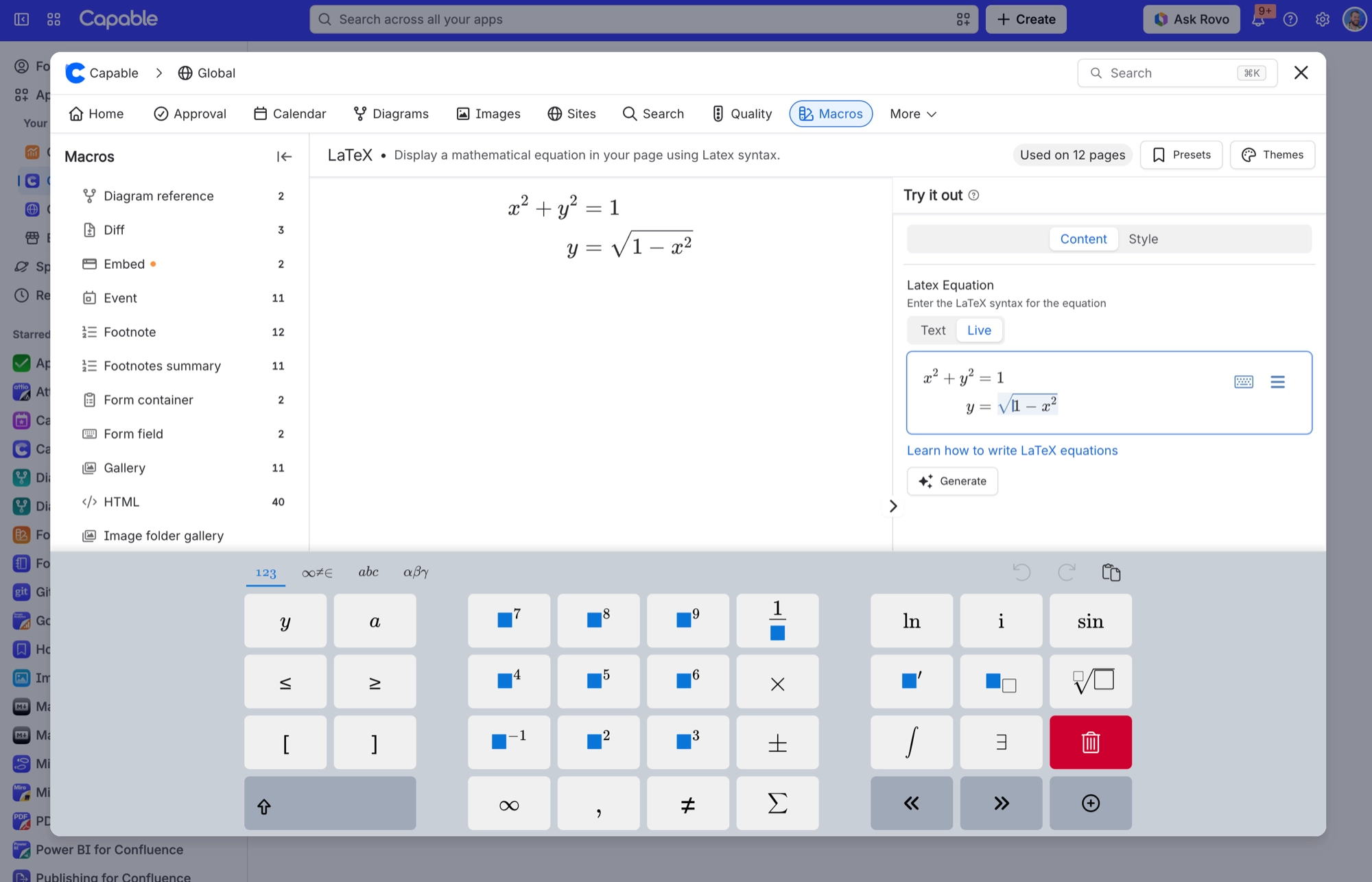
Setting | Values | What it changes |
|---|---|---|
Latex Equation | Any LaTeX. Type it in Text mode, a plain text box, or build it in Live mode, a visual equation editor. If part of the LaTeX has a mistake, it shows in red rather than the whole macro going blank. Dollar signs at the start and end are ignored, so you can paste | The equation itself. This is the only required field. Left empty, the macro shows the text "Invalid LaTeX equation". |
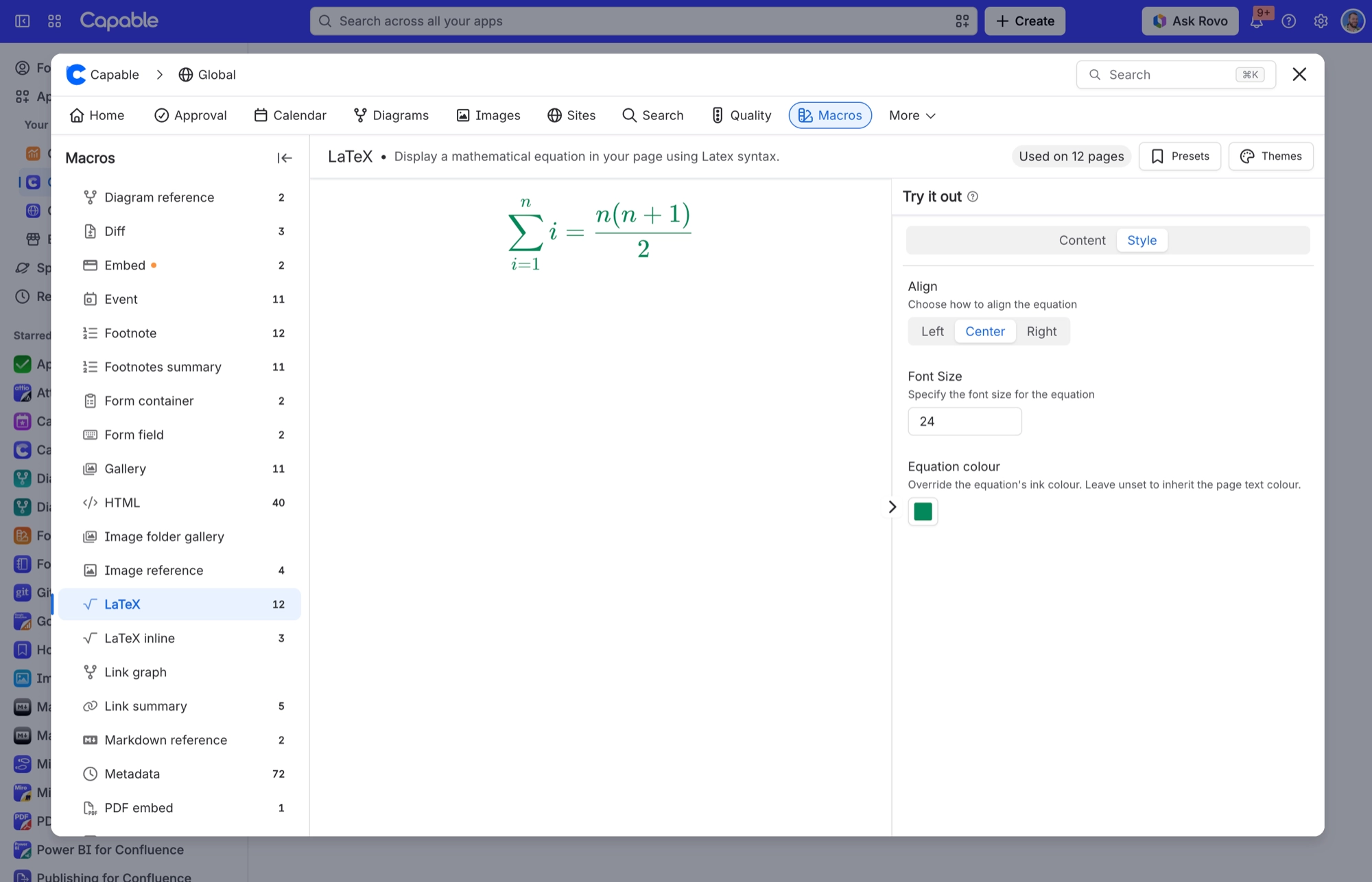
Align | Left, Center, Right | Where the equation sits across the width of the macro. |
Font Size | A size in pixels, from 8 to 96. A value outside that range is drawn at the nearest limit. | The base size of the equation. Superscripts and subscripts scale with it. |
Equation colour | A text colour from your brand colours, a custom colour if your site allows custom colours, or none. | Colours the whole equation, including fraction bars and root signs. Left empty, the equation uses the page text colour for the current theme. Equations saved before this setting existed work the same way. |
#Related
The largest family, and the most precise.






















