
Poll
Asks a question on the page and lets signed-in readers vote on it, showing live counts and percentage bars.
Use it to settle a small decision right where the page already is: pick a date, choose a name, see who is in favour. No need to send people off to a survey tool. Readers vote in place, the counts and percentage bars update as votes come in, and anyone can clear their own answer and vote again. It is deliberately lightweight, so there is no closing date, no way to hide results, no export and no admin reset. It is also where Handy Poll macros land when you migrate. The question, the options and the single or multiple choice setting come across, but existing votes cannot, because Handy Poll stores them on Stiltsoft's servers.
#See it
The polls below are real macros on this page, each set up the way someone built it on a real page. Polls only work inside Confluence, so open this page there to vote, or open it in the editor to see how each one is set up. The picture shows the first poll as a reader sees it.
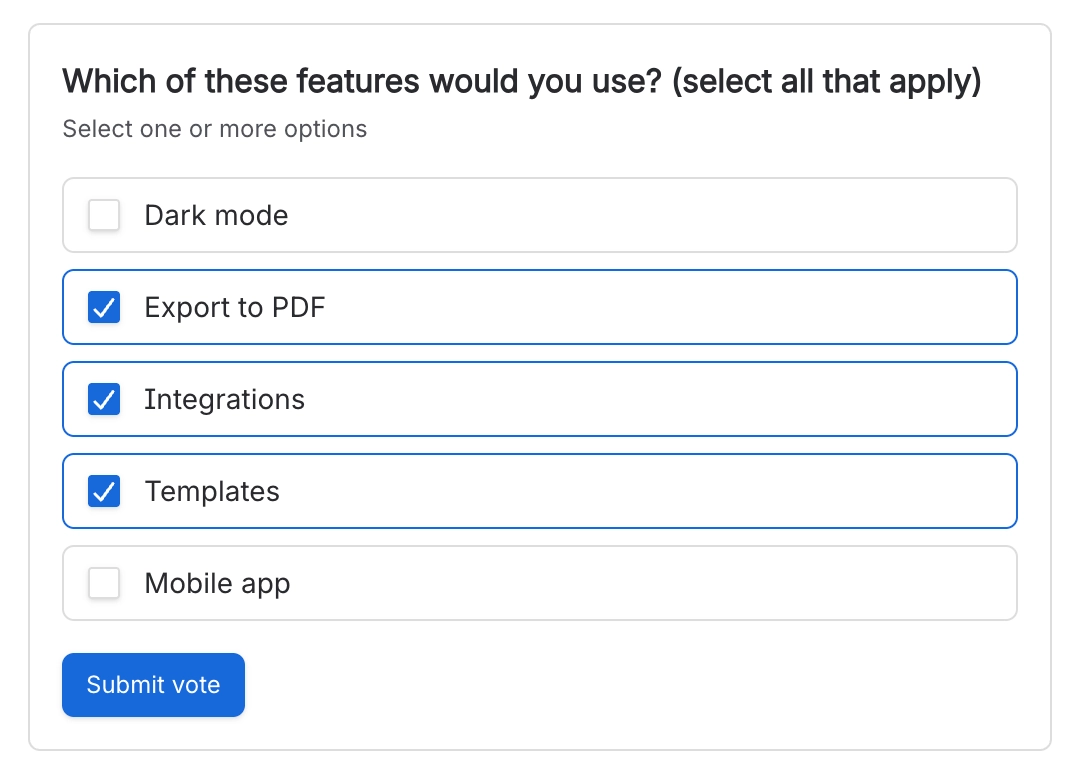
#Which of these features would you use?
#Did you find this document useful?
#Settings
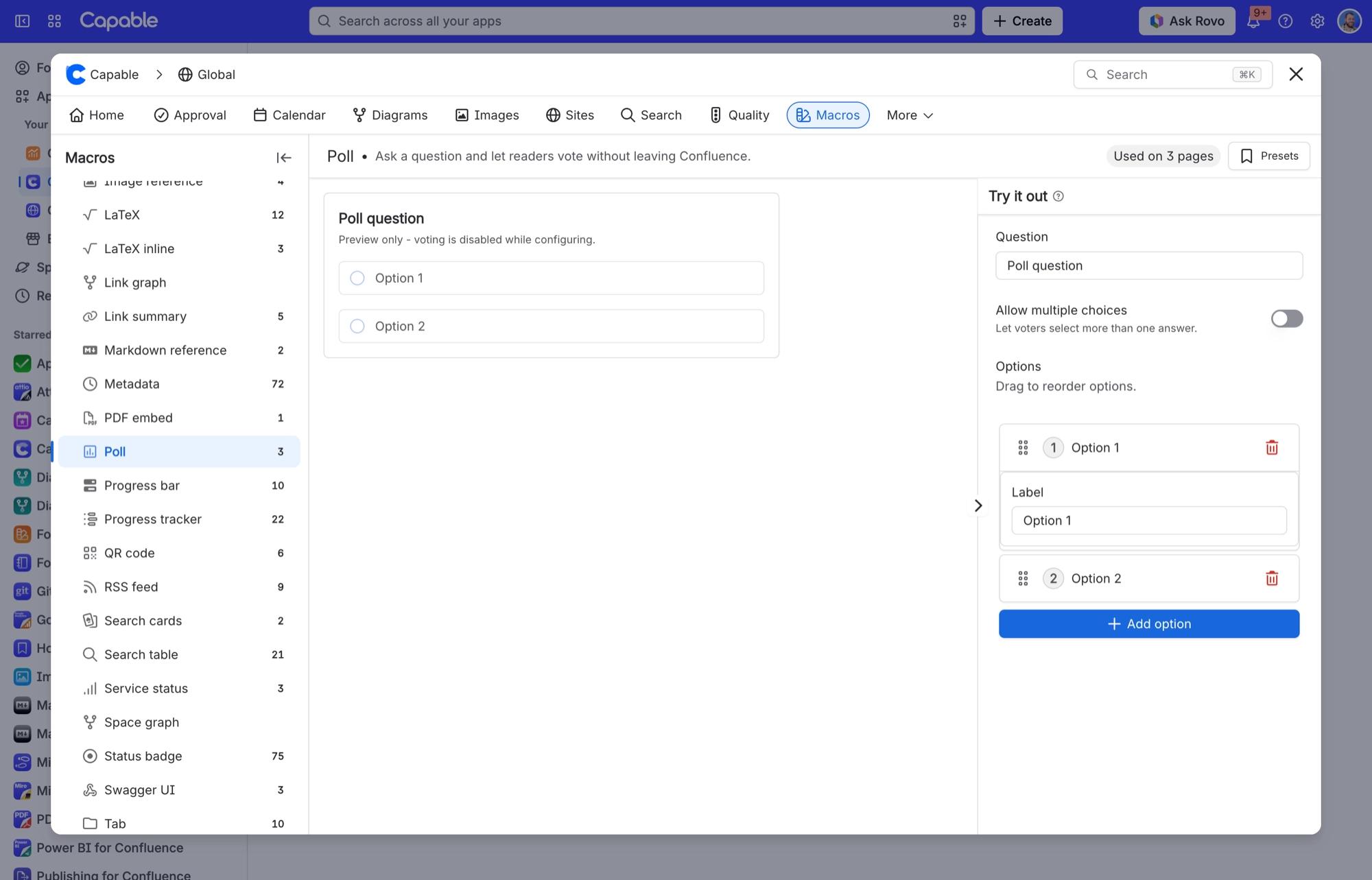
Setting | Values | What it changes |
|---|---|---|
Question | Free text | The prompt shown above the options. |
Allow multiple choices | On / Off (default Off) | Off: options show as radio buttons and each voter picks one. A new vote replaces the voter's earlier one. On: options show as checkboxes, voters can pick several, and the line "Select one or more options" appears under the question. |
Options (each with a "Label") | An ordered list. Drag the handle to reorder, select "Add option" to add one, or select the bin icon to delete one. A poll needs at least two options, so the bin icon does nothing once you are down to two. | The answers voters choose between. Readers see the Label. Behind the scenes, each option has its own fixed ID, and votes are counted against that ID rather than the label. |
Poll ID | Set automatically (not shown in the settings) | Links the poll to its results. Everything about the results, who voted and for what, is tied to this one ID. |
Handy poll ID | Set by the migration (not shown in the settings) | Records the original Handy Poll ID when the poll was migrated from Handy Poll. It is for reference only and does not change how the poll works. |
#Related
These carry state. Keep them true.






















