
Word cloud
Builds a word cloud from the text of the page it is placed on, sizing each word by how often it appears.
It gives you a quick visual summary of what a page is really about - handy at the top of a long retrospective, a survey write-up or a set of meeting notes. The cloud reads the page's own text (the live draft while you are editing, the published version otherwise), leaves out common English words, counts the rest without caring about capital letters, and draws each word at a size that matches how often it appears. There is nothing to type: you only choose how often a word must appear to earn a place, and the smallest and largest sizes to draw at.
#See it
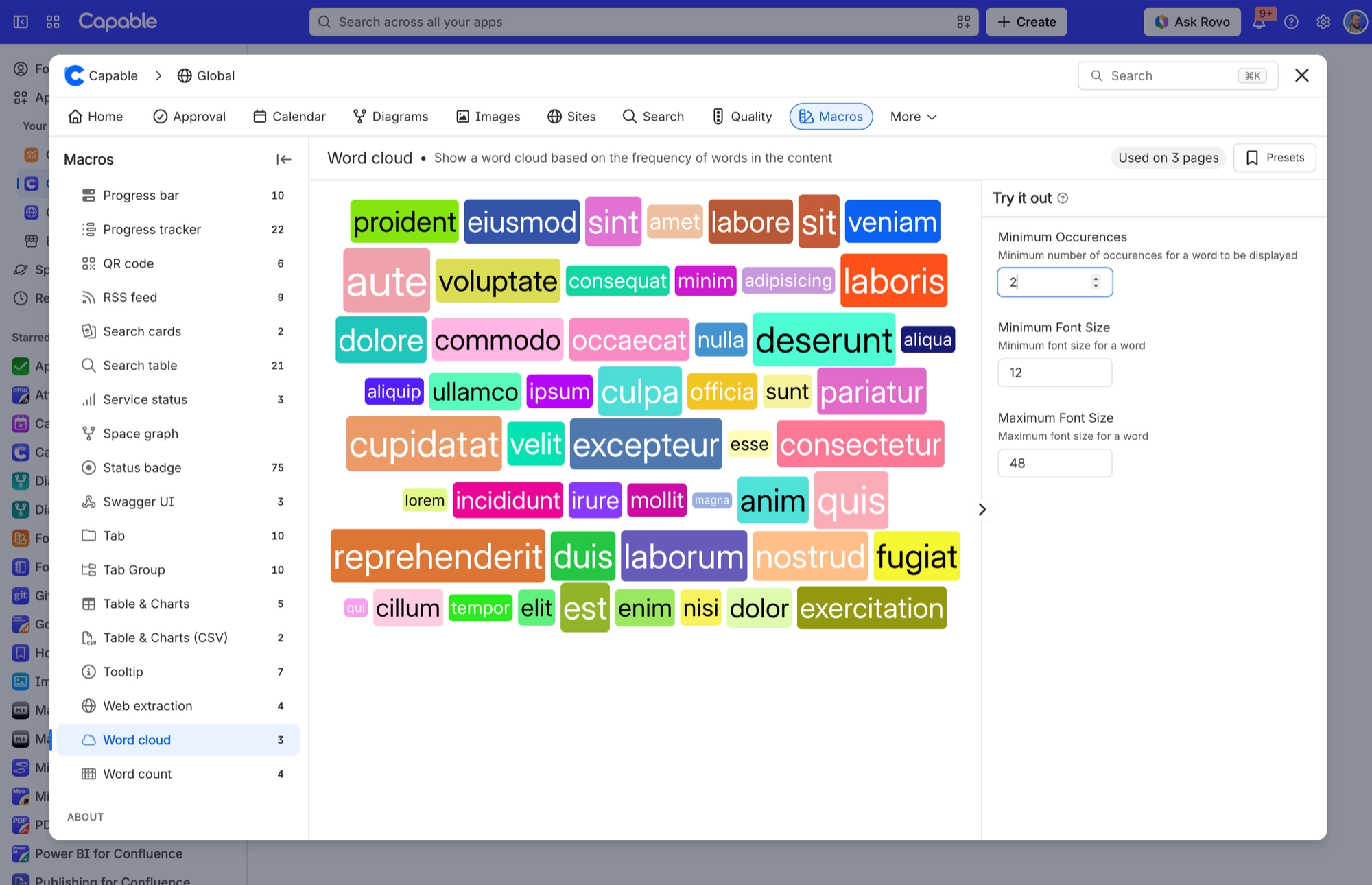
The example below is a real macro on this page, not a screenshot. Open this page in the editor to see how it is set up. Word clouds don't appear on published sites, so if you are reading this on the help site, the screenshot shows what one looks like.
#Words
#Settings
Setting | Values | What it changes |
|---|---|---|
Display | words (the only value) | Nothing. As words is the only option, you can leave it as it is. |
Minimum Occurences | A number | A word must appear at least this many times on the page to be included. Raise it to thin the cloud down to the main themes. Set it to 1 and every word appears, apart from the common ones that are always left out. |
Minimum Font Size | A number of pixels | The size of the least frequent word in the cloud. |
Maximum Font Size | A number of pixels | The size of the most frequent word. Every other word is scaled somewhere between the two. |
#Related
The largest family, and the most precise.






















