
Lorem ipsum
Drops blocks of placeholder text onto the page so you can see how a layout reads before the real content exists.
When you are designing a page template, a space home or a multi-column layout, empty sections collapse and you cannot tell whether the design works. This macro fills them with classic lorem ipsum paragraphs, in one to three columns, so the page has realistic bulk while you arrange things around it. Reach for it while prototyping a template or demonstrating a layout to someone, then delete it and put the real words in. It is deliberately simple: two numbers and nothing else.
#See it
Every example below is a real macro on this page, not a screenshot, and each one is a configuration taken from a page somebody actually built. Open this page in the editor to see how any of them is set up.
#2 columns, 1 paragraph
Pariatur incididunt do deserunt laboris voluptate eu ipsum anim sunt exercitation excepteur. Ullamco elit commodo Lorem non elit do qui incididunt culpa ullamco tempor. Culpa Lorem deserunt excepteur duis ullamco Lorem qui labore ullamco cupidatat non nostrud. Proident anim consequat nulla est ad laborum enim dolor veniam Lorem.
#3 columns, 1 paragraph
Culpa labore ex nulla amet nostrud proident aliquip aliquip esse elit duis nisi anim enim. Sunt duis qui aliquip commodo aute ipsum irure id. Ex non incididunt sint amet ea labore cupidatat. In aute proident consectetur elit qui quis esse. Ipsum cillum nulla cillum laborum. Dolore mollit voluptate officia aliqua deserunt reprehenderit elit. Ea anim labore dolor nisi esse veniam in exercitation commodo aliquip ex.
#1 column, 1 paragraph
Irure eiusmod est sit et ut officia incididunt reprehenderit non mollit do minim reprehenderit excepteur. Aliquip adipisicing et ex nisi deserunt aute fugiat qui irure sunt laboris velit consequat fugiat. Elit reprehenderit duis voluptate adipisicing labore labore ullamco. Aliqua sit ut ullamco nulla nisi sit. Excepteur labore sint ea in laborum ut eu irure. Qui enim tempor laboris dolor nulla dolor. Non officia fugiat nisi proident voluptate mollit enim officia irure cillum eu.
#Settings
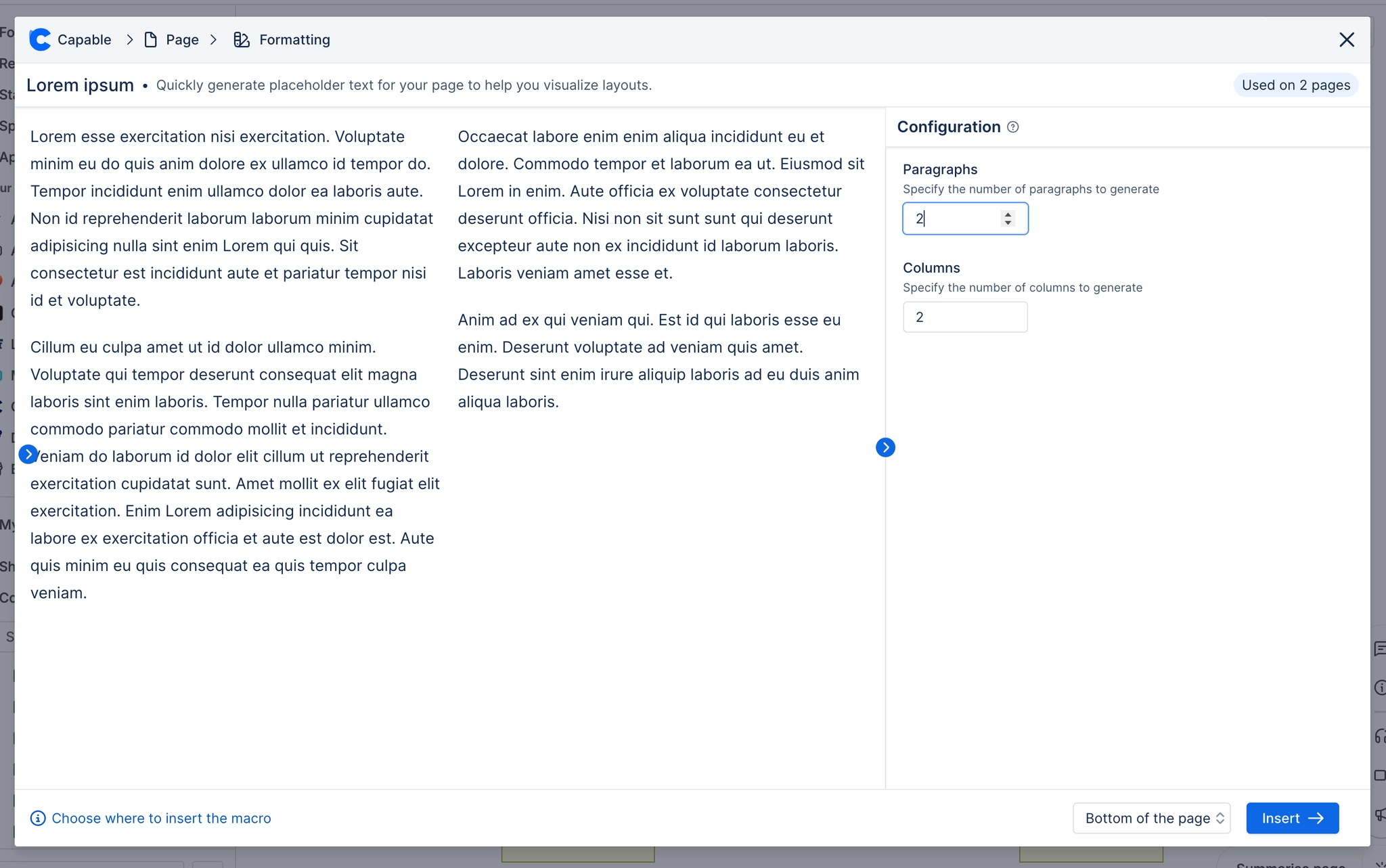
Setting | Values | What it changes |
|---|---|---|
Paragraphs | 1–100 | How many paragraphs of placeholder text to generate, up to a maximum of 100. |
Columns | 1–3 | How many side-by-side columns to lay the text out in, up to a maximum of 3. |
#Related
Small, and quietly useful.






















