
Status badge
An inline status lozenge that readers with edit rights can click to change, chosen from a preset scheme.
Use this to put a live status in a sentence, a table cell or a heading - DRAFT / REVIEW / APPROVED, ON TRACK / AT RISK / OFF TRACK, a T-shirt size, a RAG rating. It comes with thirteen ready-made schemes, so you do not have to invent one. Its real value is that changing the status does not mean opening the page editor: anyone who can edit the page clicks the badge on the published page, picks from the list, and it saves. That makes it practical for status tables that lots of people keep up to date. It looks like a native Confluence status, so it sits happily alongside Confluence's own status lozenges.
#See it
Every badge below is a live macro on this page, not a picture, set up the way people use it on their own pages.
#MoSCoW, in a sentence
Inline, in a sentence: this page is COULD HAVE and reviewed quarterly.
#MoSCoW, with a different status active
Inline, in a sentence: this page is SHOULD HAVE and reviewed quarterly.
#Support level, in a sentence
Inline, in a sentence: this page is PARTIAL and reviewed quarterly.
#In a table
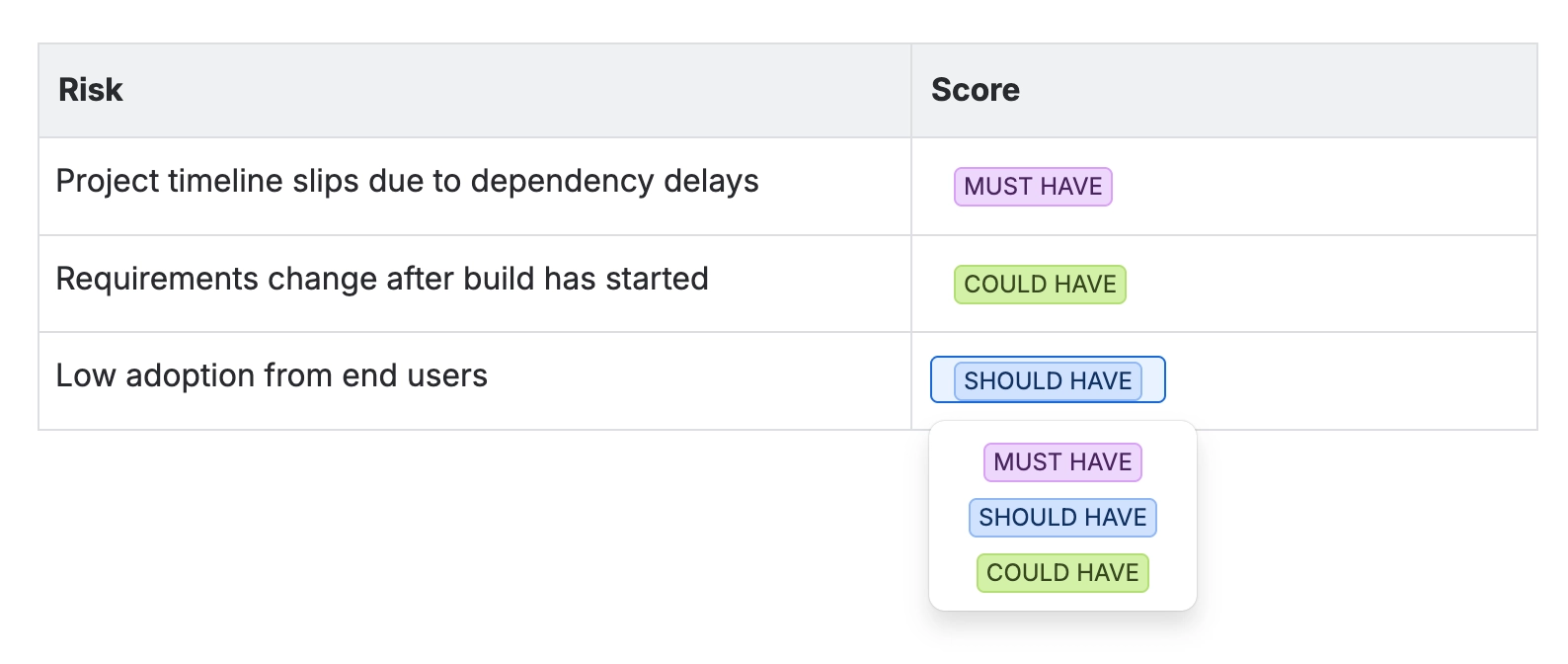
Risk | Score |
|---|---|
Risk A | COULD HAVE |
Risk B | SHOULD HAVE |
Risk C | COULD HAVE |
#Settings
Setting | Values | What it changes |
|---|---|---|
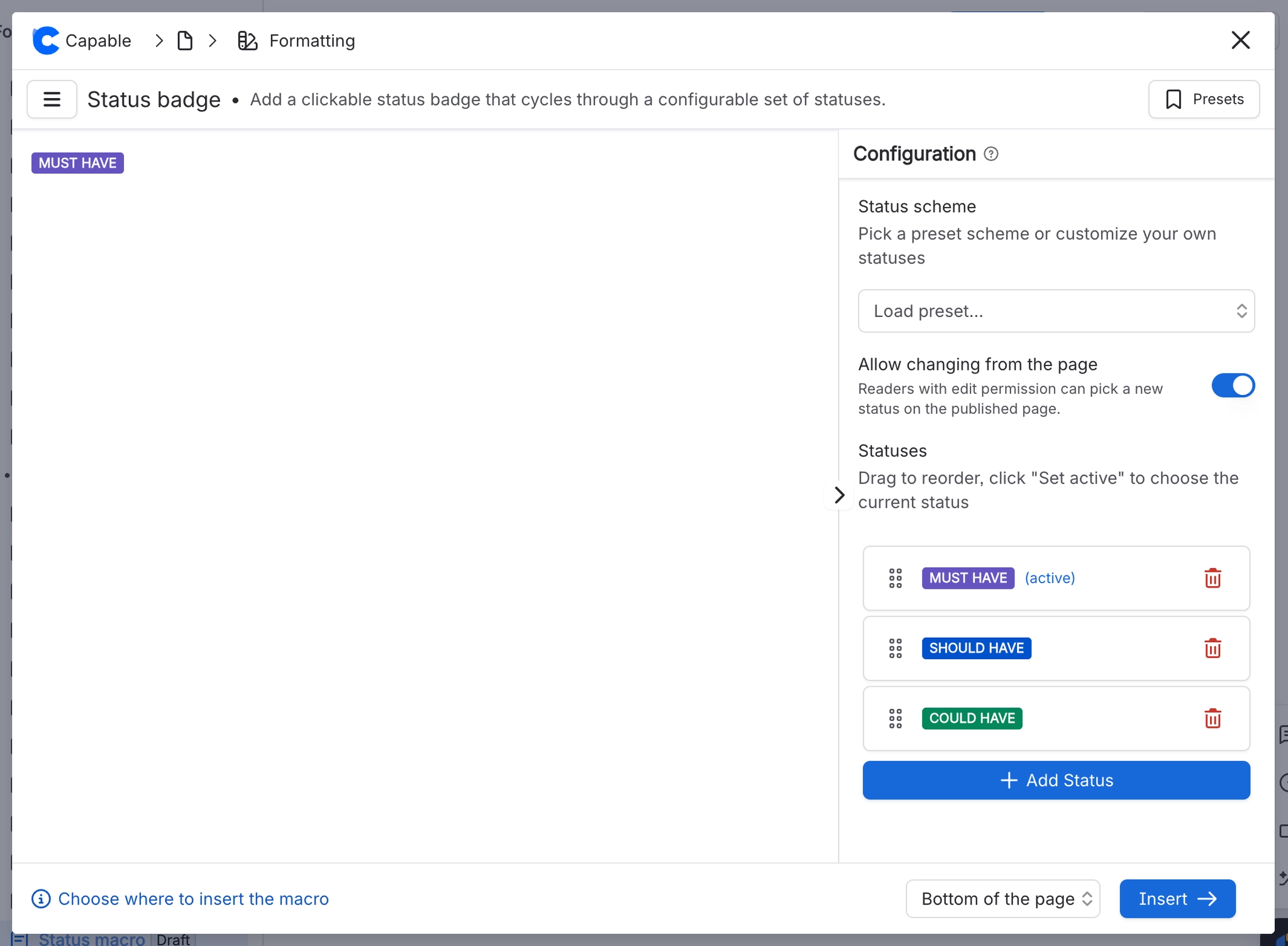
Status scheme | Your organisation's sets, listed first under Your organisation, then the built-in schemes: Task Status / Approval / Quality / Priority / MoSCoW / Scale 1-10 / Fibonacci / T-Shirt Size / Percentage / Medals / RAG status / Sprint health / Traffic Light | Loads a ready-made set of statuses. Click Load preset... and type in Search status sets to filter by name. Picking a scheme replaces your whole Statuses list with that preset and makes its first status active. The scheme itself is not saved, only the statuses it loads. |
Statuses | A list of statuses, reorderable by dragging | The choices a reader can pick from. Drag a status to move it, use Add Status for a new one, or the bin icon to remove one. |
Title (per status) | Free text | The text shown inside the badge. |
Appearance (per status) | Neutral / Success / Removed / Moved / In progress / New | The badge colour. These are Confluence's own six status colours: grey, green, red, amber, blue and purple, in that order. |
Set active / Active | A button on each status | Marks which status the badge currently shows. If you reorder the list, the same status stays active. |
Allow changing from the page | On / Off | When on, anyone with edit permission can click the badge on the published page and pick a new status. When off, the status can only be changed by editing the macro. |
#Your organisation's status sets
A Confluence site administrator can save up to 20 status sets of up to 20 statuses each in Global settings, Status badges, starting from scratch or from a copy of a built-in scheme. They appear at the top of the scheme picker under Your organisation, above the Built-in group, for everyone on the site.
Editors can still change the statuses on any one badge after loading a set, and badges already on pages never change when a set is edited or deleted.
#A few things that catch people out
A badge with only one status cannot be clicked on the page, even with Allow changing from the page on.
Loading a scheme replaces every status in the list, including any you typed yourself.
The search box matches set names only, not the statuses inside them.
The macro reads your organisation's latest sets each time you open it, so a set an administrator has just saved appears as soon as you reopen the panel.
#Related
Add a status badge to a Confluence page
The quick version, step by step.
Create status badge sets for your Confluence site
For administrators: sets for everyone.
Progress tracker
A horizontal row of numbered, optionally linked steps showing where a process has got to.
Progress, status and feedback
The rest of this family.
These carry state. Keep them true.






















