
Embed/iFrame
Embeds an external web page - a YouTube video, a Figma file, a Google Doc, a Miro board or any approved HTTPS URL - directly inside your Confluence page as a live frame.
Use it when the thing you want on the page lives somewhere else and a link is not enough: a product demo on YouTube, a design in Figma, a live Miro board, a Google Form or a dashboard on an internal tool. Paste the ordinary URL you would send a colleague - the watch URL, the share URL, the file URL - and the macro turns it into the right embeddable address, picks a sensible shape for that kind of content, and gives that provider the permissions its player needs.
It is the general-purpose option for external content, alongside the more specialised RSS feed, Swagger/OpenAPI and Web extraction macros. The macro is marked Beta, so it carries a Beta badge in the macro catalogue and the command palette.
Before you start: a site admin must approve the destination domain for the Frames egress type. Until they do, Confluence's own security policy blocks the frame and the macro shows a notice instead.
#See it
The example below is a real macro on this page, not a screenshot, set up the way it was on a real page. Open this page in the editor to see how it is configured.
#YouTube video, full width, centred
#Settings
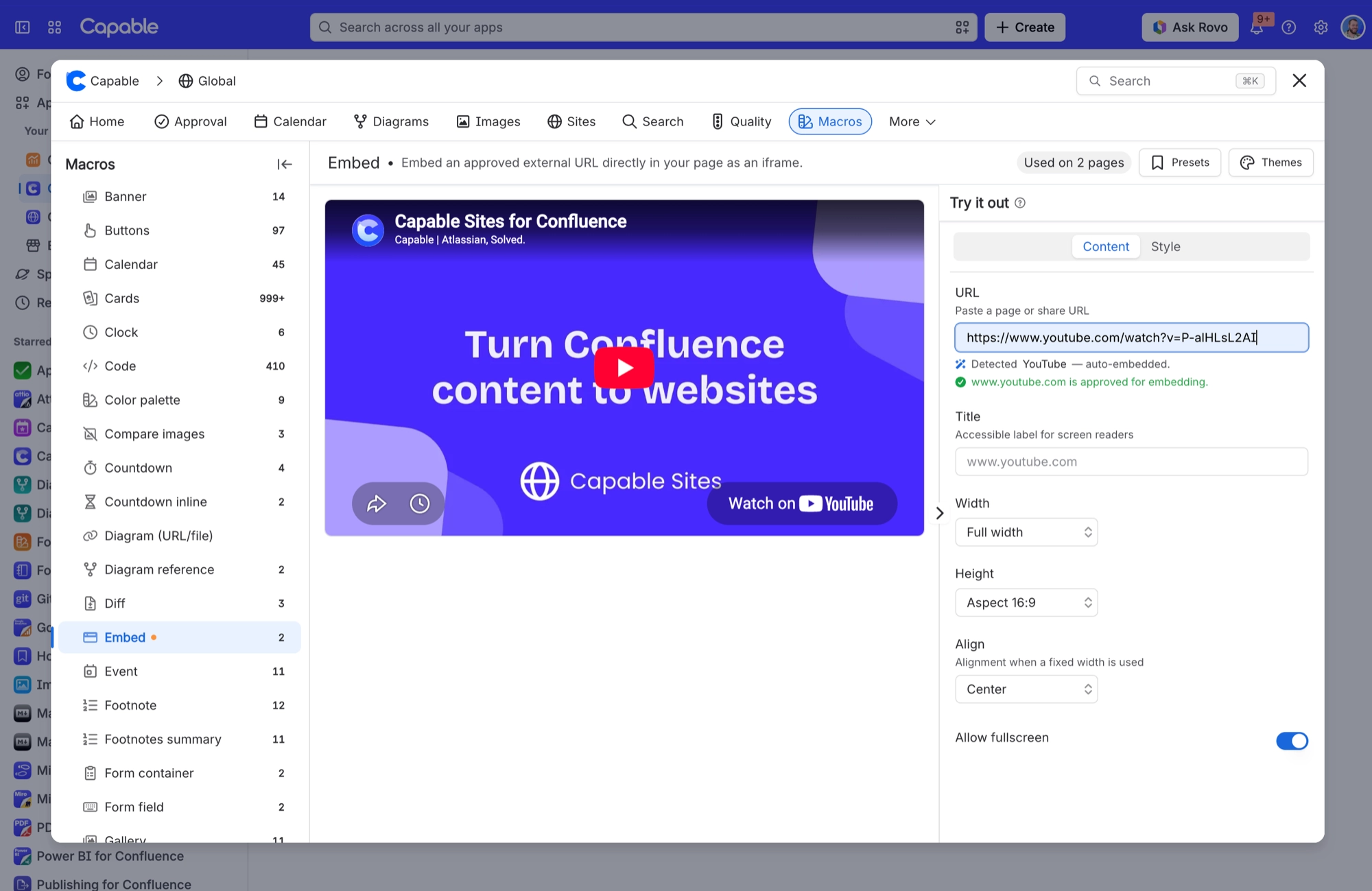
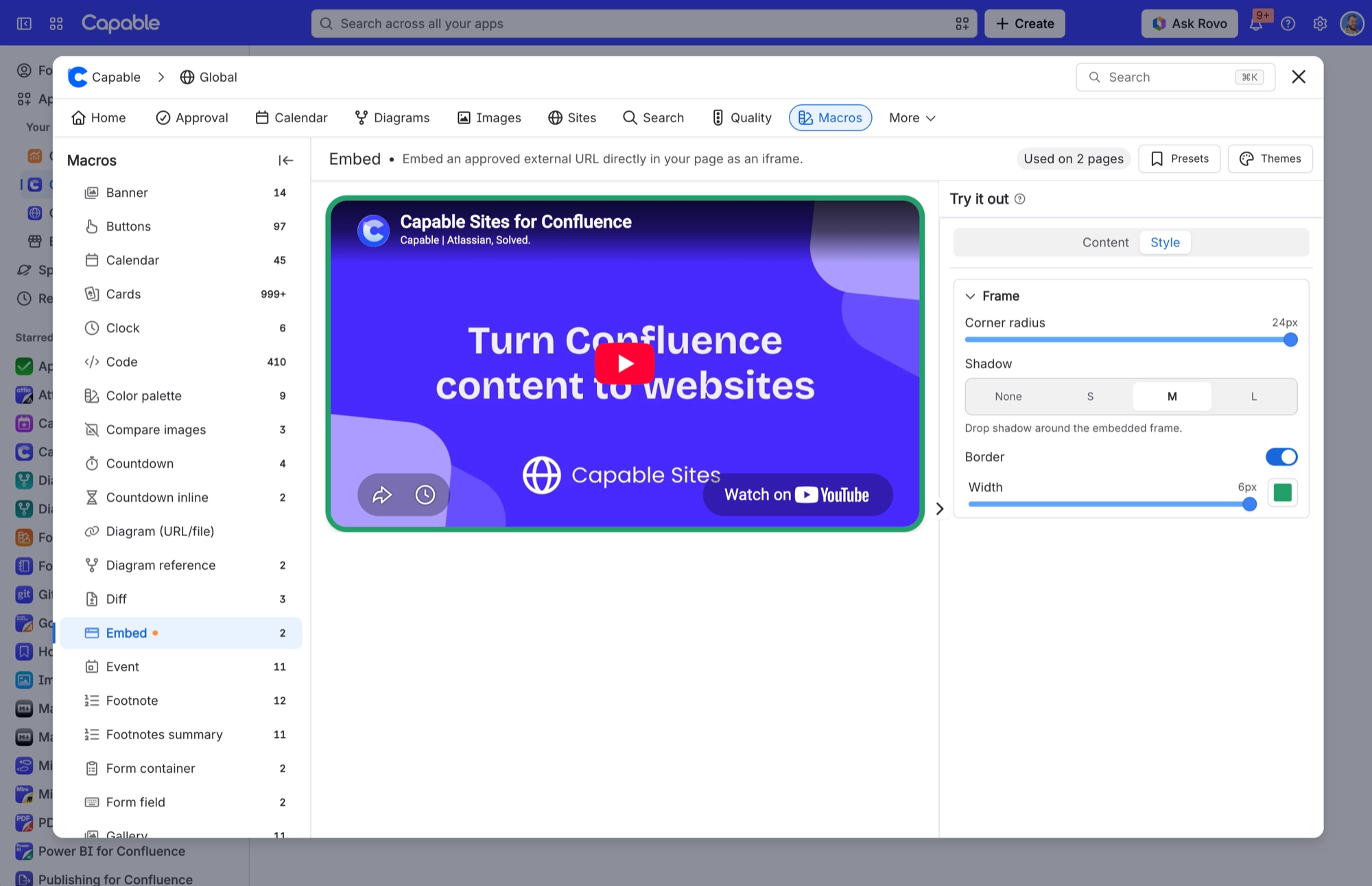
The settings sit on two tabs. Content holds the URL, title, size, alignment and fullscreen. Style holds the frame: corner radius, shadow and border.
Setting | Values | What it changes |
|---|---|---|
URL | An https:// web address. Anything else (http://, a relative path, malformed text) is rejected. | The page to embed. As you type, the panel tells you three things: whether the URL can be embedded at all ("Only https:// URLs can be embedded."), whether it matched a known provider ("Detected YouTube - auto-embedded."), and whether the domain is approved for embedding ("www.youtube.com is approved for embedding."). |
Title | Free text. | The name screen readers announce for the frame. Leave it empty and the macro uses the site it is embedding (for example "www.youtube.com"), or "Embedded content" if even that is not available. |
Width | Full width, Fixed width | Full width makes the frame fill the page column. Fixed width adds a pixel box next to the dropdown and holds the frame to that width (never wider than the column, so it still fits on a narrow screen). |
Width (px) | 100 to 2000, in steps of 10. A value outside that range snaps to the nearest limit when you leave the box. | The width of the frame in pixels. Only shown, and only used, when Width is set to Fixed width. At Full width the value is kept but ignored. |
Height | Aspect 16:9, Aspect 4:3, Aspect 1:1, Aspect 21:9, Fixed height | How tall the frame is. The aspect options size the frame from its width, so it keeps the right proportions as the page column resizes - ideal for video and design embeds. Fixed height adds a pixel box and keeps the frame at that height. |
Height (px) | 100 to 2000, in steps of 10. A value outside that range snaps to the nearest limit when you leave the box. | The height of the frame in pixels. Only shown, and only used, when Height is set to Fixed height. With an aspect option selected the value is kept but ignored. |
Align | Left, Center, Right | Where the frame sits in the page column. As the panel puts it, this is the "Alignment when a fixed width is used". At Full width the frame already fills the column, so changing it has no visible effect. |
Allow fullscreen | On / Off | Whether the embedded page can go fullscreen. For a URL from a site the macro does not recognise, this switch decides. For a recognised provider such as YouTube, the macro uses the permissions it already gives that provider instead. |
Corner radius (Style tab, Frame section) | Slider, 0 to 24 px | Rounds the frame's corners and trims the embedded page to match. The default is 6 px, which only rounds the corners once the frame has a border or a shadow. Any other value applies on its own, with or without a border or shadow. |
Shadow (Style tab, Frame section) | None, S, M, L | A drop shadow around the frame that lifts the embed off the page. Adding any shadow also turns on the default 6 px rounding. |
Border (Style tab, Frame section) | On / Off. When on, two more controls appear: Width (a slider, 0 to 6 px) and Color (a brand colour picker you can clear, with a custom colour option if your brand settings allow one). | Draws a line around the frame. Leave Color clear and the border follows the Confluence theme colour, so it suits both light and dark mode. Choose a colour to fix it. Turning the border on also turns on the default 6 px rounding. |
#Related
The largest family, and the most precise.






















